Skip to Main Content
Sam's Club
Sam's Club
All Departments
All Services
Customer reviews for SAMSUNG 55” Class Q7FD Series 4K QLED Smart TV for
SAMSUNG 55” Class Q7FD Series 4K QLED Smart TV
4.6 out of 5 stars
stars
3,564 ratings3,561 reviews
  1. 5 stars78% (2,765)
  2. 4 stars15% (517)
  3. 3 stars4% (160)
  4. 2 stars1% (48)
  5. 1 star2% (74)

Member photos

  • +1105 images
Sort by |
Showing 1,141-1,150 of 3,561 reviews
Jun 1, 2026
Reviewer name: Scraig
3 out of 5 stars
3 out of 5 stars review

Overall Okay

[This review was collected as part of a promotion.] TV works overall pretty well. The smart tv applications tend to lag sometimes. Also when you use your smart home device to turn it off it will randomly turn back on a few minutes later

Review from Samsung US
Helpful?1LI0EAPX5OHH15551574995
reply from Samsung Specialist

Thanks for your review. If there’s anything we can assist with, please don’t hesitate to call us at 1-800-SAMSUNG (8AM – 9PM EST Mon – Fri, 8AM – 6PM Sat – Sun), or reach us via text anytime. You can also visit ‘Support’ on our website for: • Live Chat • Manuals, Software, & Warranty Info ~ Samsung Specialist

Jul 5, 2026
Reviewer name: Rchair
5 out of 5 stars
5 out of 5 stars review

Great features

[This review was collected as part of a promotion.] Very good picture and I decided to buy a another Samsung because I like the Samsung plus channels that come with it. Overall it is a good buy.

Review from Samsung US
Helpful?1LI0EAPX5OHH15551574995
Jul 5, 2026
Reviewer name: Fishmaster
5 out of 5 stars
5 out of 5 stars review

Great TV

[This review was collected as part of a promotion.] I really like the Samsung TV it's got good color good reception volume is good the sound bar I'm using is Samsung good everything works just the way I wanted to thank you very much

Review from Samsung US
Helpful?1LI0EAPX5OHH15551574995
Jun 21, 2026
Reviewer name: Bean234
5 out of 5 stars
5 out of 5 stars review

Great TV

[This review was collected as part of a promotion.] TV has been great. The size works perfect for our living room. It's easy to use, has a nice, clear picture and has some great features.

Review from Samsung US
Helpful?1LI0EAPX5OHH15551574995
May 20, 2026
Reviewer name: NS0127
5 out of 5 stars
5 out of 5 stars review

Awesome

[This review was collected as part of a promotion.] The picture on the TV is wonderful, My wife was surprised that I got the larger TV along with the sound bar. It makes movies a joy to watch on the weekends really love it really good TV .

Review from Samsung US
Helpful?1LI0EAPX5OHH15551574995
Jun 23, 2026
Reviewer name: Shadow
5 out of 5 stars
5 out of 5 stars review

Great TV

[This review was collected as part of a promotion.] The interface may be the best i have tried. I also have LG tvs and Google tvs but I like this one the best. The menus are quick and responsive. The TV looks great too for everyday watching.

Review from Samsung US
Helpful?1LI0EAPX5OHH15551574995
Jun 5, 2026
Reviewer name: Buddy
3 out of 5 stars
3 out of 5 stars review

Not as expected
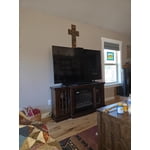
[This review was collected as part of a promotion.] This is by far the worst Samsung TV we've ever had. We are not happy with the resolution, the sound quality and the difficulty in use.

Review from Samsung US
Helpful?1LI0EAPX5OHH15551574995
reply from Samsung Specialist

We appreciate your feedback on the picture quality of Samsung’s Q7FD TV. First, make sure your TV is up to date. Firmware updates often include picture quality enhancements. To check for the latest version, go to: Home > Left directional button > Settings > Support > Software Update > Update Now If the image doesn’t quite match your preferences after updating/checking for updates, there are several settings you can adjust to better suit your viewing environment. To explore picture mode options, go to: Home > Left directional button > Settings > All Settings > Picture > Picture Mode. Available modes include: 1. Standard – Default mode for general viewing 2. Dynamic – Brighter and sharper for well-lit rooms 3. Eco – Optimized for energy saving 4. Movie – Best for dark room viewing 5. Filmmaker Mode – Preserves the director’s intended look and feel (automatically enabled for supported content) You can also fine-tune settings like brightness, contrast, sharpness, and more by navigating to: All Settings > Picture > Expert Settings If you’d like help finding the best setup for your preferences, please don’t hesitate to contact Samsung Customer Support at 1-800-SAMSUNG (8AM – 9PM EST Mon – Fri, 8AM – 6PM Sat – Sun). You can also LiveChat with an agent or find helpful guides by visiting the ‘Support’ section of our website. ~ Samsung Specialist

Jul 2, 2026
Reviewer name: Angelbaby61
5 out of 5 stars
5 out of 5 stars review

Best features available, I had a R A, Never again!

[This review was collected as part of a promotion.] I will never buy anything else other than a Samsung is the best TV I have ever bought and I am hooked brightness vibrancy upscaling all great

Review from Samsung US
Helpful?1LI0EAPX5OHH15551574995
Jul 6, 2026
Reviewer name: Tvinforo
5 out of 5 stars
5 out of 5 stars review

Love the new channels I have with the internet
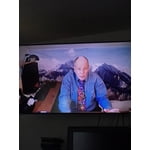
[This review was collected as part of a promotion.] Love the help, so friendly to talk to. Also they have a way to jump inside your TV if you make a mess , they clean up and improve the tv

Review from Samsung US
Helpful?1LI0EAPX5OHH15551574995
Jul 5, 2026
Reviewer name: Al Desai
5 out of 5 stars
5 out of 5 stars review

Good features, some feature not working to voice
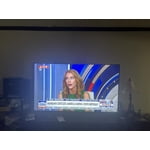
[This review was collected as part of a promotion.] Over all it's a good TV, good video, cool stuff wish AI voice command help to setup programs as needed. Overall very good and satisfying. Thanks to Samsung

Review from Samsung US
Helpful?1LI0EAPX5OHH15551574995