
 Member ratings & reviews for
Member photos





 +39 images
Awesome features
I recently purchased this printer/copier not knowing about the Eco Tank feature. This has been a works in the making. Epson has allowed end users to refill ink without endless hours of websurfing looking for refill kits to save our poor wallets. Thanks Epson for making my refills a piece of cake. Bravo!!!!
A good printer
I have had it for about a month and find it to work fine but it is overly complicated. An over 200 page users manual? Trying to address an envelope is a major project compared to my last printer. I am expecting the savings on printer cartridges to make me like it more. It is about what you would expect.
Awesome Printing quality.
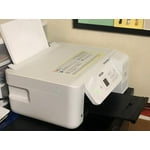
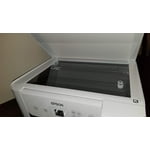
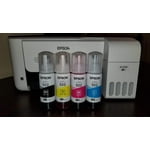
The EcoTank ET-2720 wireless all-in-one supertank printer offers cartridge-free printing with easy-to-fill, supersized ink tanks. Printer includes the replacement ink bottle set includes enough ink to print up to 4,500 pages plus a 2-year limited warranty with registration When I opened the printer Box, the printer is securely packages, nothing is moving around loosely at all, everything was intact 100%, safety tape is on all parts of the printer. I got a Power Cable, CD-ROM for product setup, manual, 1x bottle 522 Black (65 mL), 1x bottle each 522 Cyan, Magenta, Yellow (65 mL)3 and EcoTank ET-2720 all-in-one printer. It is an easy setup, whether using a Windows based PC or a Mac. I have loaded all the ink in the printer and setup the Printer in 15 minutes and to set up the software in my PC it took another 15 minutes. I would say its easy to set up this printer for anyone if you read the manual. Then I took few prints black and white and some photos of DSLR all the prints were just awesome. Now I can just print photos in my home and put on my walls. Amazing printer quality. Scanning and coping is also very easy. I scanned copies they scan pretty fast, I do not have to wait for the printer to run a few minutes before printer. I tried copier too and it copied the pages fast and all prints were good. Pro's: It an all-in-one printer/scanner/copier It prints great photos Scanning feature works great Wireless network connect and wireless direct connect work easily Its small about 14.3inch, so it doesn't take up much room Holds 100 sheets of paper at a time Its ecotank so its very easy to fill the color ink to the printer. no cartridges Even if you put only Black ink and get black and white printes easily Replackement ink bottles are not at all costly like catridges. Con's Tray to hold the printed paper is slightly small but its managable. Overall I am impressed with the quality of the prints, it prints as soon as I select what I want and press print. I was able to do this with ease from both my wireless devices , mobile and my PC. The photo prints will take a few minutes or longer depending on what you are printing and your print settings for photos, as I like high quality photos with the style of shooting I do from my DSLR. Also I have printed almost 300 pages and not much ink is used. This is a review for the Epson EcoTank ET-2720 All-In-One Supertank Printer that I received free of charge to do a beta test and review.
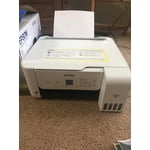
Print quality, and software for Macbook Pro
The print quality compared to a laser printer is readable but picture quality is poor. I tried to find software for Macbook Pro. Its suppose to work if connected from a USB cable to the epson printer. Annoying it cannot print letters. Why in this day and age, printer companies cannot be compatible with Macbooks and Window laptops. Its like HP and Epson want you to buy the expensive Office printers and these low end printers will only work with Linux software which is legacy.
Great printing value for those who print frequently at home
The EcoTank line of printers has the potential to save you a lot of money if you print frequently. Although this printer costs a little bit more up front, it more than pays for itself due to the large number of prints you can get from one set of ink bottles. Even those who do not print that often will find that replacing cartridges that are dried up from lack of use a problem of the past. I love that you can easily refill the ink tanks with an inexpensive set of bottles and go on printing. This printer does a good job with copying, scanning to the PC, and printing. Prints are of a good quality for text and documents with clear, legible type, and clean lines. Photos print great as well, as long as you don't expect the quality you might get from your local drugstore. Make sure to choose quality paper and you will be happy with the results. If you need features such as an auto-document feeder for the scanner, scanning to the cloud, or fax capabilities, consider a different model which is tailored to office use instead. Aesthetically, the white color of the printer fits very well in the home office. It is a wonderfully small size for a printer that also includes a scanner, however it is a little deeper than printers without the EcoTank feature in order to make room for the ink tanks. I recommend this printer for those on a budget who want to get their money's worth when buying a home printer. Sure, there are much cheaper printers on the market, but you will soon regret buying one of the cheaper ones when you run out of ink after a few hundred pages. Save more money in the long run and get an EcoTank printer such as this one. This is a review for the Epson EcoTank ET-2720 All-In-One Supertank Printer that I received free of charge to do a beta test and review.
Money saving printer!!!
If you are looking for a great printer, here it is. I love my printer. I have printed so many pages on this printer and still have so much ink left. I have printed many pictures too. You know how quickly most printers go through ink when you print pictures, well I am very impressed with this one. Not only will it save me money on the ink, but also the pictures it prints is very high quality. It was very easy to set up and I can print from anything wireless, and you can do it from anywhere if you want to. Not just when you are at home with the printer. This has the ability to print when you are away from home. I find that so awesome. I do not ever forget to print important documents since I can do it from anywhere. Do not worry about spilling ink either. I was worried about getting ink everywhere since it comes in a bottle, but after setting it up I seen that was impossible. The ink bottles come with a nozzle that connects to the printer for the ink to start coming out of the bottle. You can turn the bottle upside down and nothing comes out until you put it into the printer. It is awesome. So if you are looking for a printer that is easy peasy to hook up and print wireless you should really give this one a look. You will love the price too and refills for the ink will not cost as much either, so it is a win in my opinion.
Nice features
There is at times that I can't figure out how to use a function on the printer, and the book doesn't really help. I'm still learning. It is a process, but I'm loving the WiFi feature that I can print from any room in my house as well as change the ink from black and white to color.
Great Printer!
This is a great printer, its fast and accurate! This printer works great for scanning and copying my papers. Scanning my papers was very easy and the scans were high quality. This printer is quiet fast at printing, anywhere from resumes to pictures. The setup of the printer was pretty simple and had well detailed instructions, making setting it up a breeze. I really like that it is WiFi capable with a great range. Letting other computers and smartphones in the house have instant access to it. The screen is bright enough to comfortably look at and not too dim to see it in the day. The ink seems to last longer than cartage printer ink and is a bit cheaper. The only problems I had with this printer was the first couple pages I printed had some ink spattering across the pages, mostly at the sides. But, it was not that noticeable and cleared up at about page 7. The display is a little bit flimsy, especially just above the arrow buttons where it looks and feels to be a bit loose.

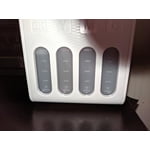
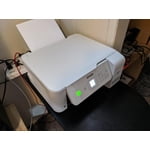
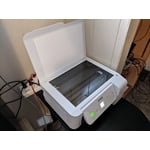
Perfect for my business's
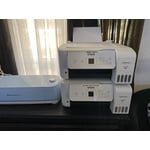
I bought Two last month one for sublimation projects and one for Sticker making and I love it! Colors are vibrant and I love that I can see the ink levels in real-time LOL previous printers would digitally say low so I'd replace all of them on account of one being low and well let's just say throwing money away isn't my thing. These printers are fast, easy to set up and everything I need for my businesses.
Great Printer with Vivid Color
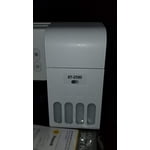
I recently got the Epson Eco Tank ET2720 printer and it's performing to my expectations. It was easy to setup, coming right out of the box. It also connects to the network quite easily. The Espon set up software was simple to use because the connections to the network worked properly without any extra effort on my part. The next step was loading the ink. It was easy to fill the machine with the eco ink as each color loads separately. I like that the printer has the individual tanks for each color as this will make it simple to replace the colors and much more cost effective. After adding the ink to the individual tanks I had to align the print heads which took little time to complete. I would say during the installation, loading the ink and aligning the printer heads took roughly 25 minutes. After that you're just about ready to print. I would highly recommend this printer to anyone looking for an all around reliable printer because the print quality is high and the color is very vivid. I was surprised to see how little the amount of ink the printer uses. The printer has a window that lets you see how much ink is in the printer, so at all times you are aware of what is being used. I was used the Epson to print multiple glossy photos, it seemed as if the ink levels in the tanks barely moved. However, one thing to note is when printing on the glossy paper the ink takes awhile to dry, but it performs better then most printers. When printing on normal paper it was a faster process than printing on the glossy paper. The quality on normal print paper is better in comparison to other printers when printing on normal paper. I was extremely impressed with the print time on the high quality setting because the printer has more speed than the average printer. I was also impressed with the Epson app and how well it works with the printer. I found myself printing more photos and documents using the app than I normally would have. I was using the printers scanning features more from the app than from a computer, due to the convenience of the app. The app makes this process more accessible. The only small thing I found with the printer is the display on it was a little small in size, making it a little harder to read. I also wish the tray that catches the paper was buit a little stronger, but both of these are just some of my suggestions to improve on the Epson EcoTank ET 2720 printer. Overall I think this printer is a great buy. Overall i would recommend this printer for high school and college students or someone whos looking to save alot on ink, preferably because this printer delivers more power in a eco-friendly way, with such a small size . “This is a review for the Epson EcoTank ET-2720 All-In-One Supertank Printer that I received free of charge to do a beta test and review.”