Skip to Main Content
Sam's Club
Sam's Club
Member ratings & reviews for
Epson WorkForce ET-3750 Special Edition EcoTank All-in-One Printer with Bonus Black Ink
4.2 out of 5 stars
stars1,155 ratings1,126 reviews
  1. 5 stars57% (657)
  2. 4 stars21% (244)
  3. 3 stars11% (122)
  4. 2 stars5% (60)
  5. 1 star6% (72)

Member photos

  • +12 images
Sort by |
Showing 451-460 of 1,125 reviews
May 10, 2018
EpsonOwner
5 out of 5 stars review

Reliable and Cost Efficient

This replaced a competitor brand that failed in less than 6 months. That printer seemed to use excessive amount of ink cartridges in that time frame. I purchased the WorkForce ET-3750, even though they sent a replacement printer. It just works and ink consumption is no longer an issue.

Review from epson.com
Helpful?5HORJINKF4CN15315553577
Nov 16, 2017
CodeMan
5 out of 5 stars review

Best Features Ever!

The Epson WorkForce EcoTank ET-3750 printer has some of the best features I've ever seen from a printer. The two-sided printing feature gives this printer its efficiency. You can get a lot of content printed very quickly with the large paper trays holding 150 sheets, using the 30-sheet automatic document feeder to copy or scan multiple pages easily, and generates documents as quickly as 15 ISO black prints per minute or 8 ISO color prints per minute. One more feature I particularly like is the high-speed USB 2.0 port that offers a simple way to plug in and print with a USB drive, camera or other device and browse through the photos and images on your USB device on the 2.4" LCD screen, which is used to view and edit pictures or scans before printing. The Epson WorkForce ET-3750 printer offers cartridge-free printing with easy-to-fill, supersized ink tanks that will save you up to 80% on ink with the low-cost replacement bottles. Included in this box is two years of ink, which is enough to fill your system once and still have enough left over for a refill, and it's the equivalent of 30 ink cartridge sets or enough to print up to 11,200 pages. This printer comes with a standard limited warranty that lasts for 12 months or when 50,000 plain paper sheets are printed, whichever comes first, or if you register your product and use only genuine Epson ink bottles, you can make it a standard limited warranty that lasts 24 months or when 50,000 plain paper sheets are printed, whichever comes first. This is a review for the Epson WorkForce ET-3750 EcoTank All-in-One Printer that I received free of charge to do a beta test and review.

Review from epson.com
Helpful?5HORJINKF4CN15315553577
Apr 23, 2020
mmseadrift
3 out of 5 stars review

Love the tank ink feature, other features need work

I am an art teacher and love the multitude of copies that I can make for my students and my classroom. I have had this printer for over a year and have only filled it 2 times. However, there are some features that need work. When I make a copy using the scanner, it prints way too big. It took me forever to figure out what was wrong, but I finally realized that the Autosize feature was not working correctly, and I could not change the default, so I have to click through several menus before I get to 100% size setting. Also, I could not get the document feeder to work for a long time. I finally realized that I could not have "Borderless Copy" on if I wanted to use that. I also could not change the printer settings when needed - it would refuse to print and then I had to go all the way over to the printer to change the settings. There are faint white stripes that have developed that I can't get rid of even though I have cleaned the printer head several times. Finally, the menu won't stay up anymore but falls back down, so I had to stuff a piece of paper to keep it up where I can see it.

Review from epson.com
Helpful?5HORJINKF4CN15315553577
Feb 19, 2019
flinthill wolf
5 out of 5 stars review

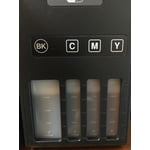
Always know how much ink is in the tank

I love my new printer. I have owned alot of printers, but this Epson is the best I have ever owned. You always know how much ink you have because it is in plain view. Set up was really easy, and I went wireless. Filling the ink tank was easy also. Neat, clean print out every time. Very fast printing also. I don't think you could go wrong in buying the Epson-work force ET 3750.

Review from epson.com
Helpful?5HORJINKF4CN15315553577
Nov 13, 2019
4EpsonUser2
5 out of 5 stars review

Replacement for an aging Printer

I just bought this a few days ago. It was an easy set-up, everything is on paper as well as on the screen instruction. Epson made sure that it's foolproof even in my laptop when I downloaded the Event Manager, application went through and searched the printer. I previously added the printer into my network before I downloaded the Event Manager, it only took a few minutes including auto install of a new firmware.

Review from epson.com
Helpful?5HORJINKF4CN15315553577
Jul 15, 2019
Bebe123
1 out of 5 stars review

Frustrating and unreliable

This printer is a waste of money. It does not stay connected to my wifi, troubleshooting it may or may not fix the problem. I spend an average of 10-15 min trying to get it to print. After it prints its disconnects from my wifi and I have to start the process over again. I have contacted EPSON about the problem, they don't know how to fix it, and I have called my internet service provider and switched out modems to try to get the printer more reliable. NO LUCK. Super Frustrated!

Review from epson.com
Helpful?5HORJINKF4CN15315553577
Apr 28, 2019
Coriantumr
4 out of 5 stars review

Love the ink tank design. But software/frimware glitches.

Picture quality is great, especially in color copies. The design with refillable ink tanks is wonderful, and we hope for great use from it. However it has been a struggle to get through WiFi setup or Epson Select connection processes without the printer entering an endless loop and becoming unresponsive until the power is forcefully cut. I presume it will become a wonderful machine when the programming bugs are worked out, but for now it is hard to interface with our relatively standard Windows 10 computers.

Review from epson.com
Helpful?5HORJINKF4CN15315553577
Jan 5, 2019
crw622
5 out of 5 stars review

Awesome printer

I absolutely LOVE this printer! It works beyond my expectations! In the past, I have always bought an HP printer, but no more. I also love the way the ink works on this one. Anyone that is sick of buying cartridges and dealing with printers that only work once in awhile needs this one! it is an EXCELLENT quality printer!!

Review from epson.com
Helpful?5HORJINKF4CN15315553577
Oct 29, 2019
ALGA
4 out of 5 stars review

Easy installation and setup.

I'm impressed with all the functions and features, especially Epson Connect. I am a little disappointed that when printing documents that include color, the colors are dull. Have tried different papers and printer settings but don't see dramatic color improvement.

Review from epson.com
Helpful?5HORJINKF4CN15315553577
Oct 18, 2020
ERAnd
2 out of 5 stars review

Most difficult setup I've had ever

System would not recognize my network for auto setup. After manually setting it up the software would not accept that I had already installed a printer. After much frustration it is working. This may be because I'm on a MAC rather than Windows. I really don't know. My poor rating does not reflect how well the printer works just the difficult time I had setting it up.

Review from epson.com
Helpful?5HORJINKF4CN15315553577