
 Member ratings & reviews for
Not really office quality
This printer is not up to office standards for a laser printer. You cannot reverse check numbering for printing and every time I print an envelope it puts unsightly creases in it. It is also very large and bulky
Hi, I'm sorry to hear the printer did not meet your expectation for your office. I'd like to help with the envelopes printing with a creases. Check the following points in the link to resolve the issue. https://support.brother.com/g/b/faqend.aspx?c=us&lang=en&prod=mfcl3750cdw_us_eu_as&faqid=faq00000231_058
Great so far!
This is a good machine. One thing is that it is "slower" to respond than my old machine was, which was not a Brother. Only had this a month or so, so might be too early to tell; but so far so good. We're happy!
Entry level color laser printer
I am a 2 person small business and this was a big purchase for me. It's "ok." Printing is very slow. I can't see a high volume printing office ever being happy with this model printer. Kinda of a disappointment.
We understand you're experiencing slow printing issues with your Brother MFC-L3750CDW machine. We'd like to help. Below is a FAQ that may help you with this issue: https://help.brother-usa.com/app/answers/detail/a_id/157957 If you continue to have issues, our Brother Customer Support Team is available to assist you direct: www.brother-usa.com/brother-support
High Quality Prints with Many Other Functions
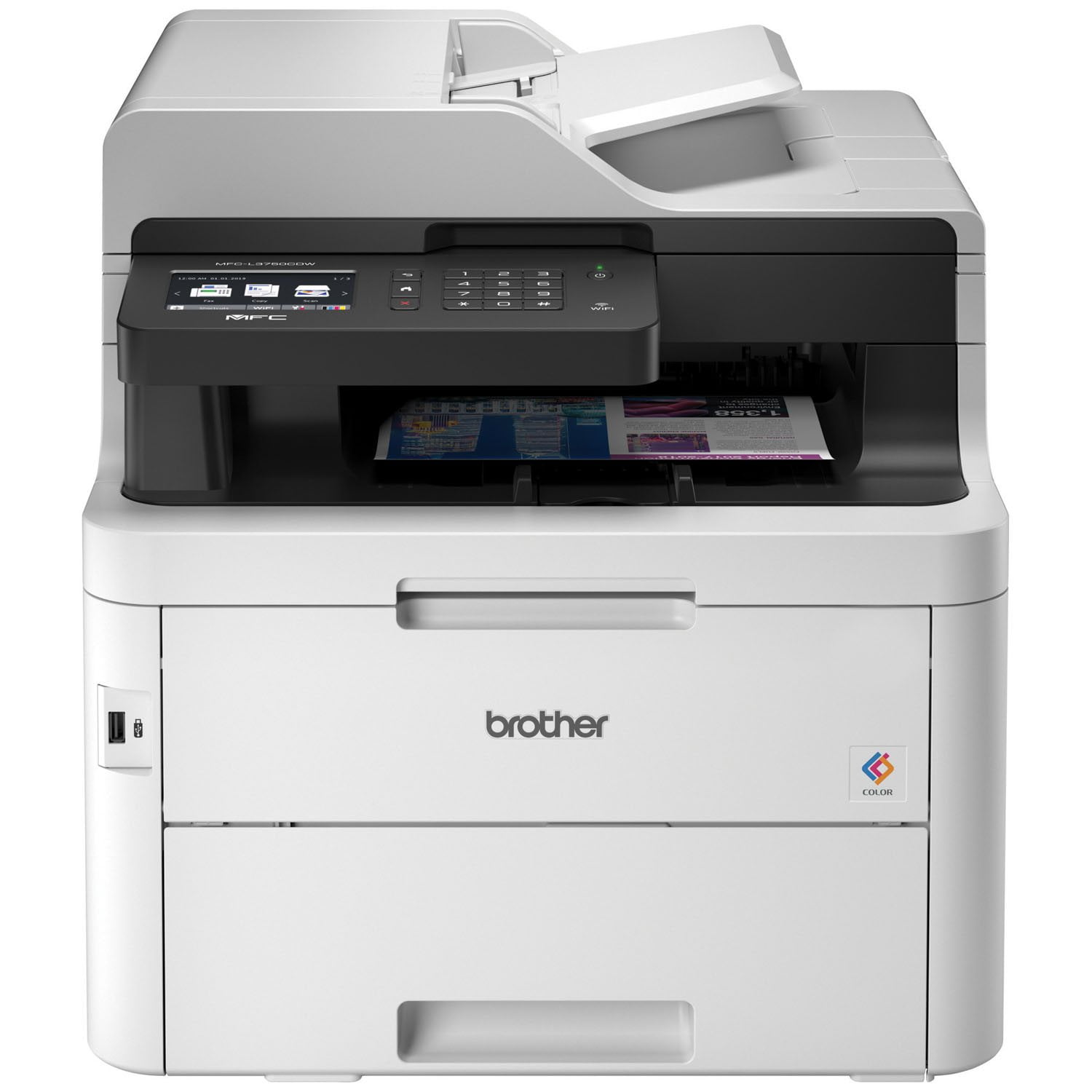
[This review was collected as part of a promotion.] I received this product for free from Brother in exchange for my honest opinion/review of the product. I have always had inkjet printers so that`s where my experience with printers lies. I was excited to try this digital laser printer and I can say that I was not the least bit disappointed. This is an all-in-one device meaning that it can print, scan, fax, and copy. In my usual printer activities I use all of those except for the fax so I will not discuss the fax function. Set-up for this printer is a breeze. It is much bigger than what I`ve ever used before, even other all-in-ones. I would say it`s easily twice the size and weight of the largest printer I`ve owned. It will need some space for operation and someone able to lift fifty or so pounds. Once I got it on its home on a table, turning it on and connecting it to my computers took almost no time. Yes, I said computers. I use this printer with more than one computer and there have been no problems sharing this printer over wifi. All of my use of this printer has been using wifi. This is probably my favorite thing about this printer. The fact that I can be sitting in the other room with my laptop and send a document and have it print without a hiccup.I have scanned multiple documents and there are a multitude of options available that should give anyone what they need. The only issue I`ve found is that I could not find a way to choose which computer to send the scans to. It is initially set up to send to the first computer I set up as a default. It does give the option to send scans to USB drives or a cloud service so there are ways to work around it. The scans themselves have been high qualityI have not been able to discern much difference in a copied document from the original. Copying is quick and high quality.Printing has met or exceeded every expectation I`ve had. Overall printing is quick and relatively quiet. The colors have been vibrant and consistent and the formatting has been exactly as I`ve laid out. I was hoping with the accuracy this printer has exhibited, that it would be able to print back-to-back so that the two sides line up exactly with no offset. Home or small office printers struggle with this and this printer is no exception although it seems to be more accurate than most. Double sided printing is automatic and as quick as normal printing.There is only one paper tray plus a manual feed tray. The manual feed tray can be set up so that the paper feeds directly through printer without bending. This can be really useful as there is noticeable bending in the paper, especially for thicker paper. The direct feed path also makes the printer take up more table space, though. I have been able to use heavy card stock (110lb) in the paper tray but the paper will bend and stay bent after printing.It`s hard to know in such a short time how long the toner lasts but there are indications that it may be less than I would hope for. After a couple weeks of relatively heavy usage the toner levels all show to be less than 2/3 full after printing approximately 300 pages of the estimated 1,000 pages from the starter toner drums. A couple of the drums show to be nearly half empty already.Overall, I would say I`m extremely happy with this product. It delivers high quality end products and also seems to be fairly sturdy. I expect this printer to continue to impress for many more years to come.
Compact Digital Color All-in-One Printer MFC-L3...
[This review was collected as part of a promotion.] I received this product for free from Brother in exchange for my honest opinion/review of the product. My wife and I were looking for a new color printer and we ended up getting this one. It was so easy to set up with the detailed instructions that any average person can follow. We use the wireless functionality and can even print from our phones. The printing was very quiet which was also very nice!Scanning is also a breeze, and it also has a fax feature (that we do not use). I do a lot of scanning of receipts and you can scan them to a USB stick and even to your PC. My wife wanted to print a color photo of one of my daughters and the color picture quality was amazing. I would highly recommend this printer to anyone.
Quiet but rather large printer
[This review was collected as part of a promotion.] I received this product for free from Brother in exchange for my honest opinion/review of the product. Great printer with quick and quiet printing. As a mac user, it was not difficult to set up and get running, which I have found with other printers. I found the physical size to be a bit bulkier and it is pretty heavy to get out and place. Although I have not yet run through all the ink and needed to replace, I do like the quality of the print that is produced. The speed of the black and white print is truly the biggest plus in my books!
Very satisfactory but...
Replaced my old Brother MFC-9640CDN which provided me with eight years of generally reliable service, thus I chose this similar replacement. This new model has met my expectations except I am disappointed that a "printed" User's Guide is not offered.
Trusty Multipurpose Printer
[This review was collected as part of a promotion.] I received this product for free from Brother in exchange for my honest opinion/review of the product. What I love most about this machine is that it can do up to 50 sheets of document through its automatic feeder which enables multi-page copying and scanning. Although it can also do the same for faxing, I was not able to test that part because I only did couple pages at a time, but I assume it would work just as good.It also has fast printing speed of up to 25 pages per minute, but if course that depends on what kind of print jobs you`re doing.It can accommodate variety of paper types and sizes including card stock, envelopes, photo paper, etc. I also like that it can hold up to 250 sheets of printer paper so I don`t have to keep refilling it.It is cloud ready. Easy to set up. Userfriendly. Not as noisy when printing compared to other printers.The ink is expensive but maybe it is something I can justify with all other good functions and features.
best quality and faster
[This review was collected as part of a promotion.] I received this product for free from Brother in exchange for my honest opinion/review of the product. when i get this for my business i was so excited to use it now and yes i was impress the feature the color and the design that im looking for especially when i start using it is very easy to understand the features of the printer is very fast to print to many papers in just a seconds and also the quality of the colors the come out very professional and also i can use to print using my phone tables and etc. because the have a wifi capability
The quietest, most exceptional printer I`ve own...
[This review was collected as part of a promotion.] I received this product for free from Brother in exchange for my honest opinion/review of the product. "I received this product in exchange for my unbiased opinion."I have been using this printer now for about two weeks and it is indeed a great printer. When I received the printer, I was a bit worried about it`s size, because it`s described as a compact printer for home and small offices. I have an office space that doubles as a guestroom and as luck would have it, when the printer came, I had guests. At a glance I thought it was too big because I wanted something a little more compact and when I saw it, my first impression was it`s going to make a lot of noise when it`s printing and disrupt my guests; however, it`s the quietest printer I`ve ever encountered. If you are not standing right next to it when it is printing, you will never know it`s in use.Setting up and using the printerFirst of all, if you have a small space that you call an office, this is not the printer for you, but if you have the space to accommodate it, it is worth the buy. Upon receiving the printer, it was easy to set up and begin using. After removing it from the box, it took less than 15 minutes to get it up and running. The moment I had it up and removed all the plastic and paper from it, I entered my wireless password and printed directly from my phone, no hassle. I sell products online and had a few labels to print and I was able to do that without installing the printer to my computer. I also tried the send to email option, where I used the email that is assigned to the printer and print a document directly from my email. If you have ever printed at Staples, it is the same concept but without all the hassle. You simply type the email into the to section and hit send and within seconds, your document is printed. I`ve also used this printer to print photos and I must say, the quality print that I got on my pictures are comparable to professional prints. I absolutely love how my pictures come out. The one thing I don`t like about this printer is where printing pictures are concerned, I have to use letter size photo paper to print on because it doesn`t have a photo tray, but considering that it`s more for office purpose, I understand. It`s also a lot simpler to remove a paper jam with this printer than with smaller home printers. I truly love this printer and I have bragged to my husband and friends about how much I love it. It has made my job so much easier and allows my business to operate more smoothly.