Join Now
Skip to Main Content
Sam's Club
Sam's Club
All Departments
All Services
Customer reviews for SAMSUNG 75" Class Q6-Series 4K Ultra HD Smart QLED TV - QN75Q6DAAFXZA for
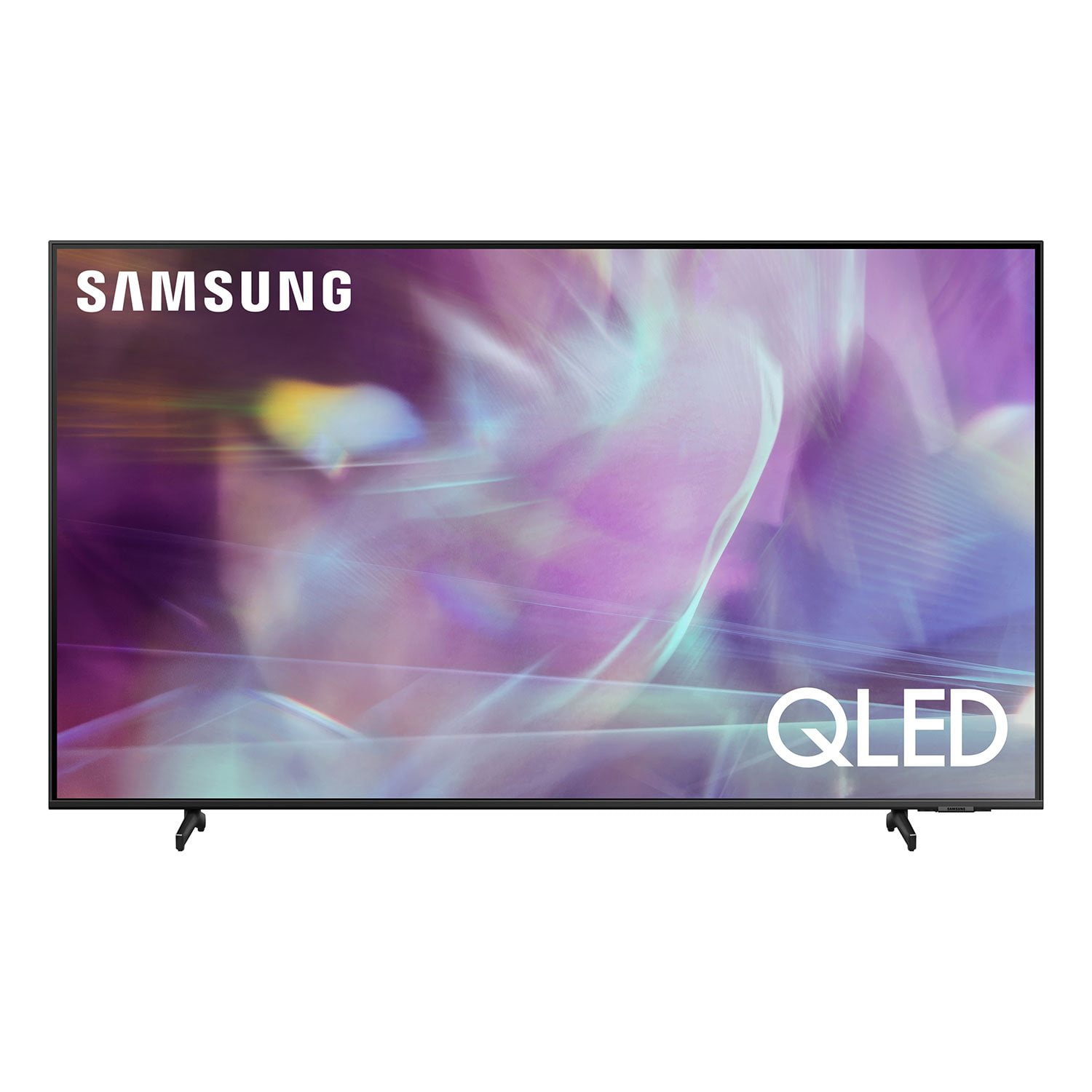
SAMSUNG 75" Class Q6-Series 4K Ultra HD Smart QLED TV - QN75Q6DAAFXZA
4.6 out of 5 stars
stars
1,998 ratings1,898 reviews
  1. 5 stars74% (1,480)
  2. 4 stars17% (337)
  3. 3 stars4% (77)
  4. 2 stars2% (31)
  5. 1 star4% (73)
Sort by |
Showing 201-210 of 1,898 reviews
Apr 26, 2021
Reviewer name: 75love
5 out of 5 stars
5 out of 5 stars review

Great display

[This review was collected as part of a promotion.] Reader out of with my new Samsung TVI was pleasantly surprised how easy it was to set up. I've always been a Samsung person but this takes the cake. I really like how seamless it is to add my other devices to the TV is well using smart things Great buy and worth the money.

Review from Samsung US
Helpful?20S51SPKF03T15280651920
Oct 11, 2021
Reviewer name: Msladydeeny137
5 out of 5 stars
5 out of 5 stars review

Best smart TV

[This review was collected as part of a promotion.] I love this television. I have never had any issues with it at all. I put this on a swivel bracket. My daughter thinks she's at a movie when she watches with me. Some of the functions I really like is the being able to add other devices to it. I have added a soundbar and my Xbox. Also it has the capability to use Alexa which is one of my favorites. I would recommend this television to anyone.

Review from Samsung US
Helpful?20S51SPKF03T15280651920
Apr 28, 2021
Reviewer name: Chance420kid
5 out of 5 stars
5 out of 5 stars review

It's my first smart tv

[This review was collected as part of a promotion.] I use it for everything...music streaming...and now I have a Samsung phone I'm co ne t thru pairing screen share and smart things... I do my art with my stylus and screen share so I'm looking at my TV as o create my art I'm not sure I need more then this ...ty you sa.sung you finally got me ok you finally made me a Samsung believer

Review from Samsung US
Helpful?20S51SPKF03T15280651920
Apr 3, 2021
Reviewer name: xGhost
4 out of 5 stars
4 out of 5 stars review

Good

[This review was collected as part of a promotion.] In all this time that I have used my Television, it seems to me a Great Purchase, the truth is if you have the money and are looking for a TV I recommend this TV 100% although sometimes it gives me errors but otherwise All Good 100% I recommend it

Review from Samsung US
Helpful?20S51SPKF03T15280651920
Jul 25, 2021
Reviewer name: Afostheboss
4 out of 5 stars
4 out of 5 stars review

Good bang for your buck.

[This review was collected as part of a promotion.] So, for what you pay, this is an excellent television. Good for your first tv or if you have no real reference of uhd. Definitely better than your old 1080p. But, to me I just don't feel like it's bright enough at times. I've never had the brightness at max on any tv before, and this one has been on max since I opened it and is still really dark in dark scenes. But, even then still watchable cause it's so huge. So. Overall. 8/10. 10/10 if you are switching from 1080p. 4/10 though if you can afford to she'll out on a higher class model of Samsung, or wait until 8k goes live.

Review from Samsung US
Helpful?20S51SPKF03T15280651920
Jul 1, 2021
Reviewer name: SteVB
3 out of 5 stars
3 out of 5 stars review

Problems with YOUTUBE TV

i did a lot of searching for a 60 inch tv that would have the picture quality and options that make watching tv fun. but i have been having a problem with getting youtube tv. it will load up but then stop working when i select a channel or program. i called the support number for samsung and the tech guy tried to make some adjustments. then stated it must be a youtube problem. he game me an 800 number to call for youtube and it turned out to be a fax number or something as it only squealed in my ear. i have an amazon firestick and it works just fine in a hdmi port on the tv, but i didn't buy a smart tv just to put a firestick on it. i'm about ready to return it unless i can get some help to fix the problems.

Review from Samsung US
Helpful?20S51SPKF03T15280651920
reply from Samsung Brand Ambassador

Hello SteVB, Thank you for your review of Samsung's Q60A TV. Your experience with the YouTube TV app has been shared with our product teams. Please make sure that Auto Update is turned on so that your apps can stay current with the latest updates and patches. Navigate to the Settings within the App Store and set Auto Update to: On. Should you ever have questions or need help, please call us at 1-800-SAMSUNG (ask for TVs), available 8AM -12AM EST, 7 days a week. Or text HELP to 62913. For additional support resources, visit us on the Samsung website and click on the ‘Support’ link in the upper right corner of the homepage for: 1) More ‘Contact Us’ options – LiveChat, Facebook, Twitter, Samsung Community, Samsung Members app 2) Manuals & Software 3) Warranty Info 4) Product Registration: For access to easy warranty support, convenient opt-in to special promos and offers, faster troubleshooting and service, and quick notification of system updates. ~ Samsung Specialist

Apr 19, 2021
Reviewer name: Freddy
5 out of 5 stars
5 out of 5 stars review

More than I knew

[This review was collected as part of a promotion.] This TV is everything I expected and more. I originally bought it for 4K gaming, but it has now turned into the TV used for streaming my son's favorite shows as well as my gaming TV. I am very satisfied with this TV and would definitely recommend to anyone looking.

Review from Samsung US
Helpful?20S51SPKF03T15280651920
Apr 21, 2021
Reviewer name: Steven
4 out of 5 stars
4 out of 5 stars review

Great tv great graphics .

[This review was collected as part of a promotion.] I live the tv and graphics . The only problem I have is that the tv turns on by itself I fixed the setting already and reset them but tv still turns on by itself sometimes . And If my xbox is connected to it the xbox starts up as well . Not cool cause it damaged my last xbox leaving it on a start up error .

Review from Samsung US
Helpful?20S51SPKF03T15280651920
Apr 1, 2021
Reviewer name: BIGTRUCKDRIVER
5 out of 5 stars
5 out of 5 stars review

Best TV I've Owend. .

[This review was collected as part of a promotion.] Should I say what don't I use my Samsung Smart TV for?? I'm a Samsung Guy so that being said. Linking my TV to stream show, Gaming, Work, Entertaining, Security. Honestly when it comes to technology and innovation!

Review from Samsung US
Helpful?20S51SPKF03T15280651920
Jun 30, 2021
Reviewer name: isac
3 out of 5 stars
3 out of 5 stars review

Disappointed.

[This review was collected as part of a promotion.] I mostly just watch movies and shows, no gaming etc. I upgraded to a 4K QED TV because I was told the picture quality was better, which it was in the store. When I got the TV hooked up at home the picture was the same as my old TV. Called my provider and was told they could upgrade my connection so I could get better picture quality but that was only availble for sports, whch I do not watch, and a very few channels. Not sure why these TVs are being sold when there is such limited programming available that gives you a high quality picture. Feel like I wasted my money on an upgrade.

Review from Samsung US
Helpful?20S51SPKF03T15280651920
reply from Samsung Brand Ambassador

Hello isac, Thank you for sharing your thoughts on the picture quality of your new 2021 Q60A QLED 4K TV. If the picture you are seeing out-of-the-box are not to your liking, there are several picture settings you may want to try adjusting. You can select the Picture Mode that provides the best viewing experience. Go to Home > Settings > Picture > Picture Mode 1) Standard: Is the default mode suitable for general viewing environments. 2) Natural: Reduces eye strain for a comfortable viewing experience. 3) Movie: Is suitable for watching TV or movies in a dark room. 4) Dynamic: Makes the picture brighter and clearer in bright viewing environments. 5) Filmmaker Mode: You can watch the source content (e.g., movie) as it is. If the image is defined as Filmmaker Mode, it will automatically switch to Filmmaker Mode while watching. You can also go to: Settings > Picture > Expert Settings > to manually fine tune your image. In addition, the quality of the image on your screen depends on the source and the connection. HDMI cables are recommended for optimal HD viewing; when possible, 4K content will provide the best picture quality. The TV will upscale as best as possible any content sent to it. The closer the signal is to 4K, the better it will look coming out. Please also give us the opportunity to assist you with image quality adjustments tailored to your preferred viewing experience. You can reach us via any of the following options: 1-800-SAMSUNG (ask for TVs), available 8AM -12AM EST, 7 days a week. Or text HELP to 62913. For additional support resources, visit us on the Samsung website and click on the ‘Support’ link in the upper right corner of the homepage for: 1) More ‘Contact Us’ options – LiveChat, Facebook, Twitter, Samsung Community, Samsung Members app 2) Manuals & Software 3) Warranty Info 4) Product Registration: For access to easy warranty support, convenient opt-in to special promos and offers, faster troubleshooting and service, and quick notification of system updates. We hope to hear from you. ~ Samsung Specialist