Skip to Main Content
Sam's Club
Sam's Club
All Departments
All Services
Customer reviews for SAMSUNG 75" Class Q6-Series 4K Ultra HD Smart QLED TV - QN75Q6DAAFXZA for
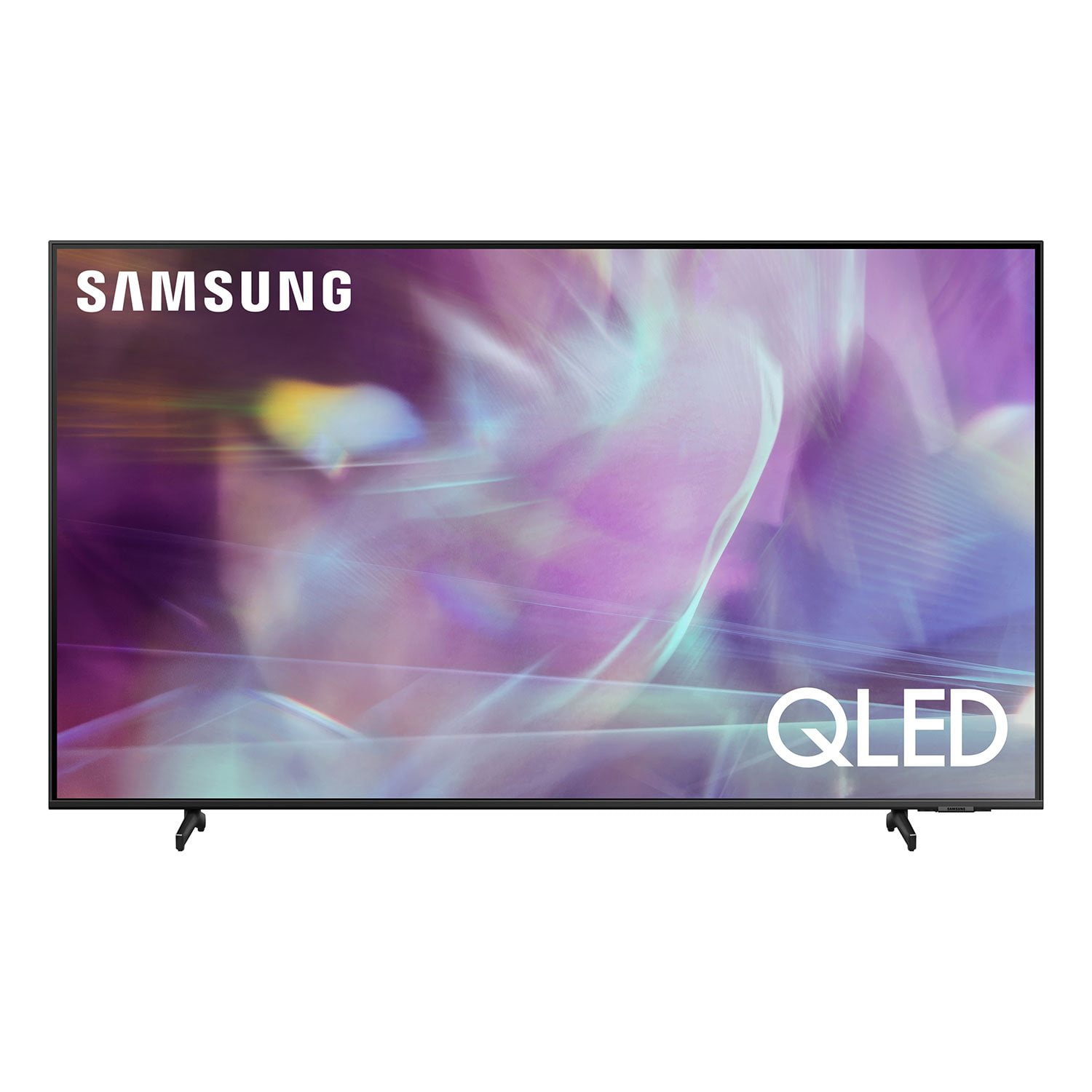
SAMSUNG 75" Class Q6-Series 4K Ultra HD Smart QLED TV - QN75Q6DAAFXZA
4.6 out of 5 stars
stars
1,998 ratings1,898 reviews
  1. 5 stars74% (1,480)
  2. 4 stars17% (337)
  3. 3 stars4% (77)
  4. 2 stars2% (31)
  5. 1 star4% (73)
Sort by |
Showing 1,031-1,040 of 1,898 reviews
Jun 30, 2021
Reviewer name: Rocketman
5 out of 5 stars
5 out of 5 stars review

We enjoy the clear picture with vivid colors.

[This review was collected as part of a promotion.] We enjoy the great picture quality. The colors are so vivid and lifelike. The size is perfect and just fit in our corner and we were able to still use the same TV stand as we had before.

Review from Samsung US
Helpful?20S51SPKF03T15280651920
Jul 17, 2021
Reviewer name: Rdr737
4 out of 5 stars
4 out of 5 stars review

Great features, great picture

Good all round tv, with a great picture for its size, good standard samsung equipment allows for easy connections to other devices. The sound doesn't match the quality of the screen picture.

Review from Samsung UK
Helpful?20S51SPKF03T15280651920
Sep 21, 2021
Reviewer name: Ferg
5 out of 5 stars
5 out of 5 stars review

Thrilled

[This review was collected as part of a promotion.] Streaming, gaming and Verizon FIOS - It does it all, does it well and does it fast! QLED picture is fantastic!

Review from Samsung US
Helpful?20S51SPKF03T15280651920
Apr 8, 2021
Reviewer name: Thadjc00079
4 out of 5 stars
4 out of 5 stars review

Great product, surpassing all others.

[This review was collected as part of a promotion.] Love it, use it daily for streaming movies, tv shows etc. Picture and sound quality is amazing for streaming. Also the audio is great for apps such as pandora, in which i listen nearly everyday.

Review from Samsung US
Helpful?20S51SPKF03T15280651920
Oct 11, 2021
Reviewer name: kiss14
5 out of 5 stars
5 out of 5 stars review

Wonderful play just wonderful.

[This review was collected as part of a promotion.] I use it for everything sports, movies,pictures, and more just wonderful , and I never get bored or dry eyes from watching so much playing 24/7 night and day just wonderful.

Review from Samsung US
Helpful?20S51SPKF03T15280651920
Sep 24, 2021
Reviewer name: Jenny0904
5 out of 5 stars
5 out of 5 stars review

Good product

[This review was collected as part of a promotion.] I use my tv for playing with my ps5. The picture is a good. Also is easy to use I definitely recommend it this product

Review from Samsung US
Helpful?20S51SPKF03T15280651920
Sep 6, 2021
Reviewer name: Thebdawg51
5 out of 5 stars
5 out of 5 stars review

This product has great Features

[This review was collected as part of a promotion.] Awesome tv. The 4k and HDR are awesome. Samsung know how to do it. Bixby is simple to use. And the Screen is great.

Review from Samsung US
Helpful?20S51SPKF03T15280651920
Oct 11, 2021
Reviewer name: Quincycaapguy
5 out of 5 stars
5 out of 5 stars review

You can never go wrong with Samsung

[This review was collected as part of a promotion.] I use my tv for everyday entertainment, movies, tv shows, but i also game with my Samsung TV. The color is almost magical, and the detail is stunningly perfect.

Review from Samsung US
Helpful?20S51SPKF03T15280651920
Oct 11, 2021
Reviewer name: Gustavopiero
5 out of 5 stars
5 out of 5 stars review

Excellent tv

[This review was collected as part of a promotion.] I used this tb for watch sports like a football (soccer) Also I used for watch movies and listen music from YouTube Is great tv excellent picture and volumeme I love my tv

Review from Samsung US
Helpful?20S51SPKF03T15280651920
Sep 14, 2021
Reviewer name: sriky
4 out of 5 stars
4 out of 5 stars review

good picture with mediocre performance speed

[This review was collected as part of a promotion.] Poor response to remote presses. gaming performance is average.sscreen is gorgeous though.i recommend it

Review from Samsung US
Helpful?20S51SPKF03T15280651920
reply from Samsung Brand Ambassador

sriky, Thank you for your review of Samsung’s Q60A TV and for sharing your experience with your remote. You may first want to reset your remote by pressing and holding Return and Enter (the center of the navigation pad) for more than 10 seconds. After performing this reset, you will need to pair the remote to the TV again. To pair, press the Return and Play/Pause buttons simultaneously for at least 5 seconds or until a message appears on your TV indicating that the remote is now connected. Please also check to see if your remote is charged. You can check remaining battery by going to: Settings > General > Power and Energy Saving > Available Remote Battery. I hope this helps. For further assistance, please contact Samsung Customer Support at 1-800-SAMSUNG (ask for TVs), available 8AM - 12AM EST, 7 days a week. For additional support resources, visit us on the Samsung website and click on the ‘Support’ link in the upper right corner of the homepage for: 1) Contact Us: For additional Chat & Text options, choose ‘TVs & Home Theater’ and select your model & topic. 2) Manuals & Software 3) Warranty Info 4) Register a Product: For access to easy warranty support, convenient opt-in to special promos and offers, faster troubleshooting and service, and quick notification of system updates. ~ Samsung Specialist