Skip to Main Content
Sams Club
Sams Club
Customer ratings & reviews for
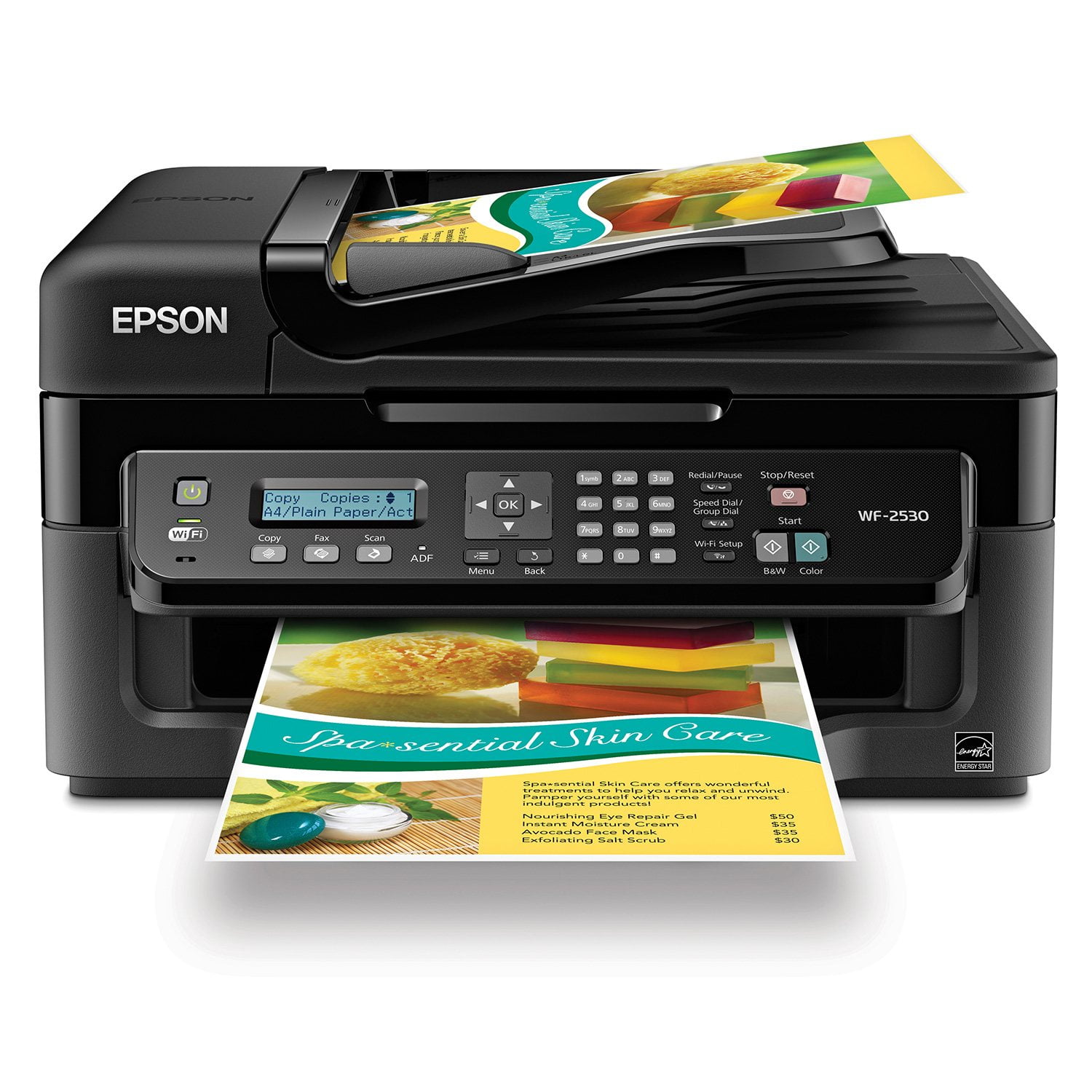
Epson WorkForce WF-2530 Wireless All-in-One Printer
4.2 out of 5 stars
stars590 ratings584 reviews
  1. 5 stars56% (330)
  2. 4 stars27% (159)
  3. 3 stars5% (29)
  4. 2 stars3% (18)
  5. 1 star9% (54)
Write a review
Sort by |
Showing 71-80 of 584 reviews
Nov 26, 2013
Joe
2 out of 5 stars review

Caution if Scan is Important

I use the scan feature to attach scanned documents to my email. The bottom line now is that after about 3 hours on the help desk with two technicians, this feature now works. That's the good news. The bad news is that the unit will not scan to email out of the box unless you go through what I just had to do. So if you have a few hours and a strong voice, you will be fine. Otherwise, not so much.......

Review from epson.com
Helpful?3R4JFFKRRTX115270723888
Aug 2, 2013
jjohnaz
5 out of 5 stars review

Second WF-2530

This is my second WF-2530 since I have 2 homes. Both purchases replaced a popular brand of printer that gave me problems continually. Both of my WF-2530's work perfectly. This newest printer was installed on an upgraded computer with Windows 7. Continually got printing errors with the older printer. This Epson works great.

Review from epson.com
Helpful?3R4JFFKRRTX115270723888
Aug 14, 2014
shurley1234
4 out of 5 stars review

Mixed Feelings

I've had Epson printers before and and they were easy to install and had good luck before but I've had trouble with the iPrint\AirPrint on my new wf-2530. The wi-fi is setup on the printer and says it's working but cannot get it to work with my mobile devices with the Epson iPrint App.

Review from epson.com
Helpful?3R4JFFKRRTX115270723888
Nov 5, 2013
Wolf
5 out of 5 stars review

When I went looking for a new printer I looked for 3 things. 1. Price 2. Ease of use and setup 3. Printing Quality I found all three in the Epsonwf-2530. It was easy to install and use the prints are great and it didn't cost an arm and a leg. Makes a great gift or replacement printer. I really love the fact that I can take a picture with my smart phone and then print it. When I bought the printer I didn't think that I would be using this feature but I am. I also like the wireless feature It's nice to have less wires clustering up my work space.

Review from epson.com
Helpful?3R4JFFKRRTX115270723888
Mar 14, 2014
clicker
5 out of 5 stars review

Nice equipment

Easy to set up. Just follow the instructions. We have two computers. I connected one with a printer cable and the other went wi-fi. Just a heads up. The keypad on the front of the printer is a mixture of letters and number so to get the value you need, just keeping punching the key until the one you need appears.

Review from epson.com
Helpful?3R4JFFKRRTX115270723888
Apr 30, 2014
Sharleen
2 out of 5 stars review

Reason for getting this product and what I think

I just purchased this printer because my last printer died and I needed one ASAP and I didn't have a lot of money to spend. I do like everything there is about this printer except that when I go to print I get a box wanting a phone number to send it to via fax. I don't have the fax set up yet as I am confused as to how to set it up at the moment because my internet and phone. tv and such are also using the phone line. Also I have an old fashioned phone where I have to have an additional caller ID box. So still working on that. It took me a while to find that you can print from the preview button in the fax box. That is my only complaint about this product so far.

Review from epson.com
Helpful?3R4JFFKRRTX115270723888
Jun 6, 2013
Anonymous
1 out of 5 stars review

Well, I haven't thrown it in the trash yet. I've been trying to get this printer to work properly sine I purchased it 04/29/13. According to my internet provider, I've entered my codes and password correctly . I downloaded the disc and when the computer asks about where to place the equipment; the computer cannot find the printer, like it doesn't exist. I'm basically fed up with the nonsense associated with the printer. As I said when I registered the printer, I will not recommend, nor will I purchase another EPSON . Also please note the Printer will not accept my security code. The thought of trashing the equipment sounds better every day' Sorry...no recommendation from me.

Review from epson.com
Helpful?3R4JFFKRRTX115270723888
Mar 22, 2015
jaye
5 out of 5 stars review

small but capable

My WF-2530 is a most capable machine. Even though it fits into the bottom draw of my desk, it has performed excellently. Color is rich and intense and maintenance is minimal. Actually, all I do is clean the glass and put paper in it and reload ink. Doesn't get much better than that.

Review from epson.com
Helpful?3R4JFFKRRTX115270723888
Sep 11, 2013
Morning Dove
5 out of 5 stars review

Epson Workforce 2530

I have to say that the setup was a brisk, easy to follow, uncomplicated. The performance excellent. The quality of the copies very good. Excellent photo prints and durability. I use it both for personal and business use. This is not the first time I have owned an Epson printer. They have delivered very well. Well, I am a Epson fanatic!

Review from epson.com
Helpful?3R4JFFKRRTX115270723888
Apr 14, 2014
Waffle54
1 out of 5 stars review

Hidden Compatibility Issues

I wasted 4 hours of my time and missed a deadline because the printer software included with the product disabled my entire suite of MS Office 365 products. I had to isolate and remove a piece of junk software bundled with the driver download. And the Epson support site was useless. Feel like Epson owes me something for patching their product!

Review from epson.com
Helpful?3R4JFFKRRTX115270723888