Skip to Main Content
Sams Club
Sams Club
Customer ratings & reviews for
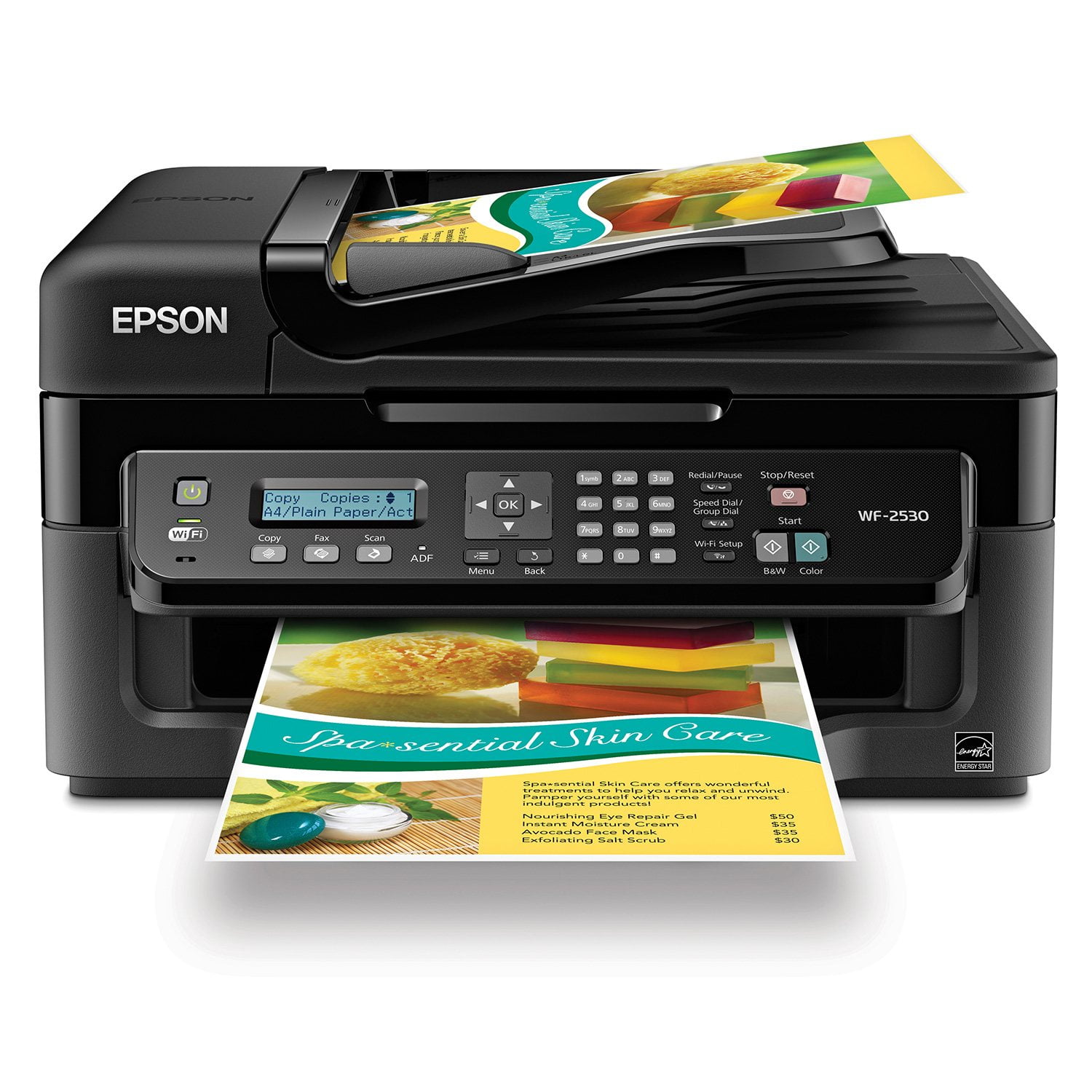
Epson WorkForce WF-2530 Wireless All-in-One Printer
4.2 out of 5 stars
stars590 ratings584 reviews
  1. 5 stars56% (330)
  2. 4 stars27% (159)
  3. 3 stars5% (29)
  4. 2 stars3% (18)
  5. 1 star9% (54)
Write a review
Sort by |
Showing 111-120 of 584 reviews
May 26, 2015
Chris049
5 out of 5 stars review

An excellent printer with all the features I required

An excellent printer for the price. It has all the features I required and more. This is the first Epson product I have purchased or used and it now will not be the last. Far more superior than the supposed market leader that my wife and I have had so much trouble with, which is now in the rubbish bin. I initially had trouble setting up the wifi connection but was helped by the service technician on Epson 1300 number. I now have 3 laptops, 2 iPads and 2 iPhones connected to the printer - Hurrah!!!!

Review from epson.com.au
Helpful?3R4JFFKRRTX115270723888
Mar 20, 2014
Fred
5 out of 5 stars review

GREAT

I've had my WF2530 for only 3 days, but its great,Haven't hooked up my FAX yet, I'm 80 years old, had no problems with hooking it up, Pics and letters etc print great, real good price... Have had EPSON printers before, this is the best so Far... Thank You EPSON FGW

Review from epson.com
Helpful?3R4JFFKRRTX115270723888
Jan 3, 2013
Luz
5 out of 5 stars review

Very Satisfied Customer

I purchased an Epson WF-2530 All-in-one printer after comparing different printers and I am very happy with my purchase. The price was great. It's a perfect printer for home use. And it's wireless so it's more convenient. It was so easy to set up as well.

Review from epson.com
Helpful?3R4JFFKRRTX115270723888
Jan 20, 2015
Ben
2 out of 5 stars review

Drivers not compatible with OS X Mavericks

While this printer does work on OS X, there are no settings available when printing from any software that allows you to control the print quality and other essential options that nearly every printer offers. Wastes ink and prints using color cartridges even when Black is the only color. Screenshots and instructions on the website do not match the actual experience when using OS X.

Review from epson.com
Helpful?3R4JFFKRRTX115270723888
Aug 1, 2013
Yankeescooter
5 out of 5 stars review

WF 2530 Review

Loyal Epson user and did recently move. Had some difficulty with faxing....machine froze and had to pull the plug to reboot it....it would not even shut off with the button. But it ''seems'' to be working better now so i'll wait to see if it acts up again. I had a C84 printer before that lasted for 9 yrs before buying this current model. I am satisfied with the 2530 choice and hope it lasts as long as my C84 did. Thank you.

Review from epson.com
Helpful?3R4JFFKRRTX115270723888
Jan 1, 2014
Anonymous
4 out of 5 stars review

Setup was easy . . . except

This product is the perfect size for my at home business ventures. Setup was very easy, except for some reason I couldn't enter in the correct date. Followed the written instructions, but the double digit for the day of the month did not configure. Not a big deal for me at this time, since I haven't connected it to a fax line, but I'm sure it will be a factor. Look forward to our business relationship.

Review from epson.com
Helpful?3R4JFFKRRTX115270723888
Apr 17, 2014
Tiredlady
4 out of 5 stars review

My new scanner/printer

I really haven't used it for anything except printing yet, but I like that it DOES print quickly,and has the capability to scan several documents at a time. It's a bit noisy at first and it's makes some VERY strange noises, every now and then. It's a nice device, though. I'm sure I will love it when I get used to it.

Review from epson.com
Helpful?3R4JFFKRRTX115270723888
May 10, 2014
DonM
5 out of 5 stars review

Really well built printer

I purchased for my home office. I did not plan to use it very often but since purchasing it I found the quality of print and speed were more of a office level quality. I use it now for all my printing which makes doing presentations for meetings less costly since I only print what I need as opposed to going to Kinkos all the time.

Review from epson.com
Helpful?3R4JFFKRRTX115270723888
Dec 5, 2014
Cass
5 out of 5 stars review

Love Epson

This is my first Epson and was very reluctant mainly because I was not familiar with Epson. Since I bought it at a discounted price. I have been pleasantly surprised and Love Epson. My printer was off line and by following the simple layman instruction online, I was able to resolve the problem in less than 1/2 hour. I am very happy with the results. Thank you EPSON

Review from epson.com
Helpful?3R4JFFKRRTX115270723888
May 21, 2013
Keisa
5 out of 5 stars review

Very easy to use!

I have some experience with computers and installing devices on them but sometimes it can be very difficult to do. I'd have to say that this printer was very easy to install and is very easy to operate. I like that it's easy to change the ink cartridges when it's time and when you run out of black ink it will actually mix your color ink for you to subsitute for black ink. I also like that it prints on both sides of the paper whick cuts your paper purchases in half!

Review from epson.com
Helpful?3R4JFFKRRTX115270723888