Skip to Main Content
Sam's Club
Sam's Club
Member ratings & reviews for
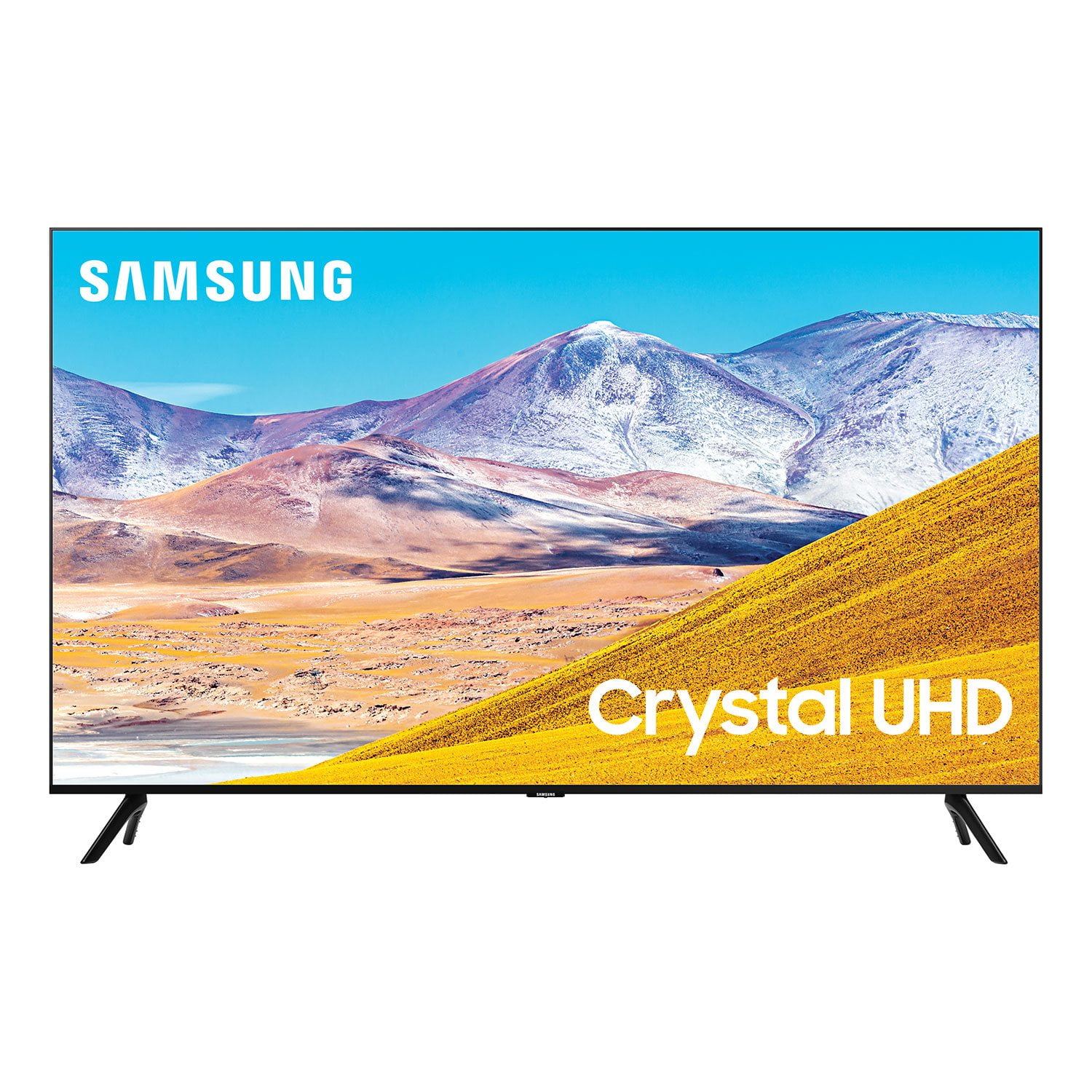
SAMSUNG 85" Class TU800D-Series Crystal Ultra HD 4K Smart TV - UN85TU800DFXZA (2020 Model)
4.5 out of 5 stars
stars2,685 ratings2,589 reviews
  1. 5 stars70% (1,890)
  2. 4 stars18% (476)
  3. 3 stars4% (116)
  4. 2 stars2% (52)
  5. 1 star6% (151)

Member photos

  • +42 images
Sort by |
Showing 1,671-1,680 of 2,589 reviews
Oct 4, 2020
Georg13
5 out of 5 stars review

This is a very good and amazing dope screeen size

[This review was collected as part of a promotion.] I really love the screen display and resolution of the TV and the design of it is pretty dope and amazing and the best sound quality ever!

Review from Samsung US
Helpful?6WJALYUO0YZR15267810566
Sep 18, 2020
Rzizle
5 out of 5 stars review

Product has great sound as awesome visuals.

[This review was collected as part of a promotion.] I have been in the Samsung family for 10+ years. This is the best edition to the Samsung collection .

Review from Samsung US
Helpful?6WJALYUO0YZR15267810566
Nov 13, 2020
Hockeydude
5 out of 5 stars review

Great TV that does everything right

[This review was collected as part of a promotion.] Haven't had any problems with the TV and the picture is beautiful and smooth. Only downside for myself is the speakers need some work but with a nice soundbar its perfect.

Review from Samsung US
Helpful?6WJALYUO0YZR15267810566
Jan 15, 2021
Anonymous
1 out of 5 stars review

I don't value anything

this was a disappointment my 42” 2014 lg tv is way better than this. i would never ever fall for the price again!!! the picture quality is not great in dynamic mode it's still really dark. i bought a 65” but it looks like a 55” inch smh

Review from Samsung US
Helpful?6WJALYUO0YZR15267810566
reply from OBA

Thank you for purchasing the TU8000 TV and for your review. Please know that the industry standard when measuring screen size refers to the measurement of the screen when measured diagonally. The measurements of a 65” model are 57.1" x 32.7" x 2.4" (WxHxD) when measured without the stand. I am sorry to hear that you are not happy with the brightness levels of your picture, and you have tried Dynamic Picture Mode which is designed to make pictures brighter and clearer in bright viewing environments. ( Settings > Picture > Picture Mode > Dynamic ) You can also manually adjust the Brightness and other settings to your liking. Press the HOME button on your remote, then navigate to: Settings > Picture > Expert Settings You may also want to disable Power Saving Mode which automatically adjusts the brightness to reduce the TV’s power consumption. Go to Settings> General> Eco Solution> Power Saving Mode. Ambient Light Detection will also automatically adjust the brightness level of the TV, according to the ambient light level, to reduce power consumption. If Ambient Light Detection has adjusted the screen brightness to a too bright or dark level, you can select Minimum Brightness to manually adjust the minimum screen brightness. Go to Settings> General> Eco Solution> Ambient Light Detection Please also be sure you are running the latest firmware. You can check to see what software version your TV is using and if there is an available update through the settings on your TV. Go to: Settings>Support>Software Update. (1460.9 released on 12/7/20) You may want to enable automatic updates for convenience. Select Settings > Support > Software Update, then select Auto Update. I hope this helps to improve your picture. Should you need further assistance, please contact Samsung Customer Support. 1-800-SAMSUNG (ask for TVs), available 8AM -12AM EST, 7 days a week Or visit us on the Samsung website and click on the ‘Support’ link in the upper right corner of the homepage for: 1) Contact Us Options (LiveChat, Remote Support, Facebook, Twitter) 2) Product Support 3) Manuals and Downloads 4) Warranty Info 5) Product Registration: Registering your product gives you access to easy warranty support, convenient opt-in to special promos and offers, faster troubleshooting and service, and quick notification of system updates 6) Samsung Community: A great resource for getting help from Samsung moderators and customers and more 7) …and more product, repair, order, and care options ~ Samsung Solutions

Oct 6, 2020
Tvbuyerx
5 out of 5 stars review

Great picture easy set ip

[This review was collected as part of a promotion.] Amazing color and smart TVs fictions easy to use. Only complaint is no screws on back for the wall mount. Had to go to hardware store and purchase.

Review from Samsung US
Helpful?6WJALYUO0YZR15267810566
Oct 21, 2020
LIVY
4 out of 5 stars review

65" 8 Series 4K LED

[This review was collected as part of a promotion.] What a great picture. We love this TV. Its the third Samsung we own. We use this for gaming and have had no issues with lag or picture distortion.

Review from Samsung US
Helpful?6WJALYUO0YZR15267810566
Oct 26, 2020
Chuck6543
5 out of 5 stars review

Great modern TV

[This review was collected as part of a promotion.] This TV has a great picture. It was very easy to set up. I like the remote that is modern and has few buttons on it but can do so many functions.

Review from Samsung US
Helpful?6WJALYUO0YZR15267810566
Sep 16, 2020
Bert
4 out of 5 stars review

Easy to navigate with remote

[This review was collected as part of a promotion.] Very satisfied with quality of picture. Easy to navigate through remote. Bummed by the fact that it is so hard to find correct screws to mount.

Review from Samsung US
Helpful?6WJALYUO0YZR15267810566
Sep 7, 2020
Rich
5 out of 5 stars review

Pleasantly Surprised

this is an excellent tv. picture quality is great, it's easy to set up and the app interface is a big step up from older samsung products. good work on the design and implementation.

Review from Samsung US
Helpful?6WJALYUO0YZR15267810566
Oct 6, 2020
Cricket0716
5 out of 5 stars review

Great product

[This review was collected as part of a promotion.] This is the best tv I have ever had. The best investment I have made this year.its so convenient and the picture and sound qualities are great. 10/10 recommended

Review from Samsung US
Helpful?6WJALYUO0YZR15267810566