Skip to Main Content
Sam's Club
Sam's Club
Member ratings & reviews for
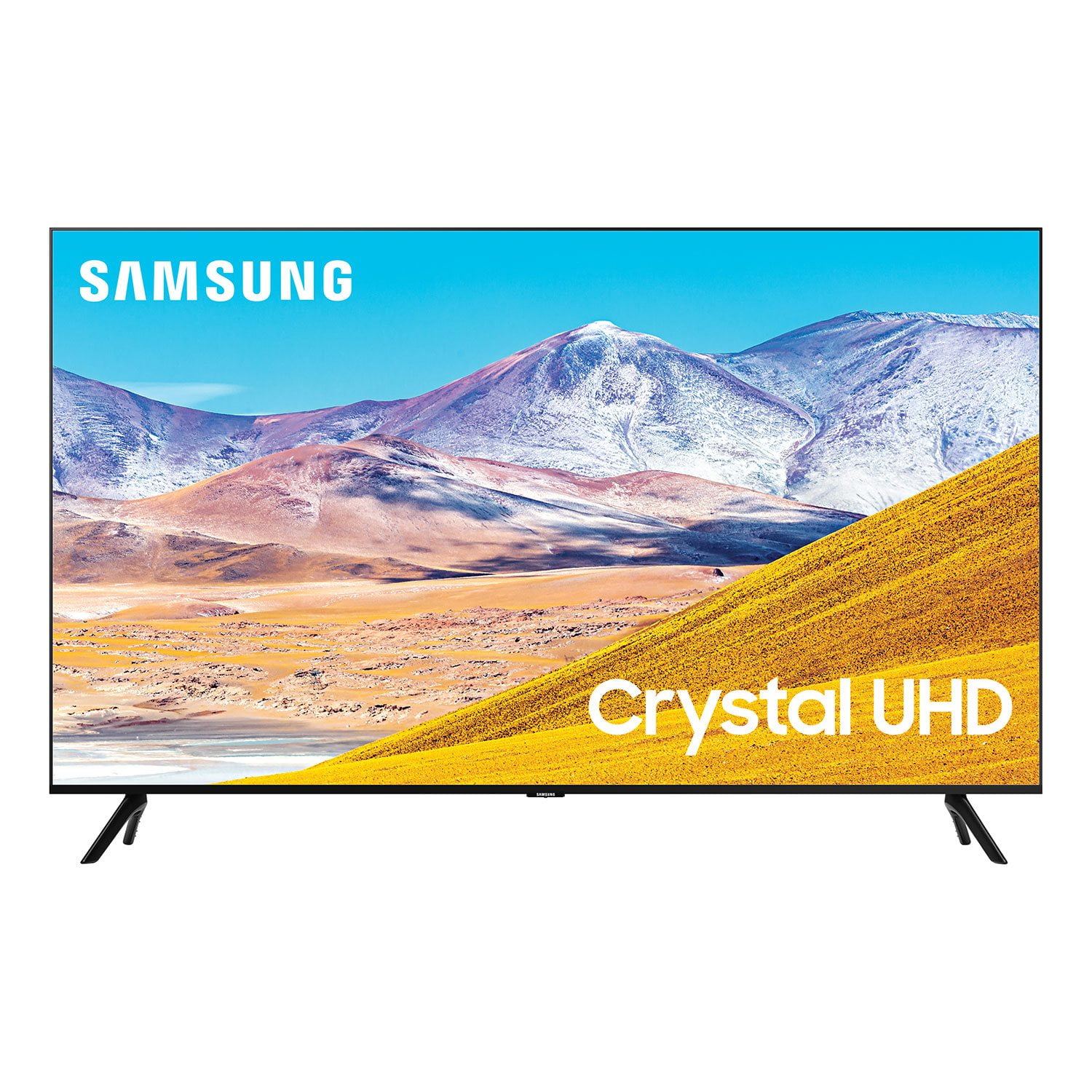
SAMSUNG 85" Class TU800D-Series Crystal Ultra HD 4K Smart TV - UN85TU800DFXZA (2020 Model)
4.5 out of 5 stars
stars2,685 ratings2,589 reviews
  1. 5 stars70% (1,890)
  2. 4 stars18% (476)
  3. 3 stars4% (116)
  4. 2 stars2% (52)
  5. 1 star6% (151)

Member photos

  • +42 images
Sort by |
Showing 1,481-1,490 of 2,589 reviews
Sep 16, 2020
jcstubb17
5 out of 5 stars review

Series 8 Television

[This review was collected as part of a promotion.] This was purchased to replace a smaller Series 7 TV. The setup was easy and quick. The sound and picture are superior to the set it replaced. I am very happy with the television.

Review from Samsung US
Helpful?6WJALYUO0YZR15267810566
Sep 16, 2020
Tjrr
4 out of 5 stars review

Picture quality is everything

[This review was collected as part of a promotion.] It is a great TV with amazing picture quality and sound. The only drawback is the operating system which is laggy.

Review from Samsung US
Helpful?6WJALYUO0YZR15267810566
Aug 13, 2020
Robin
5 out of 5 stars review

Dark picture

the picture is dark even with turning the brightness up all the way. difficult remote. not sure if i want ti deal with it. thinking about returning it.

Review from Samsung US
Helpful?6WJALYUO0YZR15267810566
reply from OBA

Robin, I am sorry to hear that you are not happy with the brightness of your TU8000 4K Smart TV. You can try Dynamic Picture Mode, or manually adjust the Brightness settings to your liking. Go to Home> Settings> Picture> Expert Settings> Brightness We also recommend you check if Power Saving Mode has been enabled. Go to Settings> General> Eco Solution> Power Saving Mode. You can find details of various features and usages of your TU8000 TV in the eManual. To open the e-Manual, press the button to open Smart Hub, press the left directional button to move to Settings, and then press the Select button. Use the up and down directional buttons to move to Support, and then select Open e-Manual to open the e-Manual You can also reach out to Samsung Support for step-by-step assistance with setup, features, and operation. Simply call us at 1-800-SAMSUNG (available 8AM -12AM EST, 7 days a week) Or visit us on the Samsung website and click on the ‘Support’ link in the upper right corner of the homepage for: 1) Contact Us Options (LiveChat, Remote Support, Facebook, Twitter) 2) Product Support 3) Manuals and Downloads 4) Warranty Info 5) Product Registration: Registering your product gives you access to easy warranty support, convenient opt-in to special promos and offers, faster troubleshooting and service, and quick notification of system updates 6) Samsung Community: A great resource for getting help from Samsung moderators and customers and more 7) …and more product, repair, order, and care options -Samsung Ambassador

Mar 20, 2021
David Z
4 out of 5 stars review

Great picture

tv deserves a 5 star review but no peacock application and the inability, unlike my old 55 inch samsung tv, to stay on the current application on the home screen, is extremely irritating!

Review from Samsung US
Helpful?6WJALYUO0YZR15267810566
Sep 16, 2020
tvguy
5 out of 5 stars review

Beautiful picture

[This review was collected as part of a promotion.] 4k quality is awesome. I go in and out of houses to work on tv's and I have not seen a better picture than a Samsung. And they get better on each one I buy.

Review from Samsung US
Helpful?6WJALYUO0YZR15267810566
Sep 16, 2020
tony
5 out of 5 stars review

Great value for the price!

[This review was collected as part of a promotion.] Definitely happy with my purchase due to the price I bought it at. Definitely felt like I got a great deal. Picture quality is great for an LED TV and the features are on point.

Review from Samsung US
Helpful?6WJALYUO0YZR15267810566
Oct 5, 2020
Jecca
5 out of 5 stars review

Love it!

[This review was collected as part of a promotion.] This was a surprise gift from our son, it is truly amazing! The picture is so clear, I feel like I'm there!

Review from Samsung US
Helpful?6WJALYUO0YZR15267810566
Oct 6, 2020
Pouria
5 out of 5 stars review

Really good TV

[This review was collected as part of a promotion.] This is a really really good TV. The only downside I see to this is its quality of its speakers. Other than that, it's an amazing TV

Review from Samsung US
Helpful?6WJALYUO0YZR15267810566
Sep 16, 2020
Leila
4 out of 5 stars review

Great tv

[This review was collected as part of a promotion.] So far no issues with tv. Picture is clear. I like the new apps offered and new things like being able to use my Apple Music and evening tap my phone to connect to the tv. Pretty neat feature.

Review from Samsung US
Helpful?6WJALYUO0YZR15267810566
Oct 21, 2020
Howie
4 out of 5 stars review

Great picture, confusing interface

[This review was collected as part of a promotion.] Great picture, confusing interface - RCA audio out does not supply audio to my entertainment system and the software for the TV doesn't offer that option.

Review from Samsung US
Helpful?6WJALYUO0YZR15267810566