Skip to Main Content
Sam's Club
Sam's Club
All Departments
All Services
Member ratings & reviews for
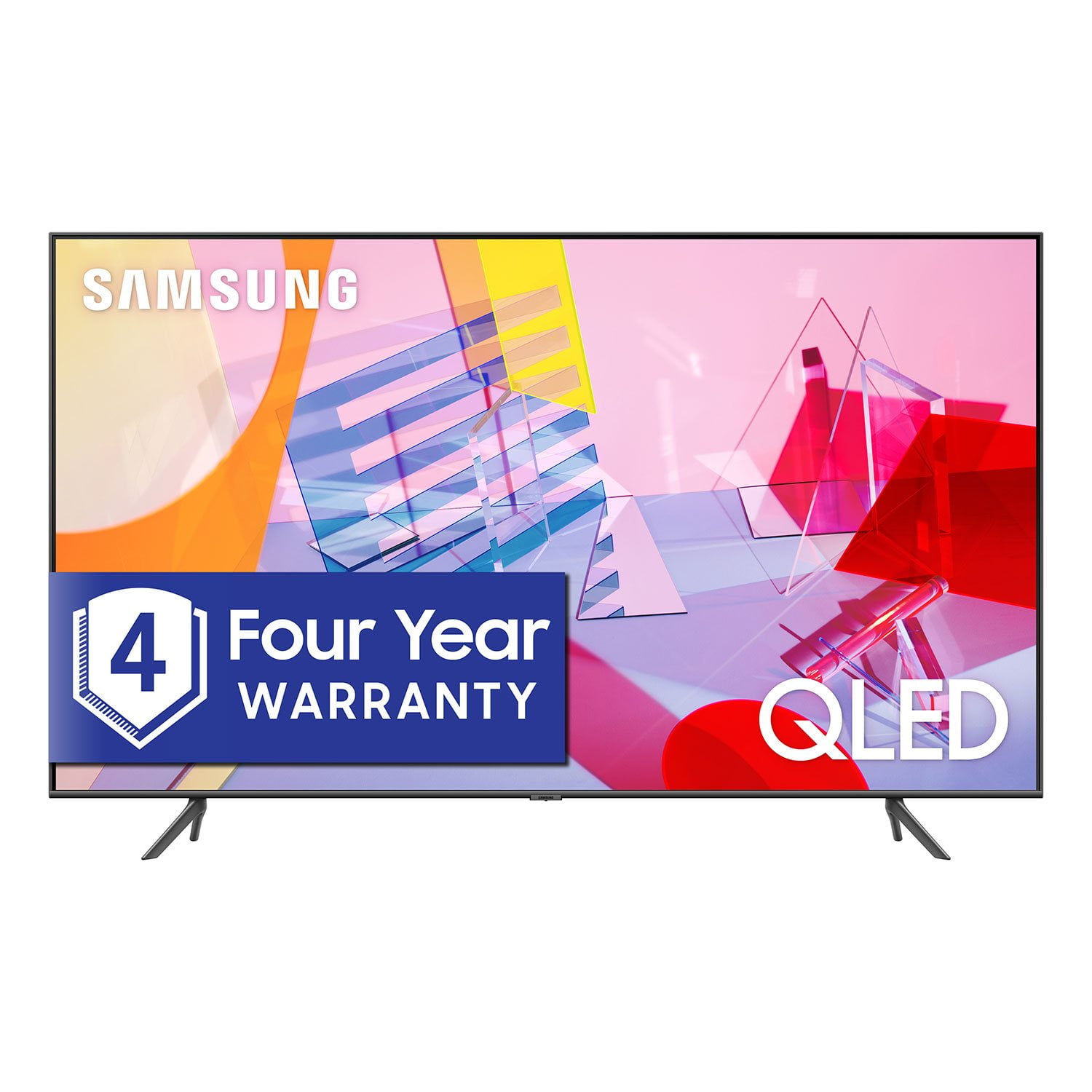
SAMSUNG 55" Class Q6DT-Series 4K Ultra HD QLED Smart TV - QN55Q6DTAFXZA (2020 Model)
4.7 out of 5 stars
stars
2,111 ratings2,037 reviews
  1. 5 stars78% (1,656)
  2. 4 stars15% (321)
  3. 3 stars3% (56)
  4. 2 stars1% (22)
  5. 1 star3% (56)

Member photos

  • +13 images
Sort by |
Showing 1,101-1,110 of 2,037 reviews
Nov 16, 2020
Phillyphill
5 out of 5 stars
5 out of 5 stars review

Excellent tv

[This review was collected as part of a promotion.] What can I say. This thing is a monster tv. Blows everything out of the water. It feels like I'm at the movies with the picture quality. I have my xbox series x hooked up to it. Smooth as butter.

Review from Samsung US
Helpful?2NS8KJIS3KAL15252270711
Sep 15, 2020
Gd1111
5 out of 5 stars
5 out of 5 stars review

Crystal clear image and great smart features

[This review was collected as part of a promotion.] Tv works great set up was easy and quick. Smart tv features have everything you could need I couple of clicks away.

Review from Samsung US
Helpful?2NS8KJIS3KAL15252270711
Oct 26, 2020
MetalmanDad
5 out of 5 stars
5 out of 5 stars review

Crisp visual

[This review was collected as part of a promotion.] This is an amazing television, with an abundance of great features. Definitely lives up to Samsung's high standards of quality and reliability.

Review from Samsung US
Helpful?2NS8KJIS3KAL15252270711
Feb 13, 2021
DocSalAM
3 out of 5 stars
3 out of 5 stars review

Where is Multiview

great tv however i one if the reasons i bought thia tv was for multiview. however i have been trying to figure this out for over a month. please somebody help. i am feeling ripped off.

Review from Samsung US
Helpful?2NS8KJIS3KAL15252270711
reply from Samsung Brand Ambassador

DocSalAM: Thank you for purchasing the Samsung Q60T TV. I am sorry you have not been able to access the Multi View feature since you have brought your TV home. While watching the TV, you can view media from different sources, such as an app, Blu-ray player, or game console, on the main left screen, while also mirroring your phone to the second screen. Multi View provides you with endless possibilities for splitting screens and viewing several types of content at the same time. To start Multi View, run the screen sharing (Smart View/Apple AirPlay) for your mobile device. To connect your TV to your mobile device, instructions can be found by going to: Source > Connection Guide > Smartphone > Screen Sharing (Smart View) While running Multi View, app casting from your mobile device is run on Multi View. This function is not available in some apps. If you need further assistance using this feature or have any questions, please contact Samsung Customer Support. 1-800-SAMSUNG (ask for TVs), available 8AM -12AM EST, 7 days a week Or visit us on the Samsung website and click on the ‘Support’ link in the upper right corner of the homepage for: 1) Contact Us Options (LiveChat, Remote Support, Facebook, Twitter) 2) Product Support 3) Manuals and Downloads 4) Warranty Info 5) Product Registration: Registering your product gives you access to easy warranty support, convenient opt-in to special promos and offers, faster troubleshooting and service, and quick notification of system updates 6) Samsung Community: A great resource for getting help from Samsung moderators and customers and more 7) …and more product, repair, order, and care options ~ Samsung Solutions

Oct 21, 2020
Nate
5 out of 5 stars
5 out of 5 stars review

We love the ambient mode

[This review was collected as part of a promotion.] We got this massive tv and the wife was like no way but after I showed her how to download pictures she loves it so it's not just a black thing on the wall.

Review from Samsung US
Helpful?2NS8KJIS3KAL15252270711
Sep 16, 2020
Shawnie
5 out of 5 stars
5 out of 5 stars review

Great TV

[This review was collected as part of a promotion.] At first I was intimidated by the smart TV. It is my first. The more I use it the more I enjoy it. I'm still learning. I really like my Samsung TV.

Review from Samsung US
Helpful?2NS8KJIS3KAL15252270711
Oct 5, 2020
LovemyBigScreen
5 out of 5 stars
5 out of 5 stars review

This product has great features that I like.

[This review was collected as part of a promotion.] The size of the television is exactly ideal in my apartment. I like that my Netflix, Prime, YouTube, Disney+ and PBS Passport was easily installed to the TV and are easily accessible.

Review from Samsung US
Helpful?2NS8KJIS3KAL15252270711
Oct 13, 2020
jv4hunnid
5 out of 5 stars
5 out of 5 stars review

Many useful features

[This review was collected as part of a promotion.] I love how all the apps are in the tv. No need to switch to my PlayStation or Apple TV to watch Netflix, Hulu or HBO. I can just use the remote of the tv to switch apps.

Review from Samsung US
Helpful?2NS8KJIS3KAL15252270711
Jun 25, 2021
Essy1861
5 out of 5 stars
5 out of 5 stars review

This product is perfect for the family

[This review was collected as part of a promotion.] I have all my apps that I love I use it for YouTube I use it for my HBO my Disney and other plus apps

Review from Samsung US
Helpful?2NS8KJIS3KAL15252270711
Jul 24, 2021
fwagler01
5 out of 5 stars
5 out of 5 stars review

Amazing features

[This review was collected as part of a promotion.] I'm using my 82” in the family room. Since I installed it , I realize my two years old daughter starting to count numbers and knowing all the colors because quality is perfect to teach babies.

Review from Samsung US
Helpful?2NS8KJIS3KAL15252270711