Skip to Main Content
Sams Club
Sams Club
Member ratings & reviews for
VIZIO 40" Class V-Series 4K HDR Smart TV - V405-H

Member photos

  • +12 images
Sort by |
Showing 1,391-1,400 of 33,643 reviews
Dec 24, 2020
John F
4 out of 5 stars review

Nice picture

I purchased this TV on November 29, 2020 and everything worked great. Then December 12 a blue line appeared on the screen from top to bottom about 2 1/2 inches from the right side. I contacted Vizio on December 14 about the blue line. I sent in all required information and was given a case number. I received an email on the 17th and was told a replacement TV was shipped with a tracking number. I was told I should receive it by the 22nd. I spoke to the carrier today the 23rd and I was then told it had just left the shipping terminal on the 22nd which is on the west coast and I live on the east coast. I am disappointed by the lack of communication from Vizio customer service concerning the replacement of my TV.

Review from vizio.com
Helpful?28LWLL3W5Y7615231774425
Jun 6, 2021
lamac12552
3 out of 5 stars review

Instructions

I bought this yesterday and there was no manual or clear instructions on programing the darn thing. It took me hours to find the settings needed and then TA DA there was the manual on the tv screen.. Didn't help with set up that it was on the TV and not a paper copy. Also there was not way to find the manual on the website as my TV M# Is not listed. V505-H1 ( or maybe V505-HL) .

Review from vizio.com
Helpful?28LWLL3W5Y7615231774425
reply from Customer Care

Hello lamac12552, thank you for taking time to leave us your feedback today. I am so sorry to hear you had a less than ideal experience with setting up your TV. The setup process for the TV is designed to move you through a full setup of the TV step by step, so when completed you will immediately have access to your favorite content. The User Manual is available in the TV's menu after the setup process if the TV was setup with an internet connection. The User Manual can also be accessed by going to support.VIZIO.com, clicking on the User Manuals box, and search for your model V505-H1. The result will show V505-H19, although the number on the end is different, this will be the correct manual as the number after -H only indicates which facility assembled the TV. If you have any questions or need any assistance, we are available through text message, chat, or over the phone. Just go to support.VIZIO.com and click on ‘Contact Us’.

May 23, 2020
Jthommrich
5 out of 5 stars review

Great picture

This is the third Visio TV I have purchased and have been very pleased with all of them. This is my first smart TV. I bought it to watch DIY youtube videos in my shop(along with a little news and occasional football or nascar race). It is so nice to watch those videos on the nice crisp screen of this TV vs watching them on my pad or phone.

Review from vizio.com
Helpful?28LWLL3W5Y7615231774425
Jan 2, 2020
PB Mass
4 out of 5 stars review

vizio 70"

I bought this a month or so ago. Picture is beautiful. Enjoying the television. Bought a Visio soundbar 5.1 and could not make it synchronize with the sound on the TV. Tried replacing the unit and setting it up several ways. Looking at other brands to add soundbar.

Review from vizio.com
Helpful?28LWLL3W5Y7615231774425
Apr 7, 2020
Carol7
3 out of 5 stars review

A little disappointed

I'm a little disappointed in the tv in that: 1). I would like a power button on the actual tv. 2). When changing the channel, the display is too small. I can't see which channel I am on and there is no way to adjust this. 3). The picture is milky looking for about the first 5 or ten minutes when it's first turned on. 4). The remote is so sensitive that hardly a touch activities buttons and then I need to try to figure out how to cancel whatever was pressed. 5). I miss not having a light on the tv that shows that the power is on. 6). I don't find the remote very user friendly. All in all it is a nice tv for the price, but I may have been happier with a different brand.

Review from vizio.com
Helpful?28LWLL3W5Y7615231774425
reply from Customer Support

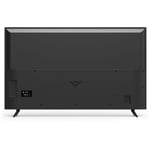
Hi Carol7! Your TV does have a power button on it. The power button is located on the back of the TV by the lower right hand corner. There are also volume buttons and an input button located there. The TV also has a power light setting in the System Menu under Reset & Admin that will keep the light on when your TV is powered on. If you have any questions or would like assistance please contact our customer support team by visiting support.VIZIO.com and selecting the 'Contact Us' option.

Apr 30, 2020
atak_esstee
5 out of 5 stars review

Great Picture, Sound & UI

Got this TV to replace our early 4K TV that gave up the ghost 2 years after new purchase. Much better picture for less moolah, and build quality and initial experience are much better. Bought with a 2.1 Soundbar w/ subwoofer package and love everything about the setup.

Review from vizio.com
Helpful?28LWLL3W5Y7615231774425
Aug 20, 2021
Papaw Byrd
5 out of 5 stars review

Fantastic features !

I bought this in June. The picture is top quality. The remote is so nice. I can get to Netflix, Disney, and Prime with a push of one button, as well as voice control for all channels! My 14 year old grandson helped me set it up. I should say I helped my 14 year old grandson set it up. We are very happy with the quality of the sound as well.

Review from vizio.com
Helpful?28LWLL3W5Y7615231774425
Jun 3, 2021
dgirl
3 out of 5 stars review

Like the TV

I like the TV and it's picture and sound quality. My only issue is that I stream my cable and do not used wired cable service. There was no app for that streaming service and support told me that I could not get to the internet to add the app and would have to CAST the programs. This is my only objection and I would have toi war someone to buy a smart TV rather than this one if asked.

Review from vizio.com
Helpful?28LWLL3W5Y7615231774425
reply from Customer Care

Hello dgirl, we appreciate you taking the time to review our product. We are constantly working to deliver exceptional value, endless entertainment options and amazing customer experience. We’ll continue to use feedback like yours to improve our TVs and the user experience in the future. 

Apr 25, 2020
Irissmom
5 out of 5 stars review

Great TV for the $$

We bought this TV and unfortunately for the first week there was a software issue and nothing worked but live TV and Chromecast. Only a couple of the buttons worked on the remote as well. The gal in Customerservice was amazing and very helpful to let us know that Vizio was working in the issue. About a week later the TV came to life! I love everything now that the TV works. The picture is great as well as the sound. Other than the software problem, for the money I highly recommend this TV!

Review from vizio.com
Helpful?28LWLL3W5Y7615231774425
May 18, 2020
Jeff 602
4 out of 5 stars review

I love Vizio

I have been a Vizio customer for 9 years now. I purchased a 55 inch smart TV in 2011 and it still works great! My latest purchase was a 50-in UHD TV. Although, I wish there were ways to add more apps to this TV, I still believe that it was a great buy.

Review from vizio.com
Helpful?28LWLL3W5Y7615231774425