Join Now
Skip to Main Content
Sam's Club
Sam's Club
All Departments
All Services
Member ratings & reviews for
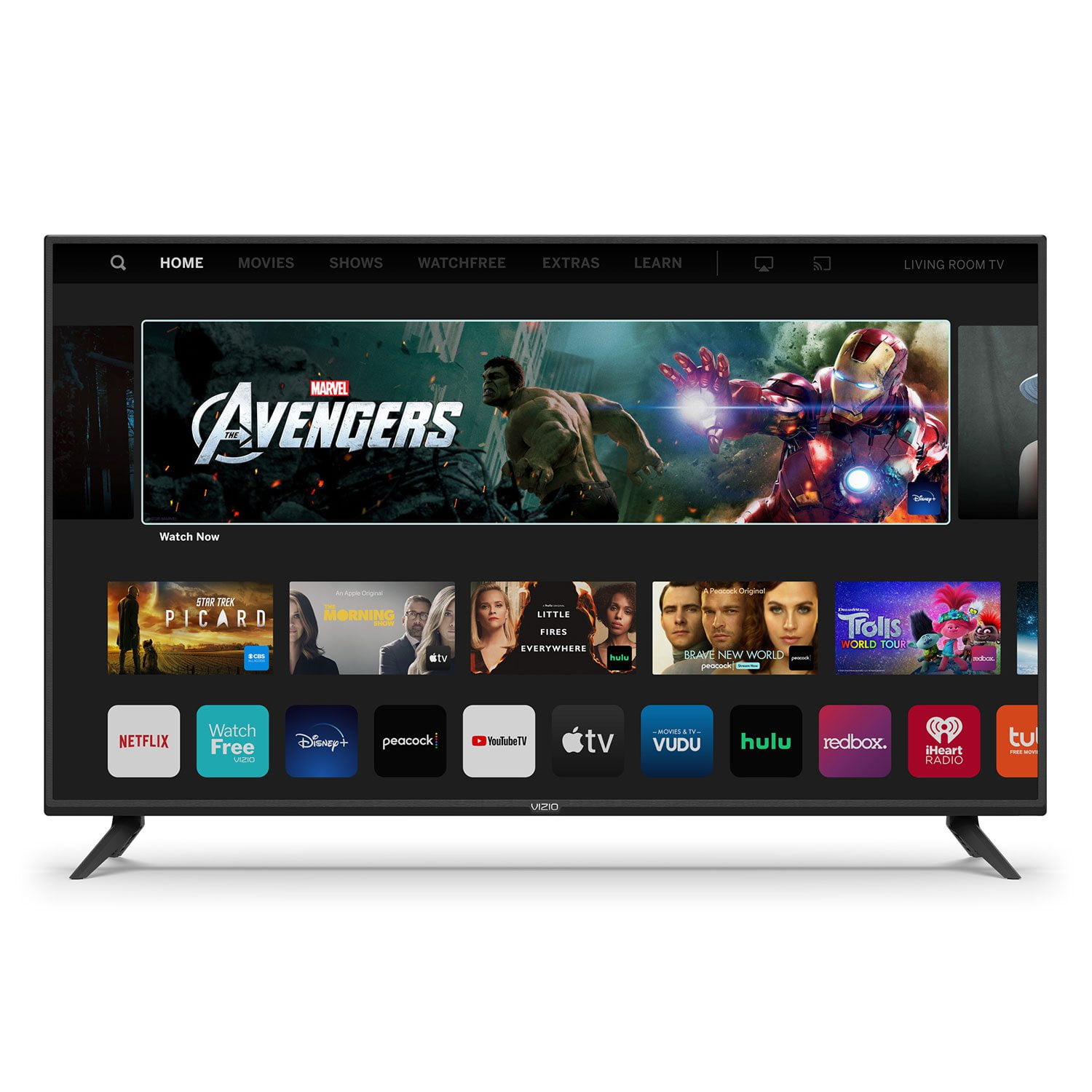
VIZIO 50" Class V-Series 4K HDR Smart TV - V505-H
4.7 out of 5 stars
stars
40.9K ratings34.3K reviews
  1. 5 stars77% (31.7K)
  2. 4 stars16% (6,585)
  3. 3 stars3% (1,219)
  4. 2 stars1% (569)
  5. 1 star2% (890)

Member photos

  • +35 images
Sort by |
Showing 491-500 of 34,357 reviews
Oct 13, 2020
Reviewer name: Mary C
5 out of 5 stars
5 out of 5 stars review

Verified Purchase

Will but another soon just larger size

Great picture

Helpful?292P25TATFGG15229700618
May 3, 2021
Reviewer name: lmack
5 out of 5 stars
5 out of 5 stars review

Verified Purchase

Good TV

Great TV for the price

Helpful?292P25TATFGG15229700618
Jan 16, 2021
Reviewer name: Claudia
1 out of 5 stars
1 out of 5 stars review

STAY AWAY

Worst TV ever. It was my first time purchasing a VIZIO tv and I was excited. However, after about 3 months it started lagging and continuously messing up. It would freeze, switch from an app to the main screen while still playing the audio of the show I was watching. I wanted to return it but it was past the return policy. I tried contacting VIZIO customer service and it was the worst customer service I've had. The person told me the basics of rebooting it while I told him it was more than just an off and on problem. He told me I would just have to deal with it. Horrible TV over all. Works for about 3 months and then it is useless.

Helpful?292P25TATFGG15229700618
reply from VIZIO

Hello Claudia, thank you for taking time to let us know what is going on. While doing basic power cycles of an electronic device can aid in resolving a power issue, it can also resolve other issues as well. If you continue to have issues with your TV, please do keep in contact with our support agents. Many times our next troubleshooting steps depend on how the device responds to the previous steps. We want to make sure to exhaust all troubleshooting and options available so we can make sure to get this resolved for you.

Sep 22, 2020
Reviewer name: Ted K
5 out of 5 stars
5 out of 5 stars review

GREAT TV with many tweaking options available

First off, the VIZIO V505-H19 has analog audio out via RCA jacks so you can easily connect it to any conventional stereo amp and speakers via a FIXED or VARIABLE audio output. Unlike some TVs, the external sound is in perfect sync with the built-in speakers if you turn off Volume Leveling on the audio menu. If not, there is a slight delay. The built in speakers are quite good for their small size. Sound is clear and natural. A 5-band audio EQUALIZER is built-in if you want to tweak the audio quality. The TV offers 4-way IMAGE POSITION and IMAGE SIZING to eliminate crap that sometimes shows up on the top or bottom of the screen. The TV also provides a color tuner to tweak the overall color balance of the screen beside the standard settings on the main picture menus. The VIZIO"s built-in digital, over-the-air tuner is good and far better than a SONY 900 that I had briefly and returned for a number of issues. STRONGLY RECOMMEND the VIZIO V505-H19 and note that buying it at SAMs CLUB provides you with a 3 year warranty at no extra cost.

Helpful?292P25TATFGG15229700618
reply from VIZIOEntertainmentExpert

Thank you Ted! We're stoked to hear you're having a great experience with your new 50" V-Series!

Aug 12, 2020
Reviewer name: Butch
4 out of 5 stars
4 out of 5 stars review

TV ears

Is there a way to hook up a set of TV Ears to this TV?

Helpful?292P25TATFGG15229700618
Aug 6, 2020
Reviewer name: Grandma13
2 out of 5 stars
2 out of 5 stars review

Verified Purchase

Bad batch.

Picture was blurry, sound was awful.

Helpful?292P25TATFGG15229700618
reply from VIZIOEntertainmentExpert

Grandma13, At VIZIO we pride ourselves on our highly rated picture quality. To make sure you’re getting the most out of you VIZIO TV, we’d recommend making sure your devices are connected with an HDMI cable, and are set to broadcast in 4K (2160p) or Full HD (1080p). You can also individually adjust your picture settings in the menu. For brighter rooms try using the ‘Vivid’ setting, for darker rooms try ‘Calibrated Dark’. If you’d like any assistance adjusting these settings, our customer support team would love to help you dial in the TV to your preference, you can reach them at 1-855-833-3221.

Jul 22, 2020
Reviewer name: Pumpkin
5 out of 5 stars
5 out of 5 stars review

I absolutely love this brand purchase one i n 2019- 2020 great buy the clarity is awesome

Helpful?292P25TATFGG15229700618
Mar 25, 2026
Reviewer name: rtvg
3 out of 5 stars
3 out of 5 stars review

Tv

[This review was collected as part of a promotion.] Disappointed that I can't add certain apps to my homepage, specifically HBOmax

Review from vizio.com
Helpful?292P25TATFGG15229700618
Sep 24, 2020
Reviewer name: Mike Montana PR
5 out of 5 stars
5 out of 5 stars review

Tiene las app mas populares,incluyendo YouTube TV

Lo compré hacer unas 2 semanas atras y de verdad 1 no me arrepiento, es de muy buena calidad y lo mas q me gusta es e que es bueno para los video juegos ya q cuenta con tecnología game ingine que es muy bueno ya que cuenta con HDR 10+ modo de baja latencia y buena calidad de audio y exelente imagen, lo recomiendo al 100%!!!!

Review from vizio.com
Helpful?292P25TATFGG15229700618
May 28, 2020
Reviewer name: MMandevil
2 out of 5 stars
2 out of 5 stars review

Gets stuck

I bought my tv expecting it to work out of the box. It does sorta... it works but it gets stuck a lot, it won't let me change the channel or the input turn it up/down or even turn it off. The only option I found was that I have to unplug it and hit the power button to clear it of any charge. Then I plug it in and it works again. Great right? Nope a couple hours or at best a few days go by and I get the same problem again. I've looked for fixes and haven't found any permanent ones yet.

Review from vizio.com
Helpful?292P25TATFGG15229700618
reply from Marketing

Hello MMandevil, This is not typical and we’d really love the opportunity to have our tech support team run through some troubleshooting steps to see if we can get the TV up and running for you. When you have a free moment, they’re available through text message, chat, or over the phone. Just go to support.VIZIO.com and click on ‘Contact Us’.