Skip to Main Content
Sams Club
Sams Club
Member ratings & reviews for
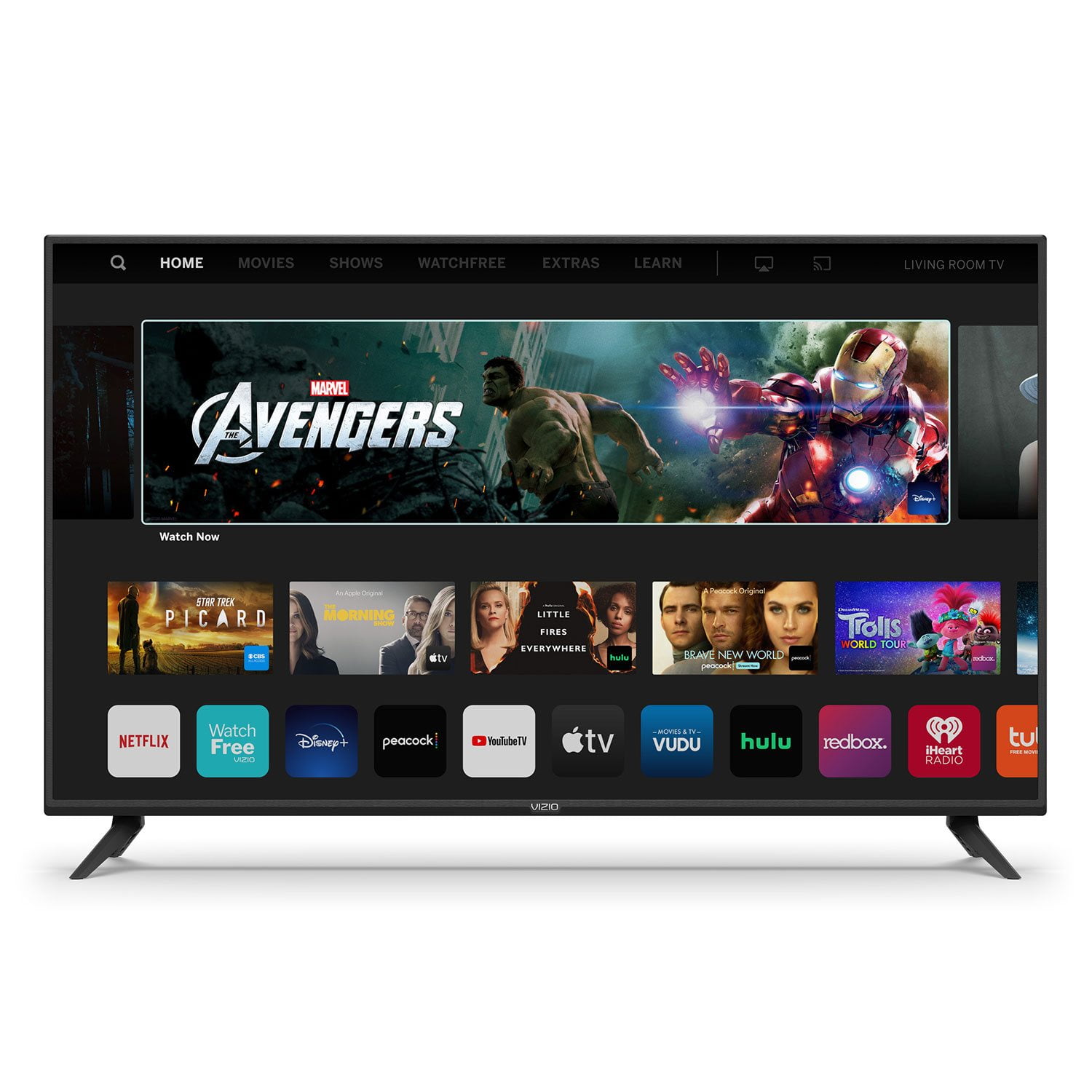
VIZIO 50" Class V-Series 4K HDR Smart TV - V505-H

Member photos

  • +35 images
Sort by |
Showing 3,351-3,360 of 34,155 reviews
May 6, 2020
NikkiNJ
1 out of 5 stars review

Returned in time to get a refund

I purchased this TV so excited, from day one the TV froze, kept shutting off, took 30 minutes to come back, I was able to return it to where I purchased in time to get a refund and purchase another brand. Also couldn't download Sling TV at all. I was surprised that a App TV couldn't download some of the most common apps. Also I was unaware that my phone would have to be the remote although the TV came with a remote control I had to use my cellphone.

Review from vizio.com
Helpful?292P25TATFGG15229700618
reply from Customer Support

Hi NikkiNJ. While you can't download apps not on the TV already you can cast them or AirPlay them from your phone, tablet, or computer. This gives our customers access to thousands of different apps to watch the content they want to watch. The remote that came with the TV is a fully functioning remote and you can control every TV function except casting from the remote itself.

Aug 3, 2023
Brim
4 out of 5 stars review

Great for its class

[This review was collected as part of a promotion.] Have had this television for over a year or so now. No complaints. If you are looking for a great experience, I suggest you get a sound bar to go with it. The tv does freeze up every now and again. Just restart the tv from time to time and usually it fixes itself.

Review from vizio.com
Helpful?292P25TATFGG15229700618
Jan 15, 2020
krwhome
4 out of 5 stars review

Great TV for the price

Great TV for the price my only minor complaint is the smart inputs & HDMI inputs how you switch them on the screen using the remote a little confusing but after a day or two I find what I need with little problem. The picture is great , was not hard to setup.

Review from vizio.com
Helpful?292P25TATFGG15229700618
Jun 29, 2020
Jim1127
5 out of 5 stars review

Perfect

Purchased this unit for a very large room in our home. Price was excellent, setup was a breeze and the picture and functionality outstanding. My better half (who can be a bit discerning) loves the set as well and has commented numerous times about the quality of the picture and how well the set goes within the room. I'd highly recommend this television.

Review from vizio.com
Helpful?292P25TATFGG15229700618
May 7, 2020
JJCjr
4 out of 5 stars review

Well, it's good enough...

I am an owner of 3 'D' series smart TV's and really love them. I needed an upgrade to a room that could accommodate a 50 inch and thought I'd give the 'V' series a try. I appreciate the 'D' series more but so far the new 'V' series works, can be calibrated and will work just fine. I'd advise adding a sound bar system to the V505-G9.

Review from vizio.com
Helpful?292P25TATFGG15229700618
Dec 3, 2020
ROBERTC87
5 out of 5 stars review

Perfect Everything!

We bought this TV when we bought our new house recently and we love everything about it! Perfect quality picture, all of the apps run seamlessly, and it works perfectly with out YouTubeTV! Plus our kids love it, we can load up Netflix or Disney+ and we are good to go! We will always buy Vizio from here on out!

Review from vizio.com
Helpful?292P25TATFGG15229700618
Nov 20, 2021
Eleven
3 out of 5 stars review

Inconsistent performance

I bough this TV several months ago, and I'm replacing it. Often when I first turn it on, the audio doesn't match with the video and I have to turn it off and back on again. The volume is inconsistent so I'm always turning it way up or down. It often loses connection with my wifi and the only solution is to restart my modem. It's a pain when all I want to do is chill and watch a show. Now the screen is just black except when I change the volume. The power button on the back only changes the input suddenly so I have to unplug it to turn it off.

Review from vizio.com
Helpful?292P25TATFGG15229700618
reply from Customer Care

Hello Eleven, sorry to hear that you're having trouble. That's not at all the experience we'd like for our customers. Typically, a lip sync issue can be narrowed down with troubleshooting. If the lip sync is off while watching content on your favorite apps, that indicates that we would want to troubleshoot network connections. For further help with volume fluctuations, this TV does have a feature called Volume Leveling to help balance out the audio levels. Head over to Menu > Audio to toggle the feature on and off. To help with internet connection loss, we would recommend to Power Cycle the TV by unplugging the power and then hold the power button on the back of the TV for at least 5-10 seconds while unplugged. Please reach out to our support team on support.VIZIO.com by clicking 'Contact Us'. We'd appreciate the chance to try and help you if more help is needed after power cycling and toggling the Volume Leveling feature.

May 5, 2020
Drakneil
5 out of 5 stars review

Easy to use.

I got this to replace a tv that got damaged. My mom has this exact one and she loves it so when I went to get mine I went looking for the same one. I love the settings and picture quality as well as how the sound is on the tv. It is perfect for my games and watching movies on.

Review from vizio.com
Helpful?292P25TATFGG15229700618
Jun 10, 2021
BonnieC
5 out of 5 stars review

Awesome tv

I bought this tv a few weeks ago for my bedroom and I am very pleased with it. Set up was easy and the picture is vivid when watching movies or other shows. I also like how easy it is to change from cable to Netflix and other apps. It's an awesome tv.

Review from vizio.com
Helpful?292P25TATFGG15229700618
Aug 5, 2022
Weezy4444
3 out of 5 stars review

Buffering Problems

I have problems getting kicked out of apps and streaming issues. I have had to reboot to factory settings and am constantly having problems in Smartcast. There's too many apps. Peacock freezes and paramount drags while running in Vizio. I've contacted my carrier several times Spectrum. No issues with modem, internet, etc. They said contact Vizio.

Review from vizio.com
Helpful?292P25TATFGG15229700618
reply from Customer Care

Hello Weezy4444, there could be a few things that cause lag or apps to not respond correctly, and I would like to learn more so we can assist with troubleshooting. Please visit support.VIZIO.com and click on ‘Contact Us’. We’ve got agents ready to chat, text message, or speak with you on the phone.