Skip to Main Content
Sams Club
Sams Club
Member ratings & reviews for
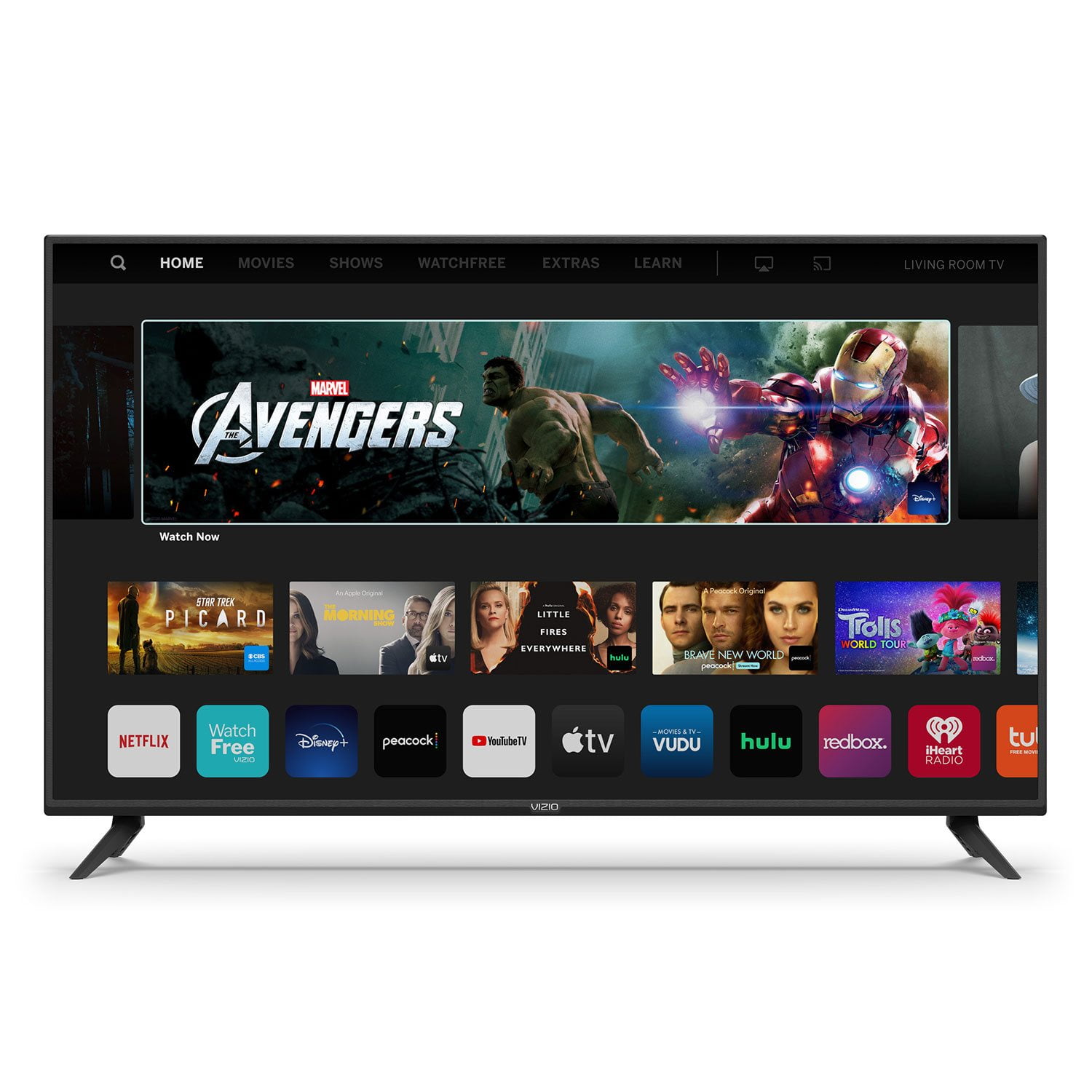
VIZIO 50" Class V-Series 4K HDR Smart TV - V505-H

Member photos

  • +35 images
Sort by |
Showing 2,631-2,640 of 34,155 reviews
Jun 3, 2021
dgirl
3 out of 5 stars review

Like the TV

I like the TV and it's picture and sound quality. My only issue is that I stream my cable and do not used wired cable service. There was no app for that streaming service and support told me that I could not get to the internet to add the app and would have to CAST the programs. This is my only objection and I would have toi war someone to buy a smart TV rather than this one if asked.

Review from vizio.com
Helpful?292P25TATFGG15229700618
reply from Customer Care

Hello dgirl, we appreciate you taking the time to review our product. We are constantly working to deliver exceptional value, endless entertainment options and amazing customer experience. We’ll continue to use feedback like yours to improve our TVs and the user experience in the future. 

Apr 29, 2020
The Real El Diablo
4 out of 5 stars review

Frustrating at First

I bought this about 3 weeks ago. At first I was debating about returning this tv because the smart cast and watch free apps did not work even connected to my home internet. After about the 4th day it started to work. And yes I did check to see if the software was update. Now the tv finally functions completely and works like a charm. Absolutely love this tv.

Review from vizio.com
Helpful?292P25TATFGG15229700618
Dec 12, 2019
JShinn1953
4 out of 5 stars review

Excellent TV for the price

Purchased a month ago and so far very pleased with it. One issue is that the software was updated the other night and now it no longer automatically recognizes my Directv genie. Have to go to another input source and then back to the genie. Otherwise it's great.

Review from vizio.com
Helpful?292P25TATFGG15229700618
Jun 30, 2020
BigHunt_14
3 out of 5 stars review

Needs some work...

I wouldn't really call it a smart TV. You can't download apps that aren't already pre-installed. I don't use iHeartRadio, I use Spotify. So I'm unable to download the app to listen to music through my television like I normally do. You can use Alexa to manipulate the TV, but only when it's on. Alexa can't turn on or off the TV.

Review from vizio.com
Helpful?292P25TATFGG15229700618
reply from Marketing

Hi BigHunt_14, we appreciate your feedback and your review! This is absolutely a smart TV, though you can't add additional apps, we're committed to giving our consumers access to as much streaming as possible. You have the ability to cast Spotify directly to your TV through Chromecast as well, so you can continue to enjoy your tunes. If you'd like assistance with this feature or any other built-in content, our customer service team would be happy to speak with you at 1-877-878-4946.

Dec 18, 2020
Tecca
1 out of 5 stars review

Terrible!

I bought a Samsung tv last year and have really wanted a Vizio for a long. So we bought one for our new house to put in the living room and it is awful! It glitches off, it just shuts off without even touching the remote! I hate this tv I will be returning it and buying a Samsung!

Review from vizio.com
Helpful?292P25TATFGG15229700618
Jan 15, 2023
Sal7591
3 out of 5 stars review

TV stops working randomly

[This review was collected as part of a promotion.] This TV has all the features you need in a TV. Good picture, good sound and alot of positives. My issues are that the tv restarts on its own all the time, and the TV stops responding when trying to change inputs/volume or anything. Only way to fix it is to unplug the TV and restart it. If I could I would purchase a different TV for this reason.

Review from vizio.com
Helpful?292P25TATFGG15229700618
reply from VIZIO Support

I would like to offer the assistance of our award-winning technical support team with this issue. Please visit support.VIZIO.com and click on ‘Contact Us’. We’ve got agents ready to chat, text message, or speak with you on the phone.

May 24, 2021
Rafur001
4 out of 5 stars review

Wonderful

Really enjoying the quality (especially at this price). Screen settings are extensive, which I will need when I use it as a monitor. Of course there are basic settings as well, like movie... Issue: Can not add apps. In my case HboMax, so I have to screencast from IPad.

Review from vizio.com
Helpful?292P25TATFGG15229700618
Jan 11, 2021
Momintheden
5 out of 5 stars review

Nice sound and beautiful picture

Santa brought us a new Vizio to replace an older model which was starting to drop sound. The picture is gorgeous from everywhere in the room, and the sound is wonderful. There is easier access to apps and on-line services than before, and the remote control is simple and effective. We love this television!

Review from vizio.com
Helpful?292P25TATFGG15229700618
Jul 27, 2020
Quibront
5 out of 5 stars review

Perfect Setup

I have had it as your TV for 15 years my friend just bought a Panasonic and Visio blows it out of the water. The Vizio Remote is perfectly laid out with all buttons you need accessible. Many other smart remotes have eliminated the keypad for numbers and the remote is awkward. Now with all of the built-in casting apps, No other smart TV can hold a candle to the Visio in my opinion. This is my second one and I will buy nothing but Visio from now on. Long lasting, exceptional quality, great value. Could not be happier with my purchase.

Review from vizio.com
Helpful?292P25TATFGG15229700618
Jan 12, 2020
Niecy44
2 out of 5 stars review

television goes out several times while watching p

I brought the television on 12/22 , it was working fine. two weeks after the purchase I am having issue with the set. I will be looking at a show/program and then the screen goes dark. Can anyone help me with the issue or should I return the television. HELP

Review from vizio.com
Helpful?292P25TATFGG15229700618
reply from Customer Service

Hello Niecy44, your television should not go dark when watching standard content. We’d really love the opportunity to have our tech support team run through some troubleshooting steps to see if we can get the TV up and running for you. When you have a free moment, they’re available through text message, chat, or over the phone. Just go to support.VIZIO.com and click on ‘Contact Us’.