Skip to Main Content
Sam's Club
Sam's Club
All Departments
All Services
Customer reviews for SAMSUNG 65” Class DU6900D Series 4K UHD Smart TV for
SAMSUNG 65” Class DU6900D Series 4K UHD Smart TV
4.4 out of 5 stars
stars
2,261 ratings2,195 reviews
  1. 5 stars69% (1,554)
  2. 4 stars16% (363)
  3. 3 stars7% (153)
  4. 2 stars3% (78)
  5. 1 star5% (113)

Member photos

  • +559 images
Sort by |
Showing 181-190 of 2,195 reviews
Jul 30, 2025
Reviewer name: SamsungRemote
4 out of 5 stars
4 out of 5 stars review

Problem with the remote and dropping app

[This review was collected as part of a promotion.] The remote that came with the TV works ok if your are within 10 ft and in front of it. Would prefer a remote with no's or guide for selections If you are farther away or at a angle remote does not work. Install new batteries still same. I have the Spectrum TV app loaded and when you change to another app, i sometime have to delete Spectrum TV app and reload to watch stations. Don't know why the Samsung TV drops the Spectrum TV app.

Review from Samsung US
Helpful?3ZT00GJD0QQ915202201960
Jul 20, 2025
Reviewer name: xNeekx3
5 out of 5 stars
5 out of 5 stars review

Sleek, beautiful picture and fast processing.
[This review was collected as part of a promotion.] I stream a lot of tv shows and movies and it works wonderfully for me. I can also browse the internet, watch music videos, and there are thousands of free channels that Samsung offers as well. Great price, great deal, great TV!

Review from Samsung US
Helpful?3ZT00GJD0QQ915202201960
Jul 5, 2025
Reviewer name: Jtsr1281
5 out of 5 stars
5 out of 5 stars review

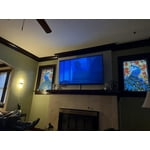
Amazing picture, looks great mounted to my wall
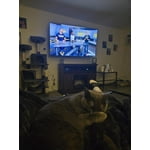
[This review was collected as part of a promotion.] I'm a HUGE Samsung customer. The quality always exceeds expectations and I love how all the devices connect together, and all can be controlled by my phone! I recently convinced my wife to switch to Samsung and she's loving the Galaxy s25 Ultra, Galaxy Watch 6 Classic, and the Galaxy FE earbuds. Definitely the perfect setup!

Review from Samsung US
Helpful?3ZT00GJD0QQ915202201960
Jun 20, 2025
Reviewer name: Movie addict
5 out of 5 stars
5 out of 5 stars review

Great TV

Great TV the picture is awesome! There are features I haven't figured out completely yet that's just because I am technically challenged. There are a ton of channels you get with the TV also from movies, true crime, sports, Alfred Hitchcock, classic horror movies, etc...

Review from Samsung US
Helpful?3ZT00GJD0QQ915202201960
May 20, 2025
Reviewer name: Justme
4 out of 5 stars
4 out of 5 stars review

Audio problem

Everything is good with TV, except, during the 5 months owned, the audio doesn't come on about 4-5 times. Called a CSR and she said it must be a glitch. Told me to pull out the plug, wait 30 seconds and plug back in. It did work when instructions was done. Question is why this is happening at all.

Review from Samsung US
Helpful?3ZT00GJD0QQ915202201960
May 10, 2025
Reviewer name: DarkTyrant
5 out of 5 stars
5 out of 5 stars review

Great resolution and audio. Great for gaming

[This review was collected as part of a promotion.] The picture quality is outstanding—crisp, vibrant colors with deep blacks and excellent contrast. Watching 4K content feels incredibly immersive, especially with HDR support that brings out fine details in both dark and bright scenes. The design is sleek and modern, with very thin bezels that make it look great mounted on the wall. The Tizen operating system is fast and intuitive, offering access to all major streaming apps like Netflix, Prime Video, Disney+, and YouTube without any noticeable lag.

Review from Samsung US
Helpful?3ZT00GJD0QQ915202201960
Jul 8, 2025
Reviewer name: Fredisdead
3 out of 5 stars
3 out of 5 stars review

This product could use some software upgrades.

[This review was collected as part of a promotion.] I use my TV for streaming and gaming with my computer and playstation. My main issue with this TV is it does not play well with some steaming service controls, for instance Paramount plus often gets stuck in Live TV mode and the is no way to back out, even leaving the app and coming back it sticks there till the TV powered off. It came with very little in the way of instructions for operation. Also fast forward is real glitchy and hard to use. Also it doesnt play nice or consistent with add on speakers.

Review from Samsung US
Helpful?3ZT00GJD0QQ915202201960
reply from Samsung Brand Ambassador

Fredisdead, We appreciate your feedback on the Samsung DU6900 TV. I'm sorry to hear you are experiencing issues with streaming apps. First, let's ensure you are running the latest Firmware. Go to Settings> Support> Software Update. I recommend enabling auto-updates to ensure you do not miss any Firmware Updates. Go to Settings> Support> Software Update> then select Auto Update. Next, let's try running a cold boot on your TV. To do so, hold down the Power button on the Samsung TV remote until the TV turns off and then on again. This should take about 5 seconds. I also recommend ensuring the apps are up to date by going to “Apps” on your Smart TV and selecting “Settings” from the top right corner. Next, select the desired app and select "Update," if available. If the issue persists or if there is no Update available, we will try deleting and reinstalling the app. To do so, navigate to “Apps” on your Smart TV and select “Settings” from the top right corner. Next, select the app. Finally, select Delete, and select Delete again to confirm. Then we will reinstall the app by returning to “Apps” on your Smart TV and selecting “Settings” from the top right corner. Click on the desired app and then select “Reinstall.” I hope these tips help resolve your concerns. If we can help with anything else, please call us at 1-800-SAMSUNG, 8 AM - 12 AM EST, seven days a week. LiveChat with an agent, as well as manuals, software, and warranty info, can be found at the ‘Support’ link on our Samsung website. ~ Samsung Pro

May 20, 2025
Reviewer name: TV hog
4 out of 5 stars
4 out of 5 stars review

Slim profile screen that does not weigh very much.

This is an excellent television considering the very reasonable purchase price. The narrow base with its short angle legs was one of the few that could balance on my fireplace mantel. The main draw back is the tiny remote. Buttons are too few and you have really aim the remote. I often have to press multiple times before the TV responds. The remote functionality is limited overall. The buttons that basically don't do anything are a waste.

Review from Samsung US
Helpful?3ZT00GJD0QQ915202201960
Jun 20, 2025
Reviewer name: NAWKF
1 out of 5 stars
1 out of 5 stars review

Very hard to use; disappointing

Very disappointed w/ this TV. I would quickly return to old tv if I did not need to pay a friend to hook it up. My analog tv in other room is far easier to use. New 50" is hard to turn on/off, use mute, connect. All buttons must be pushed exactly for correct interval. Turn on gives what 14 icons or so of no interest. How about just on/off, hd settings, and connections. I do not need and did not ask for all the options d This is 3rd attempt to respond to your survey.

Review from Samsung US
Helpful?3ZT00GJD0QQ915202201960
reply from Samsung Brand Ambassador

NAWKF, We appreciate you sharing your user experience. To assist in learning the various functions, please know you can download the DU6900 TV's User Manual, e-Manual, Remote Control Leaflet, and Quick Setup Guide on Samsung's website under Support > Manuals & Software > TVs & Home Theater. You can search for and select the DU6900 TV to download the guides you would like. The e-Manual and Remote Guide are both also embedded into your TV itself under Menu > Settings > Support > Open e-Manual. If you need more help, Samsung is here for you. Please call us at 1-800-SAMSUNG, 8AM - 12AM EST, 7 days a week. Our LiveChat agents are also available by clicking on the ‘Support’ link on our website. ~ Samsung Pro

May 6, 2025
Reviewer name: TDubs
2 out of 5 stars
2 out of 5 stars review

Disappointed

The remote control isn’t working anymore. I have several Samsung TVs and have been super happy. But over the last 4-5 months, the remotes on two TVs are horrible. I’ve tried different remotes and they don’t work well either. Major delay in response we once you press a button. Has to be the TV

Review from Samsung US
Helpful?3ZT00GJD0QQ915202201960
reply from Samsung Brand Ambassador

TDubs, We appreciate your feedback on the response time, and for optimal performance, we ask that you please ensure you've got the latest firmware version installed on your TV. You can check this by going to Home > Menu > Settings > Support > Software Update. You may also want to further optimize performance with the self-diagnostic tool, which checks memory, frees up unused cached memory, and closes background apps. Go to: Home > Menu > Settings > Support > Device Care > Start Device Care. If you need further assistance, we would be happy to help! Please feel free to contact Samsung Support at 1-800-SAMSUNG, available from 8 AM to 12 AM EST, seven days a week. You can also chat with us on Samsung.com for immediate assistance. ~ Samsung Pro