
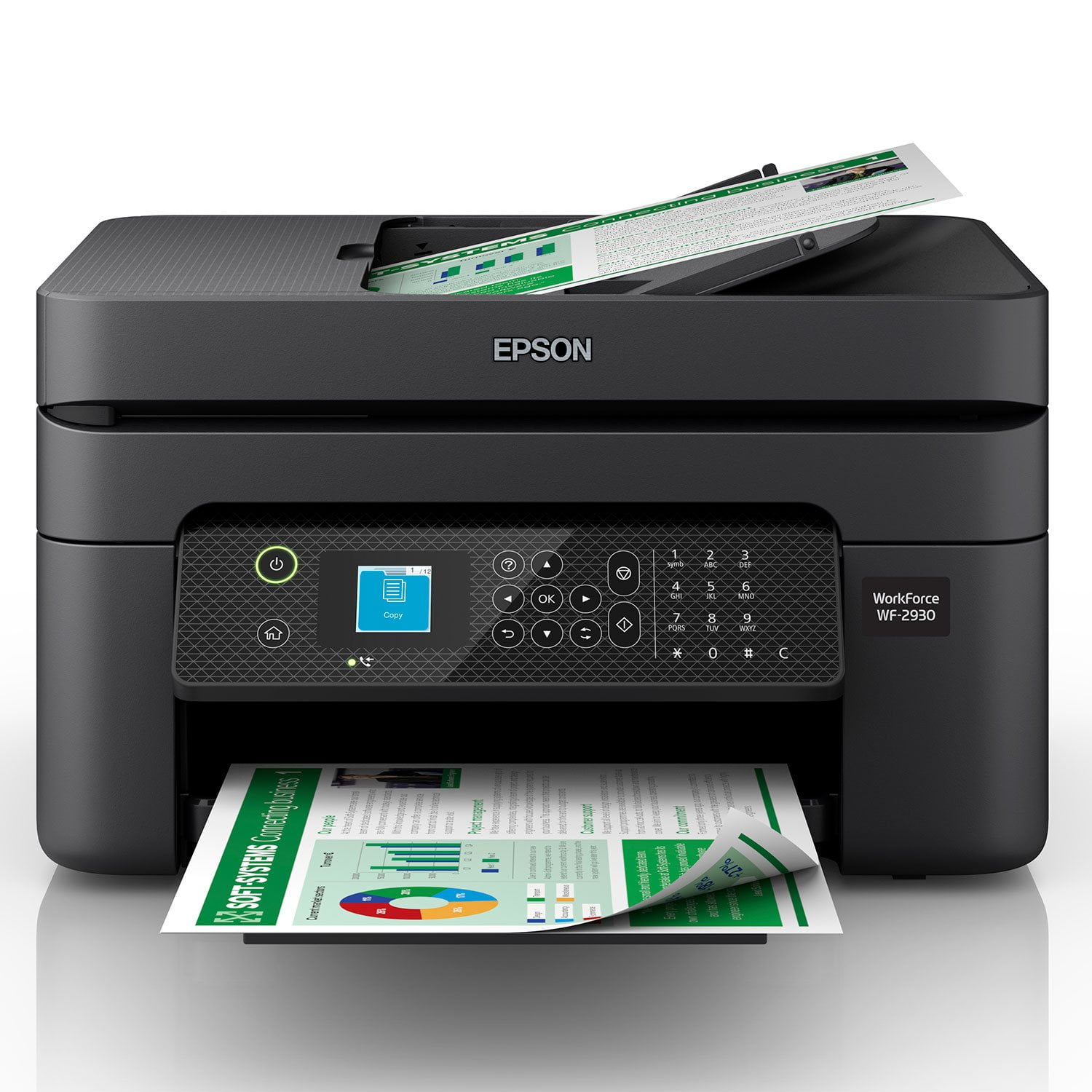
 Customer reviews for Epson WorkForce WF-2930 Special Edition All-in-One Inkjet Printer, C11CK63201-C for
Member photos




Perfect!
I've had an Epson printer before and needed another. The WF-2930 is the best all-in-one printer I've had. It has a small footprint and produces like the upscale printers. And at an affordable price! I especially love the Epson Smart Panel app on my iPhone.
GET SCAMMED BY A COMPANY WORTH 8 BILL
It’s astonishing that in 2024, a company of your size and reputation still thinks it’s acceptable to scam customers with such blatantly exploitative firmware practices. Your WF-2390 series printer refusing to print in black and white when a single color cartridge is out of ink is nothing short of a deliberate money-grab. This is not a technical limitation—it’s a calculated, greed-driven decision to force customers into buying overpriced color ink they don’t need. Spare me the nonsense about "printhead maintenance" or "preserving functionality." If other brands can let users print in black and white with only black ink, so can you. The only reason you don’t is because you’ve chosen to prioritize squeezing more money out of your customers over delivering a functional product. What’s even more insulting is the audacity to market these printers as efficient or reliable. There’s nothing efficient about having a printer that refuses to function just because magenta ink is low. It’s manipulative, unethical, and downright infuriating. Your practices are a slap in the face to everyone who has spent hard-earned money on your products. This is the kind of behavior that alienates loyal customers and drives them to your competitors. I hope you’re prepared for the consequences of this greed because people aren’t going to keep tolerating it. Here’s what you need to do: Release a firmware update that allows black-and-white printing without requiring color ink. Stop hiding behind weak excuses and start treating your customers with the respect they deserve. Until then, I will make it my mission to warn others about your predatory practices. I expect a response—not more excuses, not corporate jargon, but a clear explanation of how you plan to fix this. Anything less will confirm that Epson simply doesn’t care about its customers.
Nice but burns through ink.
This is a review for the Epson Workforce WF-2930 Wireless Printer that I received free of charge to do a beta test and review. I was excited to to receive this printer but after actually using it I am a bit disappointed. The new(er) Epson printer app (Epson Smart Panel) is nice and has a great user interface. But after printing a few pages I realized it was quickly draining the ink. I just checked the app (as I typed this review) and it shows I have only printed a total of 19 pages so far. But when I look at the remaining ink levels the black is already more than 50% empty/used. And each of the remaining colors have already used a third (approx. 33%) of their total capacity. Keep in mind everything I have printed has only been black text on paper. No images whatsoever. But somehow I am a few more pages away from the "low ink" reminder. This is absolutely ridiculous. Once the ink is all used up I will likely put it back in it's box and continue to use my old printer instead. Other than that my only other issue is when I send a print "job" to the printer it won't always immediately start printing. Instead it will just sit and make a bunch of noises while it (seems to be at least) adjusting itself and/or it's nozzles for the print. But this can take several minutes and is extremely annoying.
Warning
> Great value, in terms of price per kg > New technology that requires you to have fulled color cartridges to print black & white > Nice if you love to stock cartridges since genuine ones aren't always in stock > User-oriented firmware updates that lock compatible cartridges that were working perfectly > Good for anyone who loves a challenge, as you will spend most of the time troubleshooting instead of printing > Suitable for users printing 1-2 pages a year > Perfect choice if you are looking for some cheap decoration for your home or office
Great Printer
This is a review for the Epson Workforce WF-2930 Wireless Printer that I received free of charge to do a beta test and review. Overall this is a great printer for everyday printing in my office. I love that it is sized to fit in any office, large or small, as it doesn't take up a large amount of space. Setup was fairly simple only taking about 10 minutes from start to finish. I was happy to have an accompanying app to make the setup quicker, easier, and hassle free. This is the first Epson I have set up that way and can say I will always use this method from now on. The scan quality is superb. I get straight, clear, and quick scans every time. The prints and copies themselves come out looking like great as well, with the copies looking like the originals when printed in black and white. Color images do come out a shade lighter but is fairly unnoticeable. I would not recommend it for photo printing as they do tend to come out a little darker. The fax function works great and I love that I can set the printer up to fax from files on my computer, and I can also save those faxes on my computer to save ink and paper.
Hard to set up.
OK,… I spent my career in IT, so I figured I could handle anything this setup could throw me. I was not expecting a "tag-team" wrestling match. The printer is very securely packaged. (A big plus) You MUST have an Internet connection for setup (a setup CD is not supplied). Once connected, the printer wanted to perform a firmware upgrade. (something I don't like doing, but that's another conversation) after installing the ink cartridges priming takes more than 5 minutes. I downloaded the entire software suite, thinking that all drivers would be loaded. The printout was fined, but I got a communication in error when I tried scanning. After a reboot in my PC reconnecting the USB cable, trying another USB cable, restarting the printer I still had a "communication error". I crossed my fingers and performed the "Firmware upgrade". I still had a "communication error". I used some third party software, which stated the "WIA" driver was missing. I went to the Epson support website and downloaded the "Smart Scan 2" software. Once loaded all was well. Naturally there are numerous settings to adjust the DPI (dots per inch: the more you specified that clearer the image, but the bigger the file becomes), color, justification, etc. As the old saying goes "you get what you pay for". With a cheap printer, I suppose you have to expect "speed bumps". This took me a good 2 hours to set up.
Lots of Features in a compact printer
This is a review for the Epson Workforce WF-2930 Wireless Printer that I received free of charge to do a beta test and review. Overall the printer offers all the features one would need for home, school, or small business as well as working at home. Offers print, scan, copy and fax. Set up is quick and easy using an Epson app dowloaded to your phone or getting drivers for your computer from Epson's website. It only takes a few minutes to connect to your wireless network and allows multiple devices to utilize the printer. Ink is supplied by one black cartridge and three color cartridges, which should be more economical in the long run through replacing individual cartridges. However, there are warnings that ONLY EPSON refills are to be used to maintain best quality and printer operation. Unit has a very small footprint and fits in my computer desk shelf well with room to spare. Printer has a high capacity paper tray. Operation is relatively quiet with a good print quality and speed. Printer also automatically handles 2 sided printing. Front color control panel is easy to use for set up and accessing different features and setting for the printer. Ultimately, this is a good light duty printer for most productivity scenarios and serve a long life as my Epson products have in the past.
Very unhappy
I bought this printer a little over a month ago and so far it has used up not only the cartridges that came with the printer but the new ones I bought. I printed less than 20 pages in color and at this rate I would need to replace the cartridges every 2-3 weeks as I print at least 5-6 color photos a week. I am beyond the 30 day return period where I bought it but I have already bought a new one - this time with the tanks.instead of cartridges.
Easiest AIO Printer I've Ever Used
If you're looking for a plug and go printer, this is exactly what you need! Easy to start right out of the package, easy to set up without connecting to a phone to your home network with step by step easy to follow guide. Prints super fast, extremely quite, and an amazing upgrade from every single printer I've ever owned. Ink seems to be cheap to replace. Highly recommend to anyone in the market!
This Printer Does It All!
This is a review for the Epson Workforce WF-2930 Wireless Printer that I received free of charge to do a beta test and review. Apart from receiving this printer for review, I truly really love all of the features that this printer includes. It has everything a regular office printer would have. This is very important to us, as both my wife and myself work remotely from home, so we print quite a bit of business documents. In addition to business, we also print a lot of homeschooling documents for our children. Though we both have and use desktop & laptop computers, we find ourselves using our smartphones more to print things up. The ease & convenience of the Epson Smart Panel Android App is what really makes this printer shine! You have quick access to all of the printer features without the need of navigating on the printer itself. The app also made very quick work of the setup through a chat-like screen. It literally walked you through everything, step-by-step, without needing to even crack open the included manual. The only thing I would personally love to see improved is the option to set up the fax function via Wi-Fi or through the Epson smartphone app instead of needing to physically connect it to a landline phone line. Who even has or uses those anymore? There are plenty of free online fax companies out there that will electronically send a digital fax document over the Internet. It would only make sense to be able to do the same with this printer. This advanced feature would make this printer top notch on the market for the price point. I still very much would recommend this printer for the features it does offer.