Skip to Main Content
Sams Club
Sams Club
Customer reviews for SAMSUNG 50" Class DU6900 Series UHD 4K Smart TV for
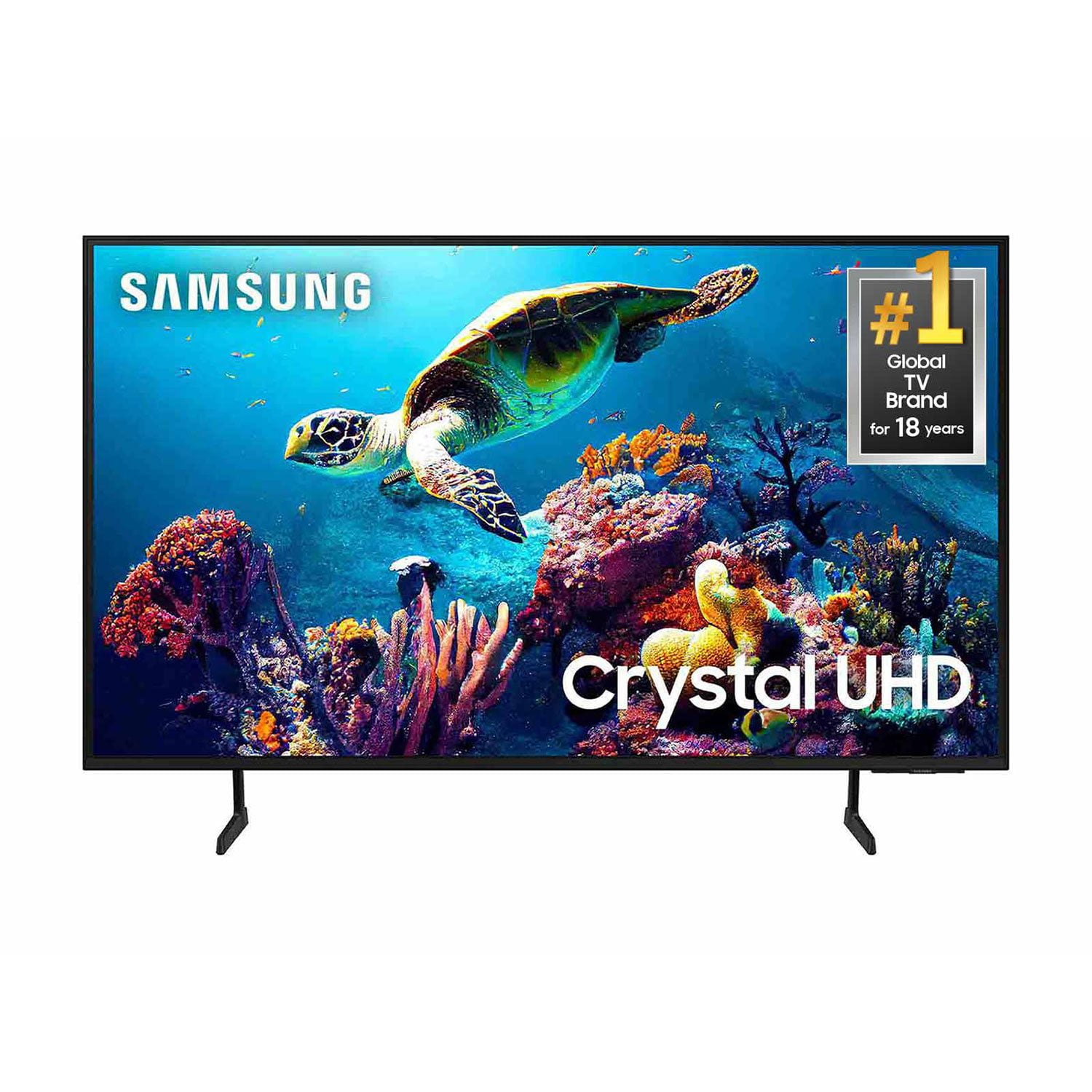
SAMSUNG 50" Class DU6900 Series UHD 4K Smart TV
4.4 out of 5 stars
stars2,179 ratings2,177 reviews
  1. 5 stars68% (1,482)
  2. 4 stars16% (354)
  3. 3 stars7% (154)
  4. 2 stars4% (81)
  5. 1 star5% (108)

Member photos

  • +557 images
Sort by |
Showing 481-490 of 2,177 reviews
Jun 5, 2025
Raiderpooh
5 out of 5 stars review

Awesome tv

[This review was collected as part of a promotion.] This Samsung tv is awesome. The visual is very detailed, making the color pop. I’m really enjoy watching movies, like I’m in the theater.

Review from Samsung US
Helpful?21P69184561C13959770739
Aug 22, 2025
Butters710
5 out of 5 stars review

Best tv with the most options I've ever had.

[This review was collected as part of a promotion.] I love how i can change just about any feature to fit my specific needs or wants. It has great picture and goes seamlessly from app to app or to my console.

Review from Samsung US
Helpful?21P69184561C13959770739
Aug 1, 2025
Stormyg
4 out of 5 stars review

Love the size and picture

I love the TV, the colors are good and always wanted a larger TV so I'm pleased. I only have one problem and it's with the remote for the sound. It's hard to adjust it to make it either louder or softer.

Review from Samsung US
Helpful?21P69184561C13959770739
Jun 20, 2025
JantoBizzy
4 out of 5 stars review

My Samsung "crystal box"

[This review was collected as part of a promotion.] Decent picture quality for size, smaller inch versions seem to have better picture quality. Technological improvement ought to match picture quality along size spectrum.

Review from Samsung US
Helpful?21P69184561C13959770739
Jul 3, 2025
Vicdog710
5 out of 5 stars review

Samsung 65" TV

[This review was collected as part of a promotion.] The family loves how easy it is to get on the streaming apps and how good the TV looks when its on this is our first samsung TV and we love it

Review from Samsung US
Helpful?21P69184561C13959770739
Jul 30, 2025
Rattapotamus
5 out of 5 stars review

Great picture 75 inch.

[This review was collected as part of a promotion.] Good smart tv, easy to get up and running. As always the remote is utter trash, years of this even though its cheaply an easily fixed- nadda. Price point exceptional!

Review from Samsung US
Helpful?21P69184561C13959770739
Aug 3, 2025
Anonymous
1 out of 5 stars review

Ok when it works

My 55 inch TV is less than a year old. I have a black screen. I’ve tried powering it down. Tried resetting it and still no luck. I can’t really recommend this product sorry.

Review from Samsung US
Helpful?21P69184561C13959770739
reply from Samsung Brand Ambassador

Julio Martinez, If your TV has a black screen even when it's on, it's quite possible it could actually be your external device and not your TV. Please try these troubleshooting steps for your blank screen issue: 1. Press the Home button on the remote. If the menu appears, the TV is powered on but is either not on the correct source or not receiving a signal. If the menu does not appear, the TV may be having power issues. Check the red standby light, a little red light at the edge of the TV that you aim the remote at. In normal use, the red standby light is on when the TV is off (indicating the TV is on standby), and the red standby light is off when the TV is in use (or doesn't have power). 2. Confirm that the TV is set to the same source as the external device. For instance, if your cable box is connected to HDMI 1, set the TV source to HDMI 1. If the TV is set to the correct source, but there is still no image, unplug and reconnect the AV connections one cable at a time from both ends of each cable. If there's any damage to the cable, it will need to be replaced. After reconnecting the external device, please turn it off and back on. 3. Test the HDMI cable. The test is designed for HDMI cords less than 6 feet long and may not give accurate results on longer cords. To perform the test, make sure the TV's source is still on the HDMI setting for the cable you want to test, and then navigate to Settings > Support > Self Diagnosis > Signal Information > HDMI Cable Test > Start Test. If the test says the cable is bad, replace the cable. Service is not required. 4. Test different external devices. The final thing to rule out is the external device you're using. Try connecting a different device or using a different source port. If the TV can display a picture in any other setup, then you've ruled the TV out as the cause of the issue. Keep trying various setups until you identify the device or cable that is not working and troubleshoot or replace it. The TV will need service if the issue persists after these steps. Please contact us so that we can better investigate your issue and assist you with a solution or replacement. Give us a call at 1-800-SAMSUNG, 8 AM - 12 AM EST, seven days a week. Our LiveChat agents are also available by clicking on the ‘Support’ link on our website. Thanks for being a part of the Samsung family! ~ Samsung Pro

Jul 5, 2025
LoveASamsung
5 out of 5 stars review

Excellent picture and overall quality

[This review was collected as part of a promotion.] I use my Samsung TV for just about everything from streaming to casting. The seamless connection between Samsung products allows me to work on my laptop and use my tv as an additional monitor.

Review from Samsung US
Helpful?21P69184561C13959770739
Jul 4, 2025
Esteban
5 out of 5 stars review

Excellent Model!

[This review was collected as part of a promotion.] Great TV for the price! You get all the value in a Samsung 4k TV at such an affordable price! Can't ever go wrong with a Samsung tv

Review from Samsung US
Helpful?21P69184561C13959770739
Jun 5, 2025
TechGuy2025
3 out of 5 stars review

Don't buy

The display and menu interactivity are overly busy. I have worked in technology for over 40 years, and I'm extremely disappointed in Samsung's app and menu structure. Also, the remote controls are flimsy and small.

Review from Samsung US
Helpful?21P69184561C13959770739
reply from Samsung Advisor

Hi TechGuy2025, Thanks for sharing your thoughts. If there's anything we can do to improve your experience, please reach Samsung Support at 1-800-SAMSUNG, 8AM - 12AM EST, 7 days a week. Or visit us on the Samsung website and click on the ‘Support’ link for: • LiveChat • Manuals, Software, & Warranty Info ~ Samsung Advisor