Skip to Main Content
Sam's Club
Sam's Club
Customer reviews for LG 70" Class UR8000 series LED 4K UHD Smart webOS 23 w/ ThinQ AI TV - 70UR8000AUA for
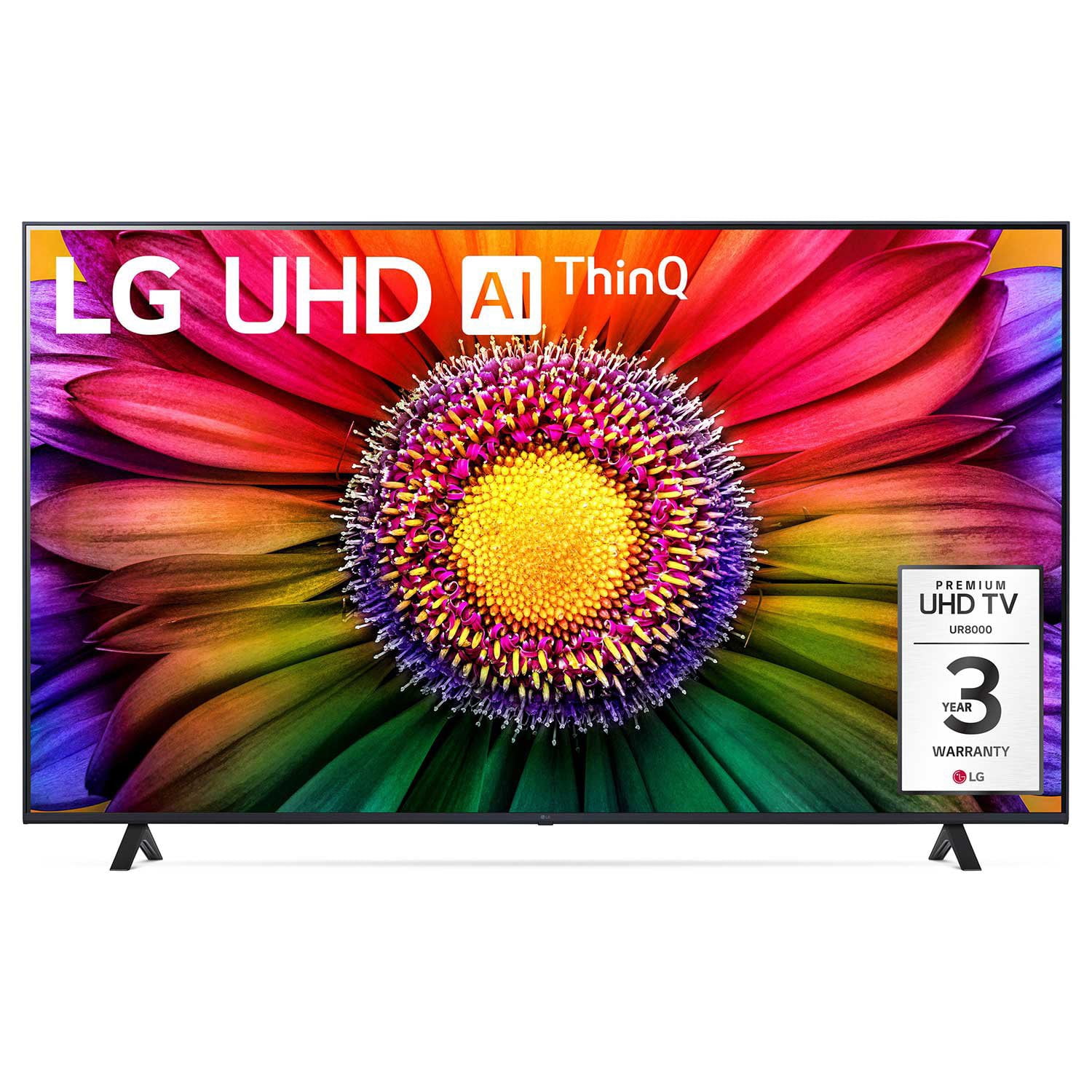
LG 70" Class UR8000 series LED 4K UHD Smart webOS 23 w/ ThinQ AI TV - 70UR8000AUA
4.4 out of 5 stars
stars895 ratings864 reviews
  1. 5 stars65% (585)
  2. 4 stars21% (187)
  3. 3 stars7% (61)
  4. 2 stars3% (29)
  5. 1 star4% (33)
Sort by |
Showing 111-120 of 864 reviews
May 19, 2024
LoneWolfTravels
4 out of 5 stars review

Verified Purchase

Great TV for streaming content

[This review was collected as part of a promotion.] Bought this about 7 months ago. Nice TV. Hooked it up to a ROKU box and the internet for streaming content. The picture is great. The wand portion of the remote is sluggish and hard to pinpoint. Prefer just to step through the options. All in all, a well rounded TV and working as expected.

Review from lg.com
Helpful?3IHSU6ISX66013944458584
Mar 21, 2024
GR Texan
4 out of 5 stars review

Verified Purchase

Overall opinion

[This review was collected as part of a promotion.] Fits the space we had selected perfectly. Took a long time to decipher how to silence the synthetic voice. Picture is not as good as in the store. Wish it would learn a single remote and start with the cable input automatically.

Review from lg.com
Helpful?3IHSU6ISX66013944458584
Mar 10, 2024
Big Schwag
3 out of 5 stars review

Verified Purchase

Not impressed

Purchased as a replacement of competitors product. Somewhat disappointed in the features. The remote control is difficult to operate and is confusing. The startup of this set is slow!!! Picture color is somewhat dull and could be brighter. Price was good.

Review from lg.com
Helpful?3IHSU6ISX66013944458584
reply from LG Digital Care Team

Hey there, Big Shcwag! Thank you so much for your review! We appreciate it. If you're experiencing any issues with your TV, no worries! Could you try these troubleshooting steps and see if they help? First, please ensure your TV is connected to a stable power source. Simply unplug the TV from the power outlet, take a few minutes to relax, and then plug it back in. This can refresh the power supply and resolve any temporary issues. Sometimes, a simple restart can do wonders for improving the startup speed. So go ahead and turn off your TV, take a few seconds to chill out, and then turn it back on. This can help clear any temporary glitches and improve overall performance. If your TV is connected to the internet, please ensure your network connection is stable. Slow internet speeds or network issues can sometimes affect the startup time of smart TVs. You can try restarting your router or connecting your TV to a different network to see if it improves the startup speed. Also, remember to keep your TV's software up-to-date. Outdated software can sometimes cause slow startup issues. Go to your TV's settings menu, navigate to the software update section, and check for any available updates. If there's an update available, simply follow the on-screen instructions to install it. And hey, if you need help with these steps, no worries! Could you contact our social media care team @LGUSSupport with your contact details, model number, and serial number? They'll be more than happy to assist you further. Once again, thank you for reaching out! Have a great day! ^Anthony

Jan 23, 2024
chuber
3 out of 5 stars review

Verified Purchase

TV OK but Remote Terrible

The TV is fine but the remote is terrible!! It is next to impossible to switch to a station that I want to watch. I have tried many different ways to move among the different stations and none of them work. I would not buy this TV again just for this reason.

Review from lg.com
Helpful?3IHSU6ISX66013944458584
reply from LG Digital Care Team

Hey there, let's look into your remote concerns and see if we can find an option that better fits you. Please send us a private message on social media using @LGUSSupport with your model, serial, and phone number. We have magic remote options that may fit your needs much better. ~TammyJo

Jan 12, 2024
King b
4 out of 5 stars review

Verified Purchase

NEED A INSTRUCTION BOOKLET!!

I love the picture but I still can't figure out how to use 1/2 the features on the remote!! I had to enlarge the info that came with the remote I could hardly read the tiny print to figure them out ! I spent two hours trying to get the voice to stop every time I changed channels. You really need some type of instruction book!!!

Review from lg.com
Helpful?3IHSU6ISX66013944458584
Jun 27, 2023
GrandmaandGrampa
5 out of 5 stars review

Verified Purchase

Crisp video!

We auditioned 2 other 43” TVs before we purchased our LG. Neither of them gave a clear on-screen picture. What a difference we see with our LG! We couldn't be more pleased. The LG is about the same price as the other TVs we auditioned, but it is far superior.

Review from lg.com
Helpful?3IHSU6ISX66013944458584
Oct 15, 2023
WaltB 15
5 out of 5 stars review

Verified Purchase

Great TV

Was looking for a replacement tv after my Aquos died after 13 years. This has a great picture with all the features you need. Was easy to install used same wall mount as my last tv, easy to program and has a great picture to boot. 2 bonuses also, the magic remote and has a 3-year parts and labor warranty. Im so pleased I am now going to get another (smaller) 43" one for the cabinet in my sitting room,

Review from lg.com
Helpful?3IHSU6ISX66013944458584
Sep 22, 2023
Deet12
4 out of 5 stars review

Verified Purchase

Very Good TV

I love the tv as it has great picture for the price. Apps are good but LG made a deal with Xfiniti so no app for dish. Other words would have given it a 5star. Not a deal killer but had to buy Roku stick for Dish. So basically do not use any of LG apps

Review from lg.com
Helpful?3IHSU6ISX66013944458584
Jul 7, 2023
HopefulinTexas
2 out of 5 stars review

Verified Purchase

Issues From Day 1

[This review was collected as part of a promotion.] The TV keeps reverting to “STORE” mode” which continually shows the Brand and Model number in boxes on the screen. This box moves randomly to different places on the screen which interrupts normal viewing. Also, I called LG at 6:30PM to discuss this unresolved (already called once). Couldn't understand the Representative so I asked for a supervisor—he hung up on me—probably because one of the questions on the LG survey asked if the rep could be clearly understood. When I called back a different rep told me all supervisors had gone home but he would have one to call me back. Supervisor NEVER called back and problem with TV still exists.

Review from lg.com
Helpful?3IHSU6ISX66013944458584
reply from LG SOCIAL MEDIA

Thank you for sharing your concern with us. We apologize for the inconvenience you’ve experienced with your unit. Please know that we take your concerns seriously and we are more than willing to help you with this matter. Here's a helpful link you can use for basic troubleshooting about “How to Disable Store Mode on My LG TV”: https://www.lg.com/us/support/help-library/lg-tv-how-to-disable-store-mode-on-my-lg-tv-CT10000018-20153119161966. If you need further assistance, our Social Media Team will be glad to assist you. Just send us a private message on our Facebook or Twitter using @LGUSSupport. -Francine

Mar 2, 2024
Bunmom
5 out of 5 stars review

Verified Purchase

Screen off feature!!

I purchased this product two weeks ago as a replacement for my Toshiba that's LCD elements were on the fritz. The colors are deep enough to provide plenty of contrast, and while I've heard from some that the AI is too smart? I rather enjoy being able to turn my screen off and still listen to whatever the program is while I fall asleep. Best thing ever, especially, after being in 911 for the last 24 years. No complaints so far!

Review from lg.com
Helpful?3IHSU6ISX66013944458584