Skip to Main Content
Sam's Club
Sam's Club
Customer reviews for SAMSUNG 70” Class Q60D Series QLED Smart TV for
SAMSUNG 70” Class Q60D Series QLED Smart TV
4.4 out of 5 stars
stars701 ratings694 reviews
  1. 5 stars70% (492)
  2. 4 stars15% (108)
  3. 3 stars5% (36)
  4. 2 stars4% (28)
  5. 1 star5% (37)

Member photos

  • +120 images
Sort by |
Showing 411-420 of 694 reviews
Dec 27, 2024
Billwatv
5 out of 5 stars review

Great tv great picture

[This review was collected as part of a promotion.] This tv is a family room tv great sound full movie experience!

Review from Samsung US
Helpful?1EEO1IUOE2NN13900012337
Feb 5, 2025
Mike W
3 out of 5 stars review

Sound mute every 43 minutes
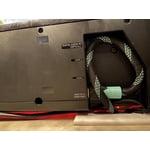
Very disappointed that the sound on my Samsung TV and Samsung sound bar cuts out every 43 minutes and 20seconds for about five seconds.

Review from Samsung US
Helpful?1EEO1IUOE2NN13900012337
reply from Samsung Specialist

Mike W, Thank you for your review of the Q60D TV and for sharing your details of your sound cutting out. If the audio drop issue is happening when connected via HDMI, the HDMI cable is most likely the cause. We recommend you replace the HDMI cable with a High-Speed cable with Ethernet Channel, labeled as HEC or HEAC on the cable. If this does not help, we ask that you contact us for additional troubleshooting or assistance with setting up a service appointment. You can reach us at 1-800-SAMSUNG, 8AM - 12AM EST, 7 days a week. Our LiveChat agents are also available by clicking on the ‘Support’ link on our website. ~ Samsung Specialist

Dec 23, 2024
Twanb97
5 out of 5 stars review

Great picture

[This review was collected as part of a promotion.] Got this tv when my Vizio went out and I'm extremely satisfied

Review from Samsung US
Helpful?1EEO1IUOE2NN13900012337
Feb 21, 2025
Bonnie
5 out of 5 stars review

Great TV

I bought this Samsung for myself because I wanted a seat TV. It's terrific. Beautiful color and easy to use.

Review from Samsung US
Helpful?1EEO1IUOE2NN13900012337
Dec 5, 2024
AndyS89
5 out of 5 stars review

Fast menu, easy to install apps

[This review was collected as part of a promotion.] Like sumsung remotes, very nice design and very functional

Review from Samsung US
Helpful?1EEO1IUOE2NN13900012337
Feb 5, 2025
Fasteddie
5 out of 5 stars review

Excellent products

Only buy Samsung products because I've had good experience, also I can depend on excellent technical help if needed..

Review from Samsung US
Helpful?1EEO1IUOE2NN13900012337
Apr 20, 2025
Dragonna
4 out of 5 stars review

Great features.

I'm very happy with my new Samsung tv . The picture quality is awesome. I am enjoying the Samsung TV plus as well.

Review from Samsung US
Helpful?1EEO1IUOE2NN13900012337
Jun 5, 2025
Big d
5 out of 5 stars review

Good tv

Best tv I ever had in my life I love it and everything about it I have nothing bad to say , other that I will it was 1 100 inches lol

Review from Samsung US
Helpful?1EEO1IUOE2NN13900012337
Jun 5, 2025
Dougm002
3 out of 5 stars review

Grainy picture.

Picture is not nearly as clear as I would expect. However I am not the best at going through the functions of correcting it.

Review from Samsung US
Helpful?1EEO1IUOE2NN13900012337
reply from Samsung Specialist

Dougm002, We appreciate your thoughts on the picture quality of Samsung’s Q60D TV. If the image you’re seeing isn’t to your liking, there are several picture settings you may want to adjust. Go to Home > left direction button > Settings > All Settings > Picture > Picture Mode ...and select the mode that best fits your usage: 1. Standard: Is the default mode suitable for general viewing environments 2. Dynamic: Makes the picture brighter and clearer in bright viewing environments 3. Eco: Provided to save energy 4. Movie: Suitable for watching TV or movies in a dark room 5. Filmmaker Mode: Provides source content just as the creators intended. If the image is defined as Filmmaker Mode, it’ll automatically switch to Filmmaker Mode while watching. You can also fine-tune your picture with expert settings such as brightness, contrast, sharpness and more (All Settings > Picture > Expert Settings). For further assistance with settings adjustments, please contact Samsung Customer Support at 1-800-SAMSUNG, 8AM - 12AM EST, 7 days a week. Or visit us on the Samsung website and click on the ‘Support’ link for: • LiveChat • Manuals, Software, & Warranty Info ~ Samsung Specialist

Apr 15, 2025
Anonymous
5 out of 5 stars review

I Love this TV

Great Picture Quality and value for the price.If you are on a budget and can't afford an OLED, get this one instead.

Review from Samsung US
Helpful?1EEO1IUOE2NN13900012337