Skip to Main Content
Sam's Club
Sam's Club
Customer reviews for SAMSUNG 70” Class Q60D Series QLED Smart TV for
SAMSUNG 70” Class Q60D Series QLED Smart TV
4.4 out of 5 stars
stars701 ratings694 reviews
  1. 5 stars70% (492)
  2. 4 stars15% (108)
  3. 3 stars5% (36)
  4. 2 stars4% (28)
  5. 1 star5% (37)

Member photos

  • +120 images
Sort by |
Showing 341-350 of 694 reviews
Apr 19, 2024
Keith81
5 out of 5 stars review

Excellent TV

[This review was collected as part of a promotion.] 43" is great size for my bedroom. Picture quality is excellent, much better than the 1080i TV of a different brand that it replaced.

Review from Samsung US
Helpful?1EEO1IUOE2NN13900012337
Dec 6, 2024
Egyfencer
5 out of 5 stars review

The perfect tv

[This review was collected as part of a promotion.] The tv is perfect to my room size. Lightweight and easy to mount. Picture is awesome with great colors. Lots of options. Love it

Review from Samsung US
Helpful?1EEO1IUOE2NN13900012337
Dec 28, 2024
Suavebk2
5 out of 5 stars review

Massive screen!
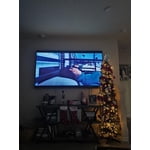
[This review was collected as part of a promotion.] We have always wanted a big TV and could not have been more satisfied with the 85 inch Samsung QLED. High quality, and no lag in frames and switching within apps.

Review from Samsung US
Helpful?1EEO1IUOE2NN13900012337
Feb 20, 2025
JEC1
4 out of 5 stars review

Samgung new TV

I love the TV but am unhappy that Samgung has removed the xfinity steam app from their collection. I am trying to cut the cord but there are channel on the app that I need and cannot get elsewhere

Review from Samsung US
Helpful?1EEO1IUOE2NN13900012337
May 3, 2025
TC2025
5 out of 5 stars review

Outstanding! Bigger is Much Better!!!

Wow! So impressive in all respects… picture, sound, ease of setup, connectivity with other Bluetooth devices, really leaves me THRILLED with this Samsung product!

Review from Samsung US
Helpful?1EEO1IUOE2NN13900012337
Mar 10, 2025
jamie
2 out of 5 stars review

DISAPPOINTING‼️ COLOR ADJUSTMENT A MAJOR PROBLEM

DISAPPOINTED 😞 ‼️‼️‼️. Very hard to get good complexion color, especially live broadcast. Color dissolves with cloud-like color if tv viewed from side. expected much. Old Vizio had much better color. Sorry I bought.

Review from Samsung US
Helpful?1EEO1IUOE2NN13900012337
reply from Samsung Specialist

jamie, We appreciate your thoughts on the picture quality of Samsung’s Q60D TV. If the image you’re seeing isn’t to your liking, there are several picture settings you may want to adjust. Go to Home > left direction button > Settings > All Settings > Picture > Picture Mode ...and select the mode that best fits your usage: 1. Standard: Is the default mode suitable for general viewing environments 2. Dynamic: Makes the picture brighter and clearer in bright viewing environments 3. Eco: Provided to save energy 4. Movie: Suitable for watching TV or movies in a dark room 5. Filmmaker Mode: Provides source content just as the creators intended. If the image is defined as Filmmaker Mode, it’ll automatically switch to Filmmaker Mode while watching. You can also fine-tune your picture with expert settings such as brightness, contrast, sharpness and more (All Settings > Picture > Expert Settings). For further assistance with settings adjustments, please contact Samsung Customer Support at 1-800-SAMSUNG, 8AM - 12AM EST, 7 days a week. Or visit us on the Samsung website and click on the ‘Support’ link for: • LiveChat • Manuals, Software, & Warranty Info ~ Samsung Specialist

Dec 28, 2024
MJMCG
1 out of 5 stars review

TV remotes do not work

I bought this at the end of August 2024 and I now cannot use it. The original remote and the replacement remote does not work. Very difficult to access the features. Sorry I bought it.

Review from Samsung US
Helpful?1EEO1IUOE2NN13900012337
reply from Samsung Specialist

MJMCG, I’m sorry to hear your SolarCell Remote is not working as expected. Please try these steps which may help resolve this: 1. Press and hold Return and Microphone buttons (diagonally up and to the right of Return). This will reset the remote. 2. Stand within 1 foot of the TV and press and hold Return and Play/Pause simultaneously for at least 5 seconds or until a message appears on your TV indicating that the remote is now connected If you’re still experiencing issues with the remote, please also try the following: - Unplug the TV for 30 seconds, and plug it back in. - Try moving closer to the TV and re-pairing. - Check to see if your remote is charged: Settings > All Settings > General & Privacy > Power and Energy Saving > Available Remote Battery - Check for available firmware updates on your TV: Settings > Support > Software Update > Update Now I hope the above helps. Should the issue persist, please contact Samsung Support at 1-800-SAMSUNG, 8AM - 12AM EST, 7 days a week. Our LiveChat agents are also available by clicking on the ‘Support’ link on our website. ~ Samsung Specialist

Apr 19, 2025
Kmurf
5 out of 5 stars review

Great value!

I've had this TV for 4 months and I really really enjoy it. The picture is sharp and the features are good. And I thought the price was very reasonable.

Review from Samsung US
Helpful?1EEO1IUOE2NN13900012337
Apr 19, 2025
BillC
2 out of 5 stars review

Super slow systemand wonky apps

Picture quality is good but it takes forever to load apps and respond to the remote. It t also doesn’t correctly track the recently viewed or “continue watching” shows. I would buy this again due to these issues.

Review from Samsung US
Helpful?1EEO1IUOE2NN13900012337
reply from Samsung Specialist

We appreciate your feedback on the response time, and for optimal performance, we ask that you please ensure you've got the latest firmware version installed on your TV. You can check this by going to: Home > Menu > Settings > Support > Software Update. You may also want to further optimize performance with the self-diagnostic tool, which checks memory, frees up unused cached memory, and closes background apps. Go to: Home > Menu > Settings > Support > Device Care > Start Device Care I hope these tips help. You can always contact us for further help at 1-800-SAMSUNG, 8AM - 12AM EST, 7 days a week. Our LiveChat agents are also available by clicking on the ‘Support’ link on our website. ~ Samsung Specialist

Feb 21, 2025
T lady
4 out of 5 stars review

Great price

I like the tv it’s easy to set up and use the remote! I am very disappointed that the skin color changes drastically when you view from a short distance. However when sitting directly in front of the television the skin color is good. Great price!

Review from Samsung US
Helpful?1EEO1IUOE2NN13900012337