
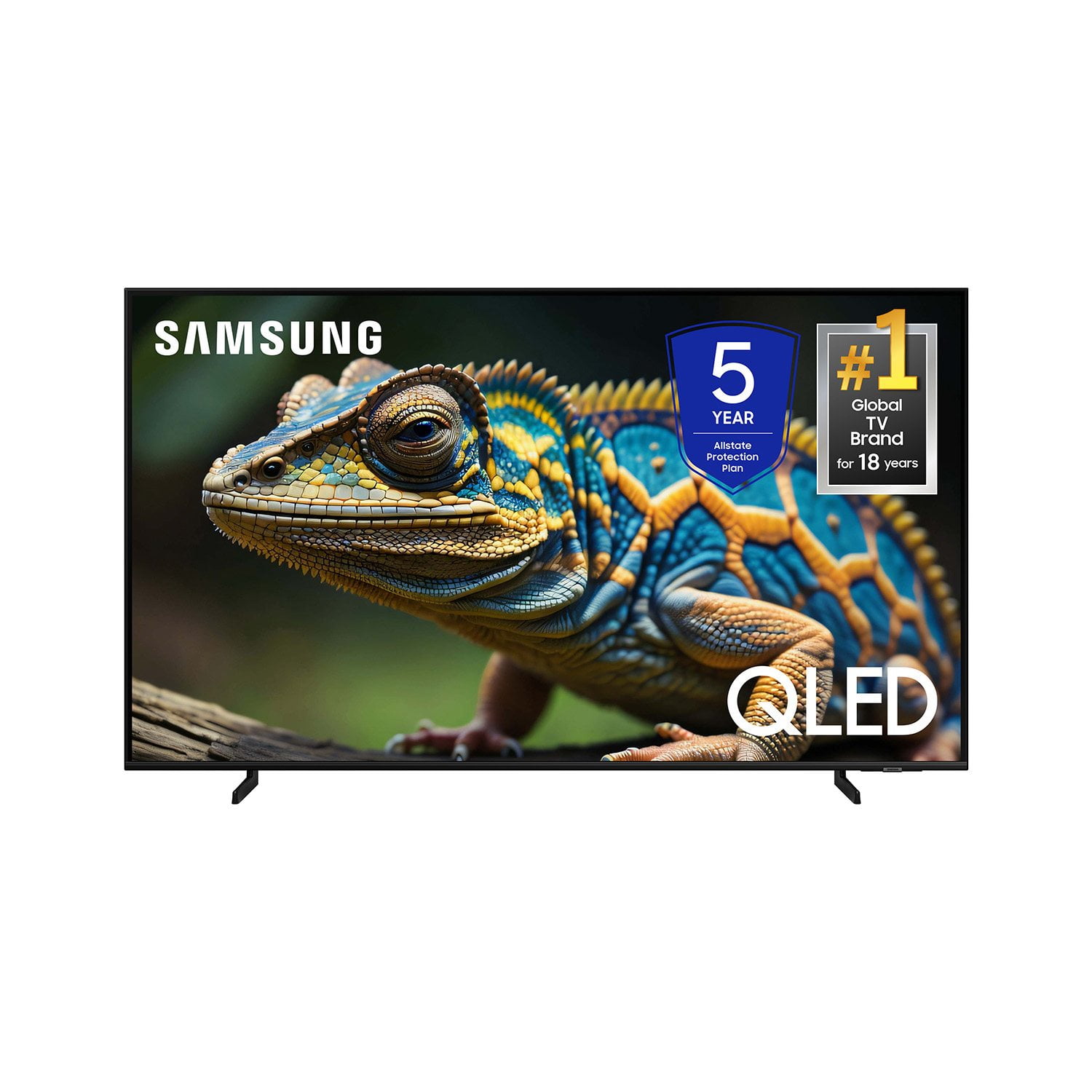
 Customer reviews for SAMSUNG 70” Class Q60D Series QLED Smart TV for
Member photos


 +120 images
Great TV but Shuts Off
[This review was collected as part of a promotion.] Overall this is a great TV however it does have problems turning itself off and on. A lot of times I can't even figure out how to fix it. The picture is great Sound is great but it's just the auto shut off and disconnection that does not give it five stars for me.
jubilee, I’m sorry to hear that your Q60DD TV is turning on and off on its own. Please try a few troubleshooting steps that may help solve the issue: 1) Check the power cable for damage and proper connection. If the cable is bent, broken, kinked, pinched, pressed excessively (possibly by a heavy object on top of it) or damaged, this is likely the cause of the issue. Replace the cable. 2) Unplug the TV from the wall outlet for 30 seconds, and then plug it back in. 3) If the power cycling allows enough time in between powering on and off, try updating the TV to the latest firmware. There is a risk, however. If the TV turns off during the software update, it could damage the TV. Updates can take up to 30 minutes depending on network speed, so if the TV is not turning off too frequently, try updating the software. 4) TVs which can connect to SmartThings can be turned on using compatible devices, sometimes automatically. However, if abnormal "power on" signals are sent through the wireless network, they will trigger this function and make the TV turn on. If you do not want this function, navigate to Menu > Settings > All Settings > Connection > Network > Expert Settings > Power On with Mobile, and turn the setting off. If the issue persists after these steps, please call us so that we can better investigate your issue and assist with a solution. You can reach Samsung Support at 1-800-SAMSUNG, 8AM - 12AM EST, 7 days a week. Our LiveChat agents are also available by clicking on the ‘Support’ link on our website. ~ Samsung Specialist
Great features
I bought this and a 50" TV a few months ago. I have several Samsung products in my home so adding these was a no brainer. I have had a few gltiches but now both are working just fine. Great picture and sound and I love having all of the apps displayed, even though I only us a few of them.
Great TV with lots of features!
I bought this in November. I am really pleased with this model overall. Picture is sharp and vibrant. The remote is easy to use and understand. Connected easily to my Samsung soundbar. The TV speakers are a little tinny but, sound is decent. Setup was very easy. The aesthetics are very pleasing. All around a very nice TV.
Impressive Picture Quality in a Compact Size
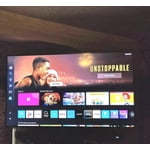
The 43” Class QLED 4K Q60D delivers stunning picture quality with vibrant colors and sharp contrast. Its Quantum Dot technology really makes visuals pop, especially in 4K content. The smart features are responsive and intuitive, with easy access to streaming apps. Sound quality is decent for its size, but a soundbar enhances the experience. Sleek design and slim bezels give it a modern look that fits nicely in smaller spaces. Great value for a QLED TV at this size—ideal for bedrooms, offices, or smaller living rooms. Overall, a solid choice for anyone wanting premium visuals in a compact form.
The picture is WOW!
[This review was collected as part of a promotion.] My old TV started giving me problems so I started the research for a new one. Once I narrowed the search I went to the stores to see the TV. Of course they all looked good but there were a few that really stood out. I got rid of cable a couple of years ago and now only stream the things I want to watch. I didn’t want a 55, 65 or larger TV. My final decision was Samsung QLED 43 inch 4K smart TV. I am totally impressed! I’m 74 yrs old and it was so very easy to hook up and start streaming. The picture is amazing! The colors, the quality of the picture…….I've actually gone back and have viewed programs/ movies again to see how enhanced they are. One in particular is Outlander. The details are wonderful! The sound was much better than I had anticipated too. But I wanted the full theater effect so I purchased a Samsung sound bar with sub-woofer. This too was easy to hook up and get started. While watching and listening to the Olympics I’m so immersed it’s almost like being in the stands! I’m totally happy with both and absolutely love the quality of both the products.

False Advertising
It took mere hours to regret my purchase. One of the primary reasons I chose this TV was for the promise it would adapt to the content and my viewing habits. It says, "Get a natural, realistic picture and accurate contrast with innovative technology that adapts automatically to match your content." During setup I couldn't find any mention of it. I looked in the User Guide and found "Intelligent Mode" that matches the feature description for this TV. It reads, "In Intelligent Mode, the TV recognizes the surroundings, noise, the content, and your usage patterns to provide the best viewing experience. Optimizes brightness and provides the best picture quality in real time, based on the lighting condition and the content you're viewing..." But when you try to follow the prompts to engage the setting, what you get is "This function may not be supported depending on the region, model, or device settings." Additionally, unless you're sitting dead-center in front of the screen, the image looks awful. I multi-task on my computer same distance back and 10 feet to the right and the TV looks like garbage. I dim down my lights as the evening goes on, and my old 2008 Vizio that just died would adapt and you could see the true picture from practically any angle. If this is a "smart" TV, I'll take the dumb ones any day.
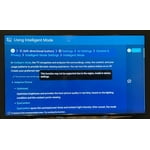
SavvyCat, Thank you for sharing your thoughts on the picture quality of your Q60D TV. To ensure you’ve got the latest image quality updates, please confirm that your TV is up to date with the latest firmware version. You can check by going to: Home > Menu > Settings > Support > Software Update. If the picture you’re seeing is still not to your liking after updating firmware, there are several picture settings you may want to try adjusting. Go to Home > left direction button > Settings > All Settings > Picture > Picture Mode ...and select the mode that best fits your usage: 1. Standard: Is the default mode suitable for general viewing environments 2. Dynamic: Makes the picture brighter and clearer in bright viewing environments 3. Eco: Provided to save energy 4. Movie: Suitable for watching TV or movies in a dark room 5. Filmmaker Mode: Provides source content just as the creators intended. If the image is defined as Filmmaker Mode, it’ll automatically switch to Filmmaker Mode while watching. You can also fine-tune your picture with expert settings such as brightness, contrast, sharpness and more (All Settings > Picture > Expert Settings). Intelligent Mode enables the TV to recognize and analyze the surroundings, noise, content, and your usage patterns to provide the best viewing experience. You can enable Intelligent Mode by going to Menu > Settings > All Settings > General & Privacy > Intelligent Mode Settings > Intelligent Mode. If adjusting image settings does not improve your picture, please contact Samsung Customer Support at 1-800-SAMSUNG, 8AM - 12AM EST, 7 days a week. Or visit us on the Samsung website and click on the ‘Support’ link for: • LiveChat • Manuals, Software, & Warranty Info ~ Samsung Specialist
Great picture
[This review was collected as part of a promotion.] I returned 2 TVs before settling on this one. Setup was easy, versatile settings. I especially like being able to give voice commands for finding shows and changing channels. The sleep timer sets for 30 min, 1 hour, or 2 hours. I wish there were a setting for 1.5 hours but it’s not a deal breaker. I’m very satisfied and would buy it again.

Amazing picture and Gaming Hub is a plus.
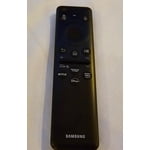
[This review was collected as part of a promotion.] The 32inch Samsung QLED 4K Smart Tizen TV arrived well packaged and ready to use. It comes with remote, instructions, easy setup guide, stand and power cable. The instructions to handle the TV and how to put the legs on it are not only written but it has illustrations to do so and it was easy and fast to do it. The setup was also easy, all I needed on hand is the Wi-Fi name and password so it can be connected and it basically gives you step by step setup instructions so I cannot go wrong. 4k it looks amazing, the Dual LED does bring all the colors to life, looks vivid and just great, we really enjoy the way everything appears on it, much better. I like the sound, it does have the 3D surround sound and it does follow the movement on screen and gives it a very nice sound, it does not have much bass and I did not expect it to have it anyway, I will get the Samsung sound bar to have the sound coming out from both so it can add the bass. The gaming hub that is included is a big plus, we do not need to get a console to play games, the gaming hub is for all games, a great platform for them. This is built in and it works well, just do not expect it to be as or better than having a console, if you are a long time gamer then you probably will see the difference, but in our family we game but it is from time to time, then it works great, including learning games. We like how light and thin the TV is, it does not take much space and it can stand on its legs or it can be used with a wall or floor stand. Connections, I do like that it has everything, not only can it use WI-Fi to connect to the internet, we can use the Ethernet input to do so and other connections are, optical audio to connect to another source, 2 USBs to play pictures, videos or music from an external device, HDMI it has 3 and one of them has eARC and this can control the sound bar or whatever we have connected to the TV, finally the Antenna input and it is coaxial. The remote is slim, light and simple, it does not have numbers to search for a channel, instead it has a microphone and it can be used to do everything, go to channel, streaming media and more like searching for that show or movie. It has buttons to go to set services like, Disney, Netflix, Prime Video and of course Samsung TV. Overall the TV has it all, from the Gaming Hub to keep everyone at home occupied, to a very nice sharp picture with amazing colors, it has nice sound and plenty of connections, the size is perfect for a small to midsize room, and everyone at home is enjoying it.


Reviewing1, I’m glad to hear you’re enjoying the image quality of your Q60D TV! With our smart and fast Quantum Processor 4K Lite, you’ll see your favorite shows and movies in a whole new light with stunning 4K optimization. By analyzing your incoming picture signal and optimizing all your content, it brings enhanced clarity and depth to every scene. If there’s anything we can ever help with such as optimizing settings, please reach Samsung Support at 1-800-SAMSUNG, 8AM - 12AM EST, 7 days a week. Or visit us on the Samsung website and click on the ‘Support’ link for: • LiveChat with an agent • Manuals, Software, & Warranty Info • Product Registration: For easy access to support, promos and offers, and more ~ Samsung Specialist
Love me some Samsung...
Great product. When it comes to TV's, it's hard to beat Samsung. That being said, SAMSUNG NETWORK APP could use some improvements. Interface is awkward and isn't consistent across different models. Also, the sound level of commercials on the app is out of control. Will blast you out of the room when you least expect it.
Nice product for the money.
Nice TV. Setup was easy. Lots of features. Picture quality is better than previous Samsung TV which was about 7 years old. Not real happy with the black pixelation, but might just be issues with internet performance. Overall, nice product for the price. No lag on high speed programming like sports and action movies. Lightweight and easy for one person to move it around.