Skip to Main Content
Sams Club
Sams Club
Customer reviews for SAMSUNG 55” Class DU8000 Series UHD 4K Smart TV for
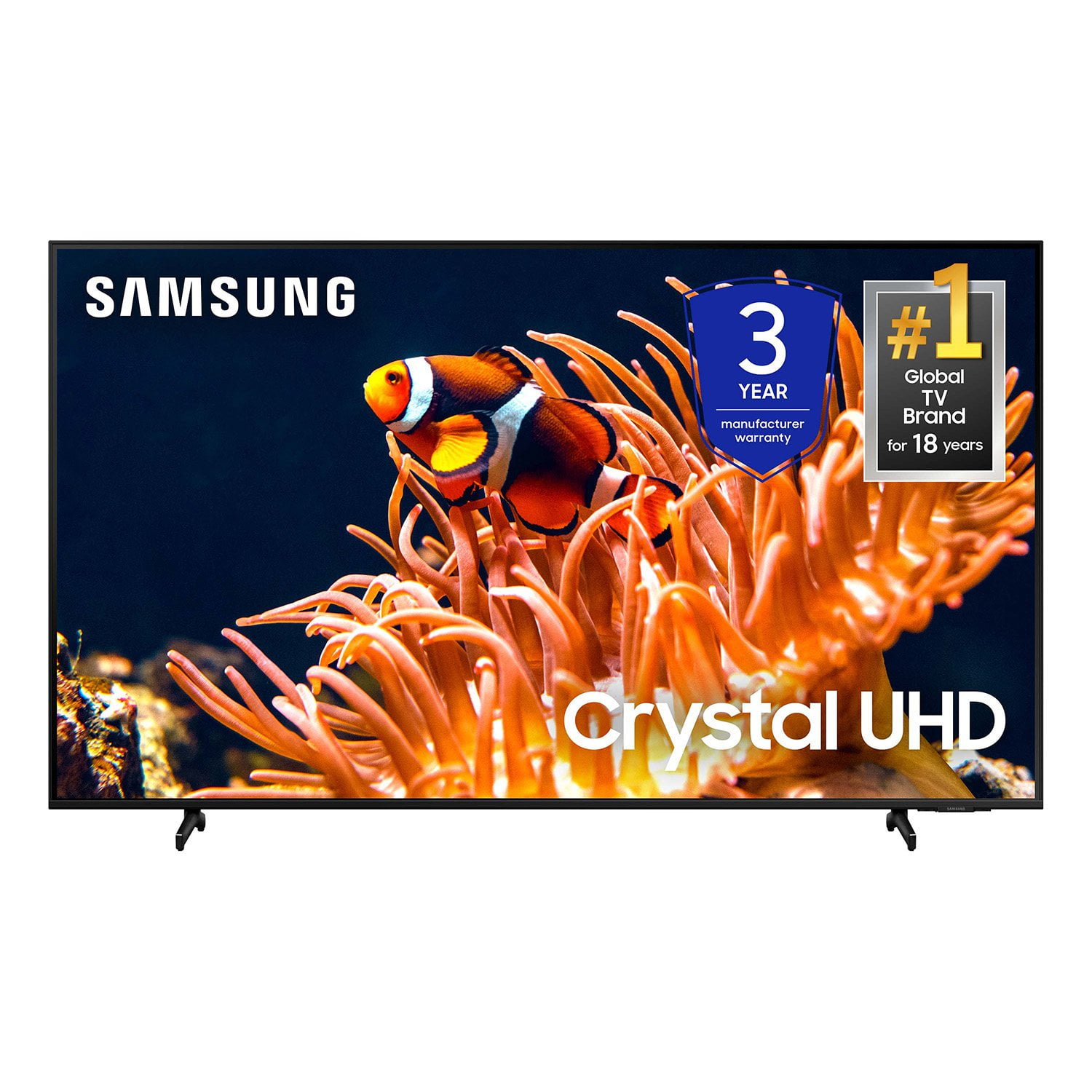
SAMSUNG 55” Class DU8000 Series UHD 4K Smart TV
4.5 out of 5 stars
stars787 ratings784 reviews
  1. 5 stars74% (581)
  2. 4 stars13% (103)
  3. 3 stars5% (42)
  4. 2 stars3% (22)
  5. 1 star5% (39)

Member photos

  • +190 images
Sort by |
Showing 91-100 of 784 reviews
Dec 27, 2024
Chertex
4 out of 5 stars review

We always buy Samsungs

[This review was collected as part of a promotion.] We always look for a Samsung because they have always been a quality TV. My husband wanted to go up one size so we knew we were coming home with a Samsung, it was just a matter of which one. We had a different one in mind but decided to spend a little more for this one. We are senior citizens and we can’t afford the super dooper, all the bells & whistles one, but Samsung is quality, and we are super happy with our purchase.

Review from Samsung US
Helpful?3VJGWSQNU1P413891164846
Oct 4, 2024
None123456
5 out of 5 stars review

High quality low price

[This review was collected as part of a promotion.] I have crazy kids but I still enjoy my TV, the last one was broken in a fit of rage and I don't want to buy expensive items while my kids are learning how to handle emotions and be less crazy. This is the perfect compromise between quality and price!!!

Review from Samsung US
Helpful?3VJGWSQNU1P413891164846
Dec 14, 2024
wwwww15
5 out of 5 stars review

A Stunning Viewing Experience!

[This review was collected as part of a promotion.] I recently upgraded to a Samsung TV, and it has completely transformed my entertainment setup. The picture quality is absolutely stunning, with vibrant colors, deep blacks, and incredible clarity that makes every scene look lifelike. Whether I’m watching movies, sports, or streaming shows, the visuals are consistently sharp and immersive. The smart features are another highlight. Navigating through apps and streaming services is seamless, thanks to the intuitive interface and fast processor. I especially love the built-in voice assistant, which makes searching for content and controlling the TV effortless. The sleek, bezel-less design is both modern and elegant, perfectly complementing my living space. Audio quality is surprisingly good too, though pairing it with a Samsung soundbar takes the experience to a whole new level. Samsung has truly delivered a top-notch product that combines innovation, performance, and style. I highly recommend it to anyone looking for a high-quality TV!

Review from Samsung US
Helpful?3VJGWSQNU1P413891164846
Dec 23, 2024
Hotdog
2 out of 5 stars review

Dark spots in screen

[This review was collected as part of a promotion.] My TV is a year old. When the pictures is on i have these dark like clouding spots on the screen. If I'm watching hockey the ice is dark on that part of the screen. Almost like the back light led are burnt out.

Review from Samsung US
Helpful?3VJGWSQNU1P413891164846
reply from Samsung Advisor

Hi Hotdog, We are glad that you reached out to us regarding the display issues you are seeing on your Samsung DU8000 TV. I have a few recommendations that may resolve the white shadows and dark spots you are seeing on your screen. First, let's ensure you are running the latest Firmware. Go to Settings> Support> Software Update. Next, run a diagnostic test. Go to Home > Settings > Support > Device Care > Self Diagnosis > Picture Test. If there are no issues during the Picture Test, this means your TV is working fine. To identify and fix the issue, first, try replacing the cable of the external device that is showing lines. - If the shadows still appear after replacing the cable, troubleshoot the external device. - If shadows appear during the Picture Test, proceed to the next step. If dots/shadows appear during your test, the TV will need service. Please reach out to us so we can schedule a warranty appointment. 1-800-SAMSUNG, 8 AM - 12 AM EST, seven days a week. LiveChat with an agent, as well as manuals, software, and warranty info, can be found at the ‘Support’ link on our Samsung website. ~ Samsung Advisor

Oct 24, 2024
Gma1949
3 out of 5 stars review

Not what I expected

[This review was collected as part of a promotion.] Some background: I am 75, I have had Samsung tablets and phones since 2006. When my 55" Vizio died, I purchased a 50" Samsung because it was a great deal. But it drives me crazy. Only a few of the icons are loaded and I have to search if I want to watch something, like Pluto or Classic Movies+. I still haven't found the space key in the search screen. Over all it is a good TV, the picture and sound are great. It's just not user friendly.

Review from Samsung US
Helpful?3VJGWSQNU1P413891164846
reply from Samsung Specialist

Hi Gma1949, We appreciate you sharing your user experience with Samsung's DU8000 TV. To assist you in learning the various features, functions, and settings of your TV and remote, you can download the DU8000 TV's User Manual, e-Manual, Remote Control Leaflet, and Quick Setup Guide on Samsung's website under Support (top right corner) > Manuals & Software > TVs & Home Theater. From there, you can search for and select the DU8000 TV to download the guides you would like. The e-Manual and Remote Guide are both also embedded into the TV itself under Menu > Settings > Support If you need more help, Samsung is here for you. Please call us at 1-800-SAMSUNG, 8AM - 12AM EST, 7 days a week. Our LiveChat agents are also available by clicking on the ‘Support’ link on our website. ~ Samsung Specialist

Apr 13, 2024
Hatchet1947
5 out of 5 stars review

Enjoying our new TV

[This review was collected as part of a promotion.] I enjoy my TV. Has excellent picture and sound. It was very easy for me to setup. Mostly use to stream tv programs, YouTube videos. Love that the remote is rechargeable and not cluttered with buttons that I'll would never use. I use in my bedroom as I'm am a disabled veteran and tv helps with PTSD.

Review from Samsung US
Helpful?3VJGWSQNU1P413891164846
reply from Samsung Advisor

Hi Hatchet1947, Thank you for choosing Samsung and for taking the time to let us know about your positive experience with our new DU8000 TV! If there’s anything we can ever help with, please call us at 1-800-SAMSUNG, 8 AM - 12 AM EST, seven days a week. Or visit us on the Samsung website and click on the ‘Support’ link for: 1) LiveChat 2) Manuals, Software, & Warranty Info ~ Samsung Advisor

Dec 5, 2024
Bringonthedeals
5 out of 5 stars review

Great quality picture, good deal

[This review was collected as part of a promotion.] We use our TV for movies, internet, streaming, and local TV. absolutely LOVE the quality of the picture, not fuzzy or faded of colors. Best investment I could have ever made highly recommend this product

Review from Samsung US
Helpful?3VJGWSQNU1P413891164846
Apr 19, 2025
Kevin
3 out of 5 stars review

Good TV, other functions could be better

Samsung consistently makes incredible TVs. The video quality is great, but sound and search leaves you wanting. The sound is very average, not awful, but definitely not impressive; you’ll want a soundbar. The search takes a minute to see the ‘App’ tab hidden in the header. I gave up after months of use looking on the left for the apps and then one day accidentally swiped to it; the UI is not obvious

Review from Samsung US
Helpful?3VJGWSQNU1P413891164846
reply from Samsung Advisor

Hi Kevin, Thank you for sharing your experience with low volume. There are several volume features you can adjust, which may improve your audio experience. 1) Auto Volume automatically adjusts the sound to a certain level when changing channels or switching to another external input. Go to Settings > All Settings> Sound > Expert Settings > Auto Volume. 2) Adaptive Sound automatically adjusts to a specific volume level while watching TV. The TV analyzes your volume usage history by time period to automatically adjust the volume when you use an app or switch to an external input source. Go to Settings> All Settings> Sound> Sound Mode> Adaptive Sound. 3) Several Sound Modes are likewise available to meet your personal preferences: Home > Settings > All Settings> Sound > Sound Mode. Also, some sources have their own volume control, which might need to be set higher. Please check the volume control of the external device (cable box or satellite box, DVD, Blu-ray, etc.) connected to your TV. Also, check the cable connection between an external device and the TV and then try the cable connection again. If you need more help, Samsung is here for you! Please call us at 1-800-SAMSUNG, 8 AM - 12 AM EST, seven days a week. Our LiveChat agents are also available by clicking on the ‘Support’ link on our website. ~ Samsung Advisor

Apr 19, 2025
2Awesome
5 out of 5 stars review

This product has excellent personal values to ever

[This review was collected as part of a promotion.] Once again, this huge Big screen 85” TV has brought us together especially on weekends and holidays to see movies and play games because everyone can participate and see this huge screen. Even the Samsung speakers are awesome as they compliment the Crystal TV.

Review from Samsung US
Helpful?3VJGWSQNU1P413891164846
Mar 21, 2025
Samsung4Ever4Me
5 out of 5 stars review

My Samsung Dream TV

[This review was collected as part of a promotion.] I dreamed of having a theatre in my living room and it has finally happened. When I saw Samsung had come out with an 85" TV, I jumped all over it. I'm very happy with this TV. The picture is amazing, clear, and crisp. It's like I can just reach out and touch the characters on the screen. It's so easy to navigate the menu and all the apps that are available. It was so easy to setup everything to my own unique style. I mean I just love and enjoy my Samsung TV. I just want to say thank you for making my dream come true! Samsung Forever!

Review from Samsung US
Helpful?3VJGWSQNU1P413891164846