Skip to Main Content
Sam's Club
Sam's Club
Customer reviews for SAMSUNG 75" Class TU700D-Series Crystal Ultra HD 4K Smart TV UN75TU700DFXZA for
SAMSUNG 75" Class TU700D-Series Crystal Ultra HD 4K Smart TV UN75TU700DFXZA

Member photos

  • +1519 images
Sort by |
Showing 9,571-9,580 of 10,060 reviews
May 23, 2022
Lovesamsung
5 out of 5 stars review

Great Picture

[This review was collected as part of a promotion.] The color and clarity are amazing. The set up was extremely easy. The remote works perfectly when paired with my cable and internet provider. One remote allows easy access for all services.

Review from Samsung US
Helpful?3STAXRT0NDXF13883163940
Jun 18, 2022
Ryk956
5 out of 5 stars review

Really good clarity, happy customer.
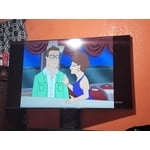
[This review was collected as part of a promotion.] TV is by far the best I've had, very clear picture especially when streaming 4k content. Looking into purchasing 75 inch very soon.

Review from Samsung US
Helpful?3STAXRT0NDXF13883163940
Sep 26, 2022
Oumou
1 out of 5 stars review

No images only voice TV is black

Bought the TV a year and a 1/2 ago TV is not working screen is black voice is on no image don't recommend it the TV to nobody I have a friend of mine she has the same issue

Helpful?3STAXRT0NDXF13883163940
reply from Samsung

Hi Oumou, We are sorry to hear about your experience with the TU7000 TV screen going black. Please know we are here to help you. If your TV has a black screen even when it's on, it's entirely possible it could be your external device and not your TV. Please try these troubleshooting steps for your blank screen issue:1. Press the Home button on the remote.If the menu appears, the TV is powered on but is either not on the correct source or not receiving a signal. If the menu does not appear, the TV may have power issues.Check the red standby light, a little red light at the edge of the TV that you aim the remote at. In everyday use, the red standby light is on when the TV is off (indicating the TV is on standby), and the red standby light is off when the TV is in use (or doesn't have power).2. Confirm the TV is set to the same source as the external device.For instance, if your cable box is connected to HDMI 1, set the TV source to HDMI 1.If the TV is set to the correct source but there is still no image, unplug and reconnect the AV connections one cable at a time from both ends of each cable. If there's any damage to the cable, it will need to be replaced.After you've reconnected the external device, could you turn it off and back on?3. Test the HDMI cable.Some TVs have an HDMI cable test. Some models only have this test after a software update, and older models do not have it. If your model does not have this test or is not connected by HDMI, skip to the next step.The test is designed for HDMI cords less than 6 feet long and may not give accurate results on longer cords.To perform the test, make sure the TV's source is still on the HDMI setting for the cable you want to test, and then navigate to Settings > Support > Self Diagnosis > Signal Information > HDMI Cable Test > Start Test.If the test says the cable is bad, replace the cable. Service is not required.4. Test different external devices.The final thing to rule out is the external device you're using. Try connecting a different device or using a different source port. ]If the TV can display a picture in any other setup, then you've ruled the TV out as the cause of the issue. Keep trying various setups until you identify the device or cable that is not working and troubleshoot or replace it.The TV will need service if the issue persists after these steps. Please get in touch with us so that we can better investigate your issue and assist you with a solution or replacement.If you need more help, Samsung is here for you. Please call us at 1-800-SAMSUNG, 8 AM - 12 AM EST, seven days a week. Our LiveChat agents are also available by clicking on the ‘Support’ link on our website.~ Samsung Advisor

Apr 3, 2022
katznorb
3 out of 5 stars review

Good quality but not user friendly

the picture quality is very good but the smart tv is not easy to navigate. we have had the tv shut off on it's own a couple times or shut down the app we were watching.

Review from Samsung US
Helpful?3STAXRT0NDXF13883163940
reply from Samsung Brand Ambassador

katznorb: I’m sorry for the difficulties with your TV shutting off. We understand your frustrations, and are here to help. If your TV appears to turn off by itself, try disabling some of the TV's energy efficiency functions. See if Sleep Timer has been enabled. The Sleep Timer automatically turns the TV off after a specific period of time. Go to: Settings > General > System Manager > Time > Sleep Timer If the Sleep Timer has not been enabled, see if Auto Power Off or Off Timer have been enabled and disable it. - Settings > General > Power and Energy Saving > Auto Power Off - Settings > General > System Manager > Time > Off Timer If the TV continues to turn off by itself continuously, please contact Samsung Customer Support at 1-800-SAMSUNG (ask for TVs), available 8AM - 12AM EST, 7 days a week. For additional support resources, visit us on the Samsung website and click on the ‘Support’ link in the upper right corner of the homepage for: 1) Chat with Us/Product Help: To begin a chat or find solutions, choose ‘TVs & Home Theater’ and select your model & topic. 2) Manuals, Software, & Warranty Info Samsung is committed to providing the best possible product experience, quality, and value, and we are always here to help with any of your questions or concerns. - Samsung Advisor

Jan 4, 2021
Unfortunate owner
3 out of 5 stars review

Its a great brand

i would have preferred you guys do better warranty and a guarantee as well. i had the unfortunate luck of my tv tapping just tapping the corner of my couch and the tv screen cracked... n i had it for just two days :(

Review from Samsung US
Helpful?3STAXRT0NDXF13883163940
reply from OBA

Unfortunate owner: I am very sorry to see that the screen of your TV has cracked. Please know that a crack will not spontaneously develop; a physical impact – perhaps small but done at just a certain degree – would be the most likely explanation. Unfortunately, even if a TV is double-boxed and the packaging shows no evidence of harm, a TV can still be damaged during transit if proper care is not taken. For example, if the TV were sitting in an incorrect orientation -- laid on its side or tilted -- during transit, damage could have been done. For physical damage which may have occurred during delivery, please know that you can initiate returns directly on the Samsung website under My Orders or by scrolling to the bottom of the Samsung home page and clicking on Order Support. 1-800-SAMSUNG (ask for TVs), available 8AM -12AM EST, 7 days a week Or visit us on the Samsung website and click on the ‘Support’ link in the upper right corner of the homepage for: 1) Contact Us Options (LiveChat, Remote Support, Facebook, Twitter) 2) Product Support 3) Manuals and Downloads 4) Warranty Info 5) Product Registration: Registering your product gives you access to easy warranty support, convenient opt-in to special promos and offers, faster troubleshooting and service, and quick notification of system updates 6) Samsung Community: A great resource for getting help from Samsung moderators and customers and more 7) …and more product, repair, order, and care options ~ Samsung Solutions

Dec 7, 2022
48Jimmy
4 out of 5 stars review

So far so good, I have no complaints about the tv. Bought it for our hunt camp.

Review from Samsung Canada
Helpful?3STAXRT0NDXF13883163940
reply from Operations

Thank you, 48Jimmy! We love to hear positive feedback and we’re delighted you’re enjoying your new Samsung TV. 

Sep 29, 2023
Sarina
5 out of 5 stars review

Great features . My favorite is the camera

I bought my S23 in March and I've been very satisfied.

Review from Samsung Canada
Helpful?3STAXRT0NDXF13883163940
reply from Samsung Support Team

Hello, thank you for your 5 star review and feedback. We will pass your comments along to our store staff and hope you visit us again someday soon.

Dec 5, 2021
Anonymous
3 out of 5 stars review

Hd programs look horrible

all the program have to be 4k . if is hd dont look right

Review from Samsung US
Helpful?3STAXRT0NDXF13883163940
reply from Samsung Brand Ambassador

Hi, Thank you for purchasing the Samsung TU7000 TV. I am sorry to hear that you are experiencing issues with your 4K content on your new unit. The issue with the Apps may be related to your network connection and quality. We suggest you try the following: 1. Use 5G Wi-Fi if possible 2. Try wired LAN if available 3. Try repositioning the router so there are no obstacles between your TV and the router Please also be sure you are running the latest firmware. You can check to see what software version your TV is using and if there is an available update through the settings on your TV. Go to: Settings > Support > Software Update. You may want to enable automatic updates for conveniences. Select Settings- Support- Software Update, then select Auto Update. Additionally, to optimize the smart TV performance, please try Device Care option under the Support Menu. Go to Settings > Support> Device Care > Start Device Care. This improves your apps performance as it frees up unused cached memory and closes background apps. If you are still experiencing issues after the troubleshooting steps, please reach out to us at 1-800-SAMSUNG (ask for TVs), available 8AM - 12AM EST, 7 days a week. For additional support resources, visit us on the Samsung website and click on the ‘Support’ link in the upper right corner of the homepage for: 1) Chat with Us/Product Help: To begin a chat or find solutions, choose ‘TVs & Home Theater’ and select your model & topic. 2) Register a Product: For access to easy warranty support, convenient opt-in to special promos and offers, faster troubleshooting and service, and quick notification of system updates. 3) Manuals & Software 4) Warranty Info 5) Contact Us ~ Samsung Solutions

Jan 3, 2023
Motorhead
5 out of 5 stars review

Excellent picture quality

After quite a few years with an old TV this is a significant up-grade.

Review from Samsung US
Helpful?3STAXRT0NDXF13883163940
Jan 26, 2023
James1961
5 out of 5 stars review

Great tv

We haven't had a tv in the house since 2014, by choice. This was a great choice.

Review from Samsung Canada
Helpful?3STAXRT0NDXF13883163940