Skip to Main Content
Sam's Club
Sam's Club
All Departments
All Services
Customer reviews for SAMSUNG 75" Class TU700D-Series Crystal Ultra HD 4K Smart TV UN75TU700DFXZA for
SAMSUNG 75" Class TU700D-Series Crystal Ultra HD 4K Smart TV UN75TU700DFXZA
4.4 out of 5 stars
stars
10.4K ratings10K reviews
  1. 5 stars69% (7,257)
  2. 4 stars18% (1,886)
  3. 3 stars5% (566)
  4. 2 stars3% (265)
  5. 1 star5% (499)

Member photos

  • +1523 images
Sort by |
Showing 4,621-4,630 of 10,064 reviews
Aug 23, 2022
Reviewer name: Sbirdie
5 out of 5 stars
5 out of 5 stars review

Amazing TV! Worth every penny

[This review was collected as part of a promotion.] This has been a great TV for our home. Not only was the price very fair but the quality is amazing. It is so nice not having to buy any type of streaming product to watch our shows. Also being able to mirror the tv with any device and being able to download any app makes it very simple to use. Also it is compatible with all the other smart home products we own which makes it very convenient! We love the TV and are very happy with the product.

Review from Samsung US
Helpful?3STAXRT0NDXF13883163940
Oct 6, 2020
Reviewer name: TVWoman
1 out of 5 stars
1 out of 5 stars review

Worst TV I've ever owned

[This review was collected as part of a promotion.] I am now on tv #3 of this model. First one arrived damaged, so not counting that one. Picked up the second one and I had it for a month before the screen just went black. Exchanged it for the set I have now and the picture quality is terrible. Changed the cable box (as I was instructed) and it is no better. Very disappointed as the model I had right before this one was AMAZING, but I wanted a smart tv. So now my daughter has a beautiful tv (our old one!) and we are watching a terrible picture.

Review from Samsung US
Helpful?3STAXRT0NDXF13883163940
reply from OBA

TVWoman: Thank you for purchasing the Samsung TU7000 4K Smart TV and for your review. There are several image settings you can adjust to your liking such as Picture Mode and Expert Settings. Choose a Picture Mode by going to Settings > Picture > Picture Mode and choose from Dynamic, Standard, Natural, Movie, or Filmmaker Mode. You can further adjust your sharpness, brightness, contrast, color, and more by going to Settings > Picture > Expert Settings Should you need further assistance with settings, features, or functions, please contact Samsung Customer Support. 1-800-SAMSUNG (available 8AM -12AM EST, 7 days a week) Or visit us on the Samsung website and click on the ‘Support’ link in the upper right corner of the homepage for: 1) Contact Us Options (LiveChat, Remote Support, Facebook, Twitter) 2) Product Support 3) Manuals and Downloads 4) Warranty Info 5) Product Registration: Registering your product gives you access to easy warranty support, convenient opt-in to special promos and offers, faster troubleshooting and service, and quick notification of system updates 6) Samsung Community: A great resource for getting help from Samsung moderators and customers and more 7) …and more product, repair, order, and care options ~ Samsung Solutions

Sep 27, 2022
Reviewer name: Acer007
5 out of 5 stars
5 out of 5 stars review

Amazing picture and Sound
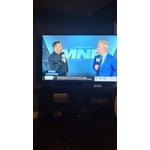
[This review was collected as part of a promotion.] This 75 inch television has a super clear picture and amazing sound. The Samsung Plus channels are a great bonus. The screen has a narrow reveal at the edges which make the screen seem even larger.

Review from Samsung US
Helpful?3STAXRT0NDXF13883163940
Aug 1, 2022
Reviewer name: Nrealdeep2002
4 out of 5 stars
4 out of 5 stars review

Amazing picture clarity and depth of black

[This review was collected as part of a promotion.] I purchased this TV about a year ago and I was really surprised when I got at home. Definitely became a centerpiece in the living room and I absolutely loved the clarity. The great thing about Samsung is that no matter how much you pay for the television you're going to get a high quality picture. Over the last couple of years I've completely kissed all of my Bravia products goodbye and welcomed Samsung into my home.

Review from Samsung US
Helpful?3STAXRT0NDXF13883163940
Jan 17, 2021
Reviewer name: Aaron G
3 out of 5 stars
3 out of 5 stars review

Great Tv. Annoying features.

this tv has an auto input detection setting that will not turn off.this will sometimes quit working.tested with ps5 and xbox series x.sometimes it just remained on the blank input screen looking for a detection.sometimes when you switch input a message pops up that the tv is auto changing to the best settings.well i dont want to change anything.this tv also has an auto hdr feature for sources utilizing it.as we all know hdr is not entirely new but with a cheaper tv you will not get what is produced by an expensive tv.let alone hdr still struggles to be utilized properly on expensive tvs.this hdr basically dims the tv's brightness making the screen darker.netflix is horrible for this on certain titles. positives, the smartapps are fast and smooth.as the title ,great tv,annoying features.

Review from Samsung US
Helpful?3STAXRT0NDXF13883163940
reply from OBA

Aaron G: Samsung TV's have Anynet+ (also known as HDMI-CEC), a feature that allows connected external HDMI devices to inform your TV when they have turned on. By default, the TV will immediately switch to this source when this happens. To turn off this function of a device connected to the TV, turn off the Anynet+(HDMI-CEC) function of the device. Also, please make sure that your TV’s firmware is up to date. The automatic dimming may be due to the ECO Sensor or Motion Lighting features. ECO Sensor automatically adjusts the brightness level of the TV according to ambient light level, reducing power consumption. If the ECO Sensor has adjusted the screen’s brightness level, you can select Min. Backlight to manually adjust the minimum screen brightness. To change this setting, go to Settings > General > ECO Solution. You will see option of de-selecting the Ambient Light Detection and other power saving features. I hope this helps. Should you need further assistance, please contact Samsung Customer Support. 1-800-SAMSUNG (ask for TVs), available 8AM -12AM EST, 7 days a week Or visit us on the Samsung website and click on the ‘Support’ link in the upper right corner of the homepage for: 1) Contact Us Options (LiveChat, Remote Support, Facebook, Twitter) 2) Product Support 3) Manuals and Downloads 4) Warranty Info 5) Product Registration: Registering your product gives you access to easy warranty support, convenient opt-in to special promos and offers, faster troubleshooting and service, and quick notification of system updates 6) Samsung Community: A great resource for getting help from Samsung moderators and customers and more 7) …and more product, repair, order, and care options ~ Samsung Solutions

Jul 10, 2020
Reviewer name: Mike
5 out of 5 stars
5 out of 5 stars review

Great television at a great price

we were looking at getting a 65" qled or the crystal uhd 4k television and because of the price point we went with the crystal uhd. to be honest, i cannot tell a difference in clarity and color between the two models as the crystal uhd set has just as amazing color and brightness as the more expensive qled. we are extremely happy with our purchase and would recommend this to anyone. the only thing i would change is to place the ethernet port on the side with the hdmi/optical and usb ports and not have the ethernet cable sticking straight out of the back of the television where it hits the wall.

Review from Samsung US
Helpful?3STAXRT0NDXF13883163940
Sep 11, 2020
Reviewer name: Anonymous
5 out of 5 stars
5 out of 5 stars review

Great TV

i'm a samsung tv fan to begin with, 65" 7 in the living room a 50"6 in the work room and now this one in my room. this one has a picture that really is "crystal ". i'm not sure how they do it but it really is different quality of clarity on this set. impressive..and if i could afford it..i'd replace the other two before their time with these.

Review from Samsung US
Helpful?3STAXRT0NDXF13883163940
Jul 27, 2022
Reviewer name: Late2theGame
4 out of 5 stars
4 out of 5 stars review

My First "Big" (for me) Flat Screen TV
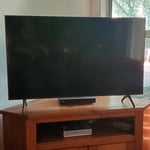
[This review was collected as part of a promotion.] I'm late to the large flat screen TV world; I come from the old school of "If it ain't broke, don't replace or fix it". However, even though my old style TV still worked, I finally had to replace it because I was just no longer satisfied with how movies and shows looked on it, and I wanted to start streaming. So I bought my Samsung. It was easy and quick to install, and the quality of the picture and especially the sound (no I haven't installed a sound bar yet!) were excellent. I'm satisfied with it, and enjoy watching it. My only complaint is that if it's been a while since I watched a streaming show on it, (I mostly watch TV in my bedroom, not in the living room where I have the Samsung TV) I have to reconnect it to my wifi Internet, which is a hassle. It's happened several times now, and I wish it would just stay connected. That's the only reason I gave it 4 starts instead of 5.

Review from Samsung US
Helpful?3STAXRT0NDXF13883163940
Oct 21, 2020
Reviewer name: Makeawish3
4 out of 5 stars
4 out of 5 stars review

Love my Samsung

[This review was collected as part of a promotion.] Great picture, easy set up, tons of apps to choose from. The sound leaves a lot to be desired. Sometimes even at a max volume of 100 I have difficulty understanding dialogue, then when a commercial or some kind of sound effect plays it blasts me out of my seat. Also would love to have a remote that lights up. I would definitely buy again though.

Review from Samsung US
Helpful?3STAXRT0NDXF13883163940
Sep 28, 2022
Reviewer name: TINKIEB
5 out of 5 stars
5 out of 5 stars review

Awesome ☺️

[This review was collected as part of a promotion.] TV movies everything. Love Love love....... my TV is absolutely awesome I love it with 9all my heart I think the clarity the color everything is just absolutely impeccable love the TV have no complaints it is awesome thank you

Review from Samsung US
Helpful?3STAXRT0NDXF13883163940