
Skip to Main Content
Sam's Club
Sam's Club
All Departments
All Services
Customer reviews for SAMSUNG 75" Class TU700D-Series Crystal Ultra HD 4K Smart TV UN75TU700DFXZA for
SAMSUNG 75" Class TU700D-Series Crystal Ultra HD 4K Smart TV UN75TU700DFXZA
4.4 out of 5 stars
stars
10.4K ratings10K reviews
  1. 5 stars69% (7,257)
  2. 4 stars18% (1,886)
  3. 3 stars5% (566)
  4. 2 stars3% (265)
  5. 1 star5% (498)

Member photos

  • +1523 images
Sort by |
Showing 3,591-3,600 of 10,063 reviews
Oct 25, 2022
Reviewer name: Happybuyer
5 out of 5 stars
5 out of 5 stars review

Love this tv

[This review was collected as part of a promotion.] This tv isa 2nd one that I purchased. I got one in the spring and love it so much that I just purchased another one. Both 65 inches. I also have 75 inches same model. All 3 tvs work great. I mostly watch movies. Picture is very clear. Great price too!

Review from Samsung US
Helpful?3STAXRT0NDXF13883163940
Oct 6, 2020
Reviewer name: maclaurin
3 out of 5 stars
3 out of 5 stars review

Color distorsion

[This review was collected as part of a promotion.] The TV is great in definition and colors, however, we experienced color issues many times a week. A red colored texture appear and mix with image. We have to turn the TV off and unplug it to make the issue go. It's really annoying for a TV of that size/price (still under warranty though).

Review from Samsung US
Helpful?3STAXRT0NDXF13883163940
reply from OBA

maclaurin: Thank you for purchasing the TU7000 TV. I am very sorry for the color glitch issue you encountered. Please check that your TV has the latest firmware update, which should resolve your issue. To update directly from your TV, press the HOME button on your remote. - Go to SETTINGS (gear icon) > Support > Software Update > Update Now - Your TV will check for the update and should start downloading the update. After the update is installed the TV will shut down and restart. Once the TV restarts, press and hold the Power button until the TV turns off and back on. If your TV is not connected to the internet, follow these steps to update the firmware. - You can find the update (ver 1401.7) at: samsung.com/us/support/owners/product/crystal-uhd-tvs-tu7000-2020 - Extract the firmware to the root of a USB thumb drive. (Do not put it in any folders on the thumb drive.) - Connect the USB thumb drive to a USB port on your TV. - Navigate to Settings > Support > Software Update, select Update Now, and then select Yes. - The TV will install the update and then restart. - Once the TV restarts, press and hold the Power button on your remote until the TV turns off and back on. If your issue persists after the firmware update, please contact Samsung Customer Support. 1-800-SAMSUNG (available 8AM -12AM EST, 7 days a week) Or visit us on the Samsung website and click on the ‘Support’ link in the upper right corner of the homepage for: 1) Contact Us Options (LiveChat, Remote Support, Facebook, Twitter) 2) Product Support 3) Manuals and Downloads 4) Warranty Info 5) Product Registration: Registering your product gives you access to easy warranty support, convenient opt-in to special promos and offers, faster troubleshooting and service, and quick notification of system updates 6) Samsung Community: A great resource for getting help from Samsung moderators and customers and more 7) …and more product, repair, order, and care options ~ Samsung Solutions

Aug 23, 2022
Reviewer name: Jonmar
5 out of 5 stars
5 out of 5 stars review

Review my tv

[This review was collected as part of a promotion.] The best Tv I've Ever Had... I have owned a few other "smart" TVs prior to this one, and I would consider those to be "dumb" TVs! The clarity and picture on this TV is amazing.... love the sound n for the price i considering a great tv...

Review from Samsung US
Helpful?3STAXRT0NDXF13883163940
Jun 11, 2022
Reviewer name: Omowatt
5 out of 5 stars
5 out of 5 stars review

Feature Rich

[This review was collected as part of a promotion.] So I mainly sue my TV to stream movies and Paly Games. The picture quality when watching movies is undefeated. It's is crisp and clear. The color accuracy is on point and for playing games!! OMG!! This TV also comes with free Samsung TV channel and it has a great audio system. There are also a bunch of really nice native apps. It's just great.

Review from Samsung US
Helpful?3STAXRT0NDXF13883163940
Aug 22, 2022
Reviewer name: Maleman
5 out of 5 stars
5 out of 5 stars review

Best TV Ever

[This review was collected as part of a promotion.] This is the best smart tv, it connects to your Wi-Fi and all your Samsung Devices with no issues. The auto sleep mode is great when you fell asleep or leave the house it will cut off on its own. The TV comes with live channels already, easy to download apps, and the screen is crystal clear. Totally love it

Review from Samsung US
Helpful?3STAXRT0NDXF13883163940
Jul 27, 2022
Reviewer name: FamilyTV
5 out of 5 stars
5 out of 5 stars review

Exceptional features, perfect picture!
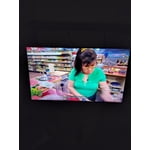
[This review was collected as part of a promotion.] My TV is used for a host of reasons, my kids love to game on it, my wife plays all her YouTube videos and I love to watch sports on it.. it performs exceptionally well no matter what is being watched on it.

Review from Samsung US
Helpful?3STAXRT0NDXF13883163940
Jun 1, 2022
Reviewer name: GCapps
5 out of 5 stars
5 out of 5 stars review

Highly recommended

[This review was collected as part of a promotion.] Excellent quality TV without a premium price tag. Streams 4K over wifi without any problems. Super easy to setup, especially if you use samsung smart things with your phone or tablet. Another quality Samsung product that I've added to my collection. Not disappointed at all.

Review from Samsung US
Helpful?3STAXRT0NDXF13883163940
Aug 23, 2022
Reviewer name: khaelea
4 out of 5 stars
4 out of 5 stars review

We love the picture

[This review was collected as part of a promotion.] The picture is very clear and great clarity. The Samsung channels are great, Only downfall we have found is it does not work as well with antenna for local digital channels. Vizio seems to work better for that. Otherwise we replaced 3 of our televisions with this same TV except the one is larger.

Review from Samsung US
Helpful?3STAXRT0NDXF13883163940
Oct 21, 2020
Reviewer name: Junebug
5 out of 5 stars
5 out of 5 stars review

Worth every penny

[This review was collected as part of a promotion.] We just recently moved into a new house and thought it was time to upgrade the tv. We went with Samsung for the quality and easy to navigate set up. We couldn't be happier with this CRYSTAL UHD 75” gift from Zeus himself. The tv is clear, the colors are deep, and there is no lagging. The slimness of it is really nice too because it sits on a wall that people walk by.

Review from Samsung US
Helpful?3STAXRT0NDXF13883163940
Aug 20, 2020
Reviewer name: Jason
2 out of 5 stars
2 out of 5 stars review

Shadowy rings at bottom of screen

features, color and motion are great. brightness is fine. screen quality is not. it started with shadowy rings at the bottom of the screen, almost like half a bullseye. at first i only noticed them when screen was filled with one color. now i notice it most of the time. really annoying when watching sports. if that's your thing, look elsewhere.

Review from Samsung US
Helpful?3STAXRT0NDXF13883163940
reply from OBA

Jason: Thank you for purchasing the Samsung TU7000 TV. I am very sorry you are experiencing image issues with your TU7000 TV. Please be sure you have the latest firmware which can be found at: https://www.samsung.com/us/support/owners/product/crystal-uhd-tvs-tu7000-2020 Using your TV's remote, navigate to Settings, and select Support. Select Software Update, and then select Update Now. New updates will be downloaded and installed on your TV. Updates usually take a few minutes; please do not turn off the TV until the update is complete. When the update is finished, the TV will restart automatically. You may want to enable automatic updates for convenience. Select Settings > Support > Software Update, then select Auto Update. If you would like to update your software using USB, please check for the latest version at: https://www.samsung.com/us/support/owners/product/crystal-uhd-tvs-tu7000-2020 Instructions for how to update firmware are detailed here: samsung.com/us/support/answer/ANS00062224/ Should your problem persist, please contact Samsung Customer Support: 1) Phone: 1-800-SAMSUNG (available 8AM -12AM EST, 7 days a week) 2) LiveChat: https://www.samsung.com/us/support/#contact_us_for_support 3) Facebook Messenger: https://www.facebook.com/samsungsupport 4) Twitter: https://twitter.com/SamsungSupport 5) The Samsung Members Community is also a great resource for getting help from Samsung moderators and customers: https://us.community.samsung.com If you have not already done so, we invite you to register your new Samsung product at: https://www.samsung.com/us/account/signin/?redirect=https%3A%2F%2Fwww.samsung.com%2Fus%2Fsupport%2Fregister%2F Registering your product gives you access to easy warranty support, convenient opt-in to special promos and offers, faster troubleshooting and service, and quick notification of system updates. ~ Samsung Solutions






