Skip to Main Content
Sam's Club
Sam's Club
Customer reviews for SAMSUNG 75" Class TU700D-Series Crystal Ultra HD 4K Smart TV UN75TU700DFXZA for
SAMSUNG 75" Class TU700D-Series Crystal Ultra HD 4K Smart TV UN75TU700DFXZA

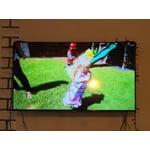
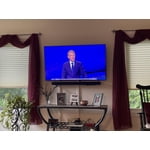
Member photos

  • +1519 images
Sort by |
Showing 3,201-3,210 of 10,060 reviews
Oct 21, 2020
Dee527
5 out of 5 stars review

Best Tv by far!!

[This review was collected as part of a promotion.] I bought 2 of the 43” 7 series for my daughters rooms. They are so simple and easy to use. My 8 year old has even taught me a couple of things. I love that it just uses 1 remote for everything!! The picture and sound are great.

Review from Samsung US
Helpful?3STAXRT0NDXF13883163940
Aug 22, 2022
JRD3262724
4 out of 5 stars review

Great TV for the price!

[This review was collected as part of a promotion.] Ok so to start off I love the TV. It works very well for how I use it. We stream all the time and never have any problems with the feature. I also game on it regularly, PS4 and the picture is amazing especially with the HDR and automatic "game mode". I even occasionally screen mirror or screen view. All in all GREAT TV. I have just 2 problems.. 1. Trying to get Google Assistant hooked up with it is ridiculous. The options in menu do not match what troubleshooting says. Still haven't gotten it to work. 2. It needs a smart remote not the old style for previous models. It would be so much easier to do everything not nearly as many buttons or confusion. Other than that.."Hands down best TV I've had in a Long Time".

Review from Samsung US
Helpful?3STAXRT0NDXF13883163940
reply from Samsung Brand Ambassador

Hi JRD3262724, Thank you for reviewing the TU7000 TV; we are happy to hear you are enjoying your TV. You mentioned having issues getting Google Home set up; if you haven't already, please try the following steps. 1) Make sure you have the SmartThings app on your mobile device. Add your TV device to the SmartThings app. 2) Open the Google Home app on your phone. If you do not have the app on your phone, you can search for Google Home in the Google Play Store and download the app. 3) Select the Add button. On the next screen, select Set Up Device. 4) Press on the text under the title Works with Google. Here you will see a list of accounts. Scroll down until you see SmartThings and select it or search SmartThings by pressing the search icon in the top right-hand corner. 5) Once you have selected SmartThings, press the “Sign in with Samsung Account”’ and use the same Samsung Account you used to sign in on the SmartThings app on your mobile. 6) The TV will be added automatically. If you continue to have issues, please give us a call! Contact us at 1-800-SAMSUNG, 8 AM - 12 AM EST, seven days a week. Or visit us on the Samsung website and click on the ‘Support’ link for: 1) LiveChat with an agent 2) Manuals, Software, & Warranty Info ~ Samsung Advisor

Aug 7, 2022
Jecruz5
4 out of 5 stars review

Great, clear TV

[This review was collected as part of a promotion.] It's a great TV for our living room and its color accuracy is very good and is clear enough to see with indirect sunlight reflecting off of it. Haven't had any issues with the TV. The one thing I would improve on is the software which can make the TV feel a bit slow, but if you're using external smart hardware you'll be fine.

Review from Samsung US
Helpful?3STAXRT0NDXF13883163940
Nov 5, 2020
Jason
5 out of 5 stars review

Great value...Even better TV!!!

[This review was collected as part of a promotion.] I just purchased this TV and I look at a video comparison of the this TV and your Led version. The picture on this screen blows the other one out the water when it comes to vivid color display. I would recommend this tv.

Review from Samsung US
Helpful?3STAXRT0NDXF13883163940
Sep 16, 2020
CBC1978
4 out of 5 stars review

Great TV for daily use

[This review was collected as part of a promotion.] We've had a easy to set up experience with the Samsung TV and have enjoyed it since, as we use it nightly in our bedroom. It has a good picture, the only drawback is the sound is a little light compared to our last unit.

Review from Samsung US
Helpful?3STAXRT0NDXF13883163940
Apr 15, 2021
Adam72
5 out of 5 stars review

BEST TV EVER !

[This review was collected as part of a promotion.] I bought the 65" SAMSUNG crystal smart uhd after ALOT of research (past tv buyer remorse inspired) . My wife and i both love video games and movies and i wanted a tv that would work well for both plus have good sound on its own for a reasonable price. This tv delivers 100% everything i wanted with a gorgeous picture ,superfast refresh rate,awesome sound,and all around ease of use!!!

Review from Samsung US
Helpful?3STAXRT0NDXF13883163940
Aug 23, 2022
Maddie
5 out of 5 stars review

Great features and easy navigation.

[This review was collected as part of a promotion.] This tv came with more features than I expected. It's easy to navigate with all the streaming services together, quick to find, and can add any of yours that aren't in the preset options. It even came with some tv channels including music and movie options.

Review from Samsung US
Helpful?3STAXRT0NDXF13883163940
Oct 26, 2022
Mathman
5 out of 5 stars review

Superior Smart TV

[This review was collected as part of a promotion.] I love my new Samsung Smart TV. It is the perfect size for my living room. It is so user- friendly. It only took me one day to learn how to use its features. The picture is crystal clear and the sound is pitch perfect. It works very well with my cable box and cable remote. I wish that I had purchased it many years ago. It really turns watching tv into a cinematic event! Great work, Samsung!

Review from Samsung US
Helpful?3STAXRT0NDXF13883163940
Nov 19, 2020
docone
5 out of 5 stars review

picture quality

[This review was collected as part of a promotion.] picture and color quality are outstanding. however, the sound needs work. the variation in sound depth from station to station can be annoying. the app availability is wonderful..wide range of topics and variety..

Review from Samsung US
Helpful?3STAXRT0NDXF13883163940
Jul 4, 2020
alieannie
3 out of 5 stars review

Picture Too Dark - can't fix it

this tv has a clear picture and it was a good bargain (provided this issue is fixed). however, watching dark scenes in movies is impossible. i've tried everything from increasing the brightness and turning off the ambient light and eco-controls to following a youtube video about increasing some of the pulse wave modulation controls (that helped a little). the tv feels like it is trying to control every aspect of the environment which it obviously cannot do. this was my first samsung purchase after a sony; i'm pretty disappointed. other minor inconveniences - a remote that is not very intuitive, cludgy app downloading & features that sometimes don't work for whatever reason. this tv is either not quite ready yet or is just being dumped on consumers.

Review from Samsung US
Helpful?3STAXRT0NDXF13883163940
reply from OBA

alieannie: Thank you for purchasing the Samsung TU7000 and for your review. I am very sorry you are viewing scenes that appear too dark. Samsung is aware of the problem, and a new firmware update will be released soon to address this issue. Using your TV's remote, navigate to Settings, and select Support. Select Software Update, and then select Update Now. New updates will be downloaded and installed on your TV. Updates usually take a few minutes; please do not turn off the TV until the update is complete. When the update is finished, the TV will restart automatically. If there aren't any new updates, select OK to exit. You may want to enable automatic updates for conveniences. Select Settings > Support > Software Update, then select Auto Update. To update your software using USB, please check for the latest version on the Samsung website. If you have an app that is freezing, not loading, or crashing, you can try cold booting your TV, updating your TV's software, deleting and downloading the app again, and a completing full reset of Smart Hub to correct the issue with the app. Here is a link to a step-by-step trouble shooting guide to get you started: https://www.samsung.com/us/support/troubleshooting/TSG01003027/ Additionally, we appreciate your thoughts regarding the remote design and they will be shared with our internal teams. For further assistance, please contact Samsung TV Support at 1-800-SAMSUNG (available 8AM -12AM EST, 7 days a week) Or visit us on the Samsung website and click on the SUPPORT link in the upper right corner for: 1) Contact Us Options (LiveChat, Remote Support, Facebook, Twitter) 2) Product Support 3) Manuals and Downloads 4) Warranty Info 5) Product Registration: Registering your product gives you access to easy warranty support, convenient opt-in to special promos and offers, faster troubleshooting and service, and quick notification of system updates 6) Samsung Community: A great resource for getting help from Samsung moderators and customers and more 7) …and more product, repair, order, and care options Again, thank you for taking the time to share your thoughts on this product. Your feedback helps us continuously deliver best-in-class products and service. ~ Samsung Solutions