Skip to Main Content
Sam's Club
Sam's Club
Customer reviews for SAMSUNG 75" Class TU700D-Series Crystal Ultra HD 4K Smart TV UN75TU700DFXZA for
SAMSUNG 75" Class TU700D-Series Crystal Ultra HD 4K Smart TV UN75TU700DFXZA

Member photos

  • +1513 images
Sort by |
Showing 2,151-2,160 of 10,059 reviews
Oct 27, 2022
Salman
5 out of 5 stars review

Great display, bright with high quality display

[This review was collected as part of a promotion.] I use this smart tv to watch movies, news and sports. The OS is user friendly, and easy to use. The display is bright enough in the day light (indoor use) so it is easy to watch hours of videos without have your eye gotten tired. All in all, I recommend it to who wants a high quality mid-priced smart tv.

Review from Samsung US
Helpful?3STAXRT0NDXF13883163940
Oct 25, 2022
rjmarkz
5 out of 5 stars review

This tv has excellent features

[This review was collected as part of a promotion.] I use this tv for streaming and regular tv it has all the apps already installed, also has a very impressive picture. One of the main reasons I bought this tv I'm hard of hearing so I needed a tv that would allow me to use headphones without canceling external speakers. Works perfect!!!

Review from Samsung US
Helpful?3STAXRT0NDXF13883163940
Oct 6, 2020
Hwats4893
4 out of 5 stars review

Overall good value, some drawbacks.

[This review was collected as part of a promotion.] For the most part, I have enjoyed this tv. I think that the features are quite good for the pricepoint, however, I believe that the few issues I have take away from the experience as a whole. One such example is the lack of a "snappy" feel when navigating the menus. This is not a major issue as it is not slow, per se, just not fast. Something else that is a bigger issue, is the random changing of volume, channel, input, etc that I assume is due to some interference on the same band as the remote, although, I am unsure. I would hate to miss a touchdown due to something like this! I would say that the picture quality is about as good as you are going to get with a set in this price range, and I am pleased with it. Being an avid gamer, the lower input latency and auto-switch to game mode on console inputs is great. I wish the speakers had a bit more depth, especially at higher volumes, as they seem to lose some of their clarity fairly early. Overall, I am happy with this TV and my biggest complaint is that I didn't get a bigger model!

Review from Samsung US
Helpful?3STAXRT0NDXF13883163940
Jul 30, 2022
Xander802
4 out of 5 stars review

Great picture and features

[This review was collected as part of a promotion.] Love the quick streaming buttons. I wish you could customize them. Unfortunately the voice recognition does not work. Tried a different remote, still does not work. Must be some sort of software issue. Wish I could link it with the rest of my Google products, but ultimately doesn't ruin the overall experience

Review from Samsung US
Helpful?3STAXRT0NDXF13883163940
reply from Samsung Brand Ambassador

Hi Xander802, Thank you for your feedback on the Samsung TU7000 TV; we are happy to hear you are enjoying your TV. Samsung Smart TVs let you sync with Google Home, allowing you the convenience of using voice commands for certain functionalities, such as power on/off, volume up/down, channel change, input source change, and playback control. Here is a step-by-step guide for syncing with Google Home: 1) Make sure you have the SmartThings app on your mobile device. Add your TV device to the SmartThings app. 2) Open the Google Home app on your phone. If you do not have the app on your phone, you can search for Google Home in the Google Play Store and download the app. 3) Select the Add button. On the next screen, select Set Up Device. 4) Press on the text under the title Works with Google. Here you will see a list of accounts. Scroll down until you see SmartThings and select it or search SmartThings by pressing the search icon in the top right-hand corner. 5) Once you have selected SmartThings, press the “Sign in with Samsung Account”’ and use the same Samsung Account you used to sign in on the SmartThings app on your mobile. 6) The TV will be added automatically. Please also make sure your TV is running the latest firmware version. Go to: Settings > Support > Software Update. If this does not solve your Google connectivity problems, please call us so we can troubleshoot together. You can contact l us at 1-800-SAMSUNG, 8 AM - 12 AM EST, seven days a week. Our LiveChat agents are also available by clicking on the ‘Support’ link on our website. ~ Samsung Advisor

Jun 18, 2022
Besttv
5 out of 5 stars review

Great device

[This review was collected as part of a promotion.] I was looking for a tv and I was honestly get another one until I saw this one. It was the size I was looking for, it really has what I wanted and the price I won't even mention because took me like 15 minutes to take it home. I didn't even know that Samsung offered TV and when I realized that I was like oh wow this is really a great TV. Plus now that I have a PS it gets even better because the quality of the tv is simply incredible.

Review from Samsung US
Helpful?3STAXRT0NDXF13883163940
Sep 15, 2020
49ersfan
5 out of 5 stars review

Great TV

[This review was collected as part of a promotion.] Great tv would recommend to anyone who doesn't want to spend a lot of money for a Samsung TV. Great picture quality easy to use and set up. I love it. Had the tv for 6 months so far wouldn't change the tv so far.

Review from Samsung US
Helpful?3STAXRT0NDXF13883163940
Oct 6, 2020
StarLord
5 out of 5 stars review

Great smart TV

[This review was collected as part of a promotion.] Opening the package was a plus from the start. Everything was there and marked for easy assembly (legs) and operation. The remote is easy to understand and operate. The picture on the TV is super clear and the ultra 4K makes it look almost too real. My first time with a Smart TV and I love the advancement in easy access to the internet and other video providers. Great purchase!

Review from Samsung US
Helpful?3STAXRT0NDXF13883163940
Jul 27, 2022
Jordan
5 out of 5 stars review

Best in quality and price!
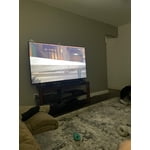
[This review was collected as part of a promotion.] Clean picture, price was great, size was perfect, brand and warranty are amazing. When I got home and I boxed my tv I was a bit nervous that it was too much but after set up and how easy it was to operate I knew it was the perfect tv.

Review from Samsung US
Helpful?3STAXRT0NDXF13883163940
Sep 16, 2021
Randall
5 out of 5 stars review

This TV is the best color and picture.

[This review was collected as part of a promotion.] I love using the streaming services. I love the picture quality. And I am pretty sure it is the best for me. If there is anything that I didn't understand that is pretty self explained in the setup and manual. I recommend this one to my friends and family

Review from Samsung US
Helpful?3STAXRT0NDXF13883163940
Jul 27, 2022
New2SmartTVs
5 out of 5 stars review

Good Smart TV

[This review was collected as part of a promotion.] Review for basic/standard tv user, after several months of use (Just upgraded from old tube tv). Apps: This tv has all the basics: various apps for tv streaming (like Netflix, Disney+, Prime, etc.) Varios music/video streaming (Amazon music, YouTube, etc.), Samsung streaming, plus regular analog tv (antenna). Ease of external connections: Also tested with Wii system, dvd player, Chromecast, and sounds bar. Very easy to connect these external systems/players. Note: does not have RCA cable connection option. But a simple converter RCA to HDMI does the trick. Audio/Sound: Sound without soundbar is good enough for me. But have the soundbar as extra for others ( although it's rarely used, honestly). WiFi connectivity. I've had no issues so far. Easy to set up, and connection has been good. For reference, I have basic internet only option. Visual/Display: So far, good. No issues.

Review from Samsung US
Helpful?3STAXRT0NDXF13883163940