Skip to Main Content
Sams Club
Sams Club
Customer reviews for SAMSUNG 65" Class TU700D-Series Crystal Ultra HD 4K Smart TV UN65TU700DFXZA for
SAMSUNG 65" Class TU700D-Series Crystal Ultra HD 4K Smart TV UN65TU700DFXZA

Member photos

  • +1554 images
Sort by |
Showing 6,441-6,450 of 10,369 reviews
Oct 17, 2021
GordyLove
5 out of 5 stars review

Great TV!

[This review was collected as part of a promotion.] This TV was great like it a lot, it lasted us a long time and is still going strong. It's a really clear picture

Review from Samsung US
Helpful?3V8BU16WBLTL13878902648
Aug 23, 2022
Movies4MommaTV
4 out of 5 stars review

Love my tv

[This review was collected as part of a promotion.] I love this TV and don't really have any complaints. Sometimes it's a little slow but the picture quality is great and so is the sound.

Review from Samsung US
Helpful?3V8BU16WBLTL13878902648
Jun 17, 2022
tooclean
1 out of 5 stars review

Good picture, cheap parts

[This review was collected as part of a promotion.] TV WORKED GREAT FOR THE FIRST 2 YEARS. suddenly, picture went out. Had trouble connecting to wifi. Somehow, the parts are more expensive than a new TV. Makes absolutely no sense.

Review from Samsung US
Helpful?3V8BU16WBLTL13878902648
reply from Samsung Brand Ambassador

tooclean: We always aim to deliver a great experience, and it’s unfortunate to hear the TU7000 TV did not meet your expectations. Here are some service options: - If you have an extended warranty, you can reach out to them to have process a service request. - If you're OUT of warranty, you can find locations near you to help you with your repair. On Samsung’s website, go to ‘Support’ (top right corner) and select ‘Schedule a Service Appointment’. From there, you can search locations in the Store location option. Please give us the opportunity to assist you by contacting Samsung Customer Support. Call us at 1-800-SAMSUNG (ask for TVs), available 8AM - 12AM EST, 7 days a week. For additional support resources, visit us on the Samsung website and click on the ‘Support’ link in the upper right corner of the homepage for: 1) Chat with Us/Product Help: To begin a chat or find solutions, choose ‘TVs & Home Theater’ and select your model & topic. 2) Manuals, Software, & Warranty Info We look forward to hearing from you. ~ Samsung Advisor  

Dec 12, 2021
Kenny
5 out of 5 stars review

Picture perfect

bought this for my in laws and they love it. this is their and not last samsung product. love the smart hub and not having use external devices to stream apps

Review from Samsung US
Helpful?3V8BU16WBLTL13878902648
Oct 17, 2022
BIGSPORTSFAN
5 out of 5 stars review

Great picture

[This review was collected as part of a promotion.] I love to Watch football and Baseball on a big screen. The picture color and clarity are phenomenal. It's nice to be able to host the sports party At my house

Review from Samsung US
Helpful?3V8BU16WBLTL13878902648
Aug 23, 2022
Kenstv
4 out of 5 stars review

Its a good TV

[This review was collected as part of a promotion.] We use this TV for watching movies' and different thing but the volume I have to turned way up in order to hear it good?

Review from Samsung US
Helpful?3V8BU16WBLTL13878902648
reply from Samsung Brand Ambassador

Hi Kenstv, Thank you for sharing your experience with low volume. There are several volume features you can enable/disable/adjust to your liking. 1) Auto Volume automatically adjusts the sound to a certain level when changing channels or switching to another external input. 2) Adaptive Volume automatically adjusts to a specific volume level while watching TV. The TV analyzes your volume usage history by time period to automatically adjust the volume when you use an app or switch to an external input source. 3) Several Sound Modes are likewise available to meet your personal preferences: Home > Settings > Sound > Sound Mode Also, some sources have their own volume control, which might be set too low. Please check the volume control of the external device (cable box or satellite box, DVD, Blu-ray, etc.) connected to your TV. Also, check the cable connection between an external device and the TV and then try the cable connection again. If you need more help, Samsung is here for you. Please call us at 1-800-SAMSUNG, 8 AM - 12 AM EST, seven days a week. Our LiveChat agents are also available by clicking on the ‘Support’ link on our website. ~ Samsung Advisor

Sep 24, 2021
2Samsungtv
5 out of 5 stars review

Seamless Setup

[This review was collected as part of a promotion.] The TV was very easy to set up, which included my existing satellite remote control. The TV setup made things go so quickly. The picture is very good.

Review from Samsung US
Helpful?3V8BU16WBLTL13878902648
Jun 13, 2023
DEVILDOG
5 out of 5 stars review

Money VERY WELL spent!!!!!!

I bought this about a month ago, great picture, great sound, super easy to hook-up with my internet!!!!!! Would highly recommend and encourage people to AT the VERY least CHECK it it ou!!!!!!

Review from Samsung US
Helpful?3V8BU16WBLTL13878902648
Oct 12, 2021
PSAINME
5 out of 5 stars review

Great picture at outstanding price

[This review was collected as part of a promotion.] This 70” 4K Samsung has a brilliant picture, particularly in a low-light setting. Easy features to navigate. I did need to download a firmware upgrade to get the HDR picture with my Apple TV 4K.

Review from Samsung US
Helpful?3V8BU16WBLTL13878902648
May 16, 2022
Fatchris1989
4 out of 5 stars review

Great lighting, it hooks up to my Samsung phone

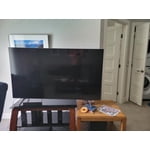
[This review was collected as part of a promotion.] This tv is great for gaming and watching movies it makes everything seem so real... The only downside to this tv is it has a dark spot on the top left corner

Review from Samsung US
Helpful?3V8BU16WBLTL13878902648