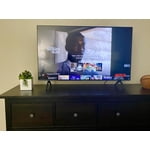
Customer reviews for SAMSUNG 65" Class TU700D-Series Crystal Ultra HD 4K Smart TV UN65TU700DFXZA for
Member photos








 +1564 images
Works basically OK but is too dark
[This review was collected as part of a promotion.] Pros: Worked right out of the box, ARC works well.Cons: Really, really too dark and there is periodic blankingI was happy when I plugged it in for the first time and put it up. I did set it up at night, unfortunately, so I didn't notice that it's basically unusable for detailed dark images when there's a window open, even if the light is indirect. I wish there was more of a brightness range. The machine control between my receiver, AppleTV, and Playstation 4 pro works really well. There is periodic blanking, but I can't quite tell if it's because of the TV or another part of my setup.
jaygo: Thank you for purchasing the Samsung TU7000 and for your review. I am very sorry you are viewing scenes that appear too dark. A new firmware update has been released to address this issue. You may also need to manually reboot your TV after the update by either unplugging the AC cord or by pressing and holding the power button on the remote until the TV powers off and back on. Using your TV's remote, navigate to Settings, and select Support. Select Software Update, and then select Update Now. New updates will be downloaded and installed on your TV. Updates usually take a few minutes; please do not turn off the TV until the update is complete. When the update is finished, the TV will restart automatically. You may want to enable automatic updates for convenience. Select Settings > Support > Software Update, then select Auto Update. If you need further assistance or have any questions, please contact Samsung Customer Support. 1-800-SAMSUNG (available 8AM -12AM EST, 7 days a week) Or visit us on the Samsung website and click on the ‘Support’ link in the upper right corner of the homepage for: 1) Contact Us Options (LiveChat, Remote Support, Facebook, Twitter) 2) Product Support 3) Manuals and Downloads 4) Warranty Info 5) Product Registration: Registering your product gives you access to easy warranty support, convenient opt-in to special promos and offers, faster troubleshooting and service, and quick notification of system updates 6) Samsung Community: A great resource for getting help from Samsung moderators and customers and more 7) …and more product, repair, order, and care options ~ Samsung Solutions
Great picture and size!
[This review was collected as part of a promotion.] Really like this tv and it's the perfect size for a bedroom or living room! Having a smart tv really makes it awesome for hooking up to your favorite apps for shows! We mostly watch movies and apps but occasionally this tv is used for Xbox too. Awesome experience with a clear screen for gaming. Overall easy set up and upkeep! we have it hooked to an external speaker set up for max sound experience but it had good sound before we even did that.
See what u like
[This review was collected as part of a promotion.] It's been a massive experience by watching tv, playing and watching games and connect tv with mobile and USB's. Excellent crystal clear picture experiencing. I love to have this Samsung tv. Enjoying day and night playing games on 4kHD picture quality.
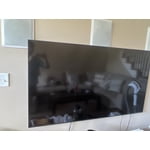
Great family TV
[This review was collected as part of a promotion.] My wife picked out a great TV for the kids game room. The bang for your buck is worth every penny. Not too fancy and not too complicated with a screen that is almost theatre quality. The impressive Samsung TU7000 Crystal UHD TV 65" wowed me right out of the box. The size is perfect for the kids and room size. Set up was a breeze, we are considering mounting the television when we get the chance and it looks super easy to do. There are an adequate amount for any connection you may need. Turn on was nice and the instructions walked me through set up of all the parental controls for anything the kids may stream and added all the accounts seamlessly on the Wi-Fi. The remote is easy and simple with everything well labeled and laid out. The clarity and sharpness are nice and the colors are deeply rich. My son and I love gaming on the TV, it makes everything life size, like your in the game. The girls colorful cartoon movies are bold and bright with every color of the rainbow visible. I even sneak up there after a long hard day and watch a good horror or action movie. The blacks are visible and the motion rate is superb. All the connections were simple and the television recognized each device that it connected to . I can definitely recommend this Samsung TV with its smart capabilities and all the apps and streaming service I can connect to, there is always something to watch and enjoy on this big beautiful tv.

Excellent product from Samsung
[This review was collected as part of a promotion.] Love this TV, great price, could not believe how easy the television was to set up and all the free channels that comes with it! Love that I can mirror from my I-Pad and other Apple devices seamlessly and without issue. The picture quality is fantastic and the NIC is performs well enough to have zero lag when streaming 4K. I am not one for using my phone as a remote control, but that is a wicked option as well. I have tried a few different brands and Samsung makes it exceedingly difficult to stray. Samsung genuinely surprised me, and I will be a loyal customer from now on! his TV is an excellent value for the price; you will not be sorry.
Awesome Picture!
[This review was collected as part of a promotion.] This is the second Samsung TV that I have purchased in the past year. This was to replace a older TV. The picture quality is fantastic and it was easy to set up and start watching. I will buy another Samsung TV when the time comes.
So Disappointed TV
[This review was collected as part of a promotion.] Picture is very good except if there is a nocturnal scene or if the scene is in a dark place. Then you cannot see the actors clearly. We have lighten and brighten the screen as much as possible but it is still too dark. I do NOT recommend this tv.
Hi there, We are sorry to hear that you are not satisfied with your TU700D TVs image quality. Please know we are here to help you and have a few tips that can solve your image quality issues. If the colors on your TV are correct but just a little too dark or bright, you can try adjusting Picture Modes, Contrast, Brightness, or Sharpness settings. Dynamic Picture Mode will make pictures brighter and clearer in bright viewing environments. To adjust it go to Settings > Picture > Picture Mode > Dynamic Or manually adjust the Brightness, Contrast, and more. Press the HOME button on your remote, then navigate to Settings > Picture > Expert Settings You may also want to disable Power Saving Mode, which automatically adjusts the brightness to reduce the TV’s power consumption. Go to Settings > General > Eco Solution> Power Saving Mode. Ambient Light Detection will also automatically adjust the brightness level of the TV according to the ambient light level to reduce power consumption. If Ambient Light Detection has adjusted the screen brightness to a too bright or dark level, you can select Minimum Brightness to manually adjust the minimum screen brightness. Go to: Settings > General > Eco Solution > Ambient Light Detection. Please also be sure you are running the latest firmware. You can check to see what software version your TV is using and if there is an available update through the settings on your TV: Settings > Support > Software Update. I hope this helps to improve your picture. Should you need further assistance, please get in touch with us at 1-800-SAMSUNG, 8 AM - 12 AM EST, seven days a week. Or visit us on the Samsung website and click on the ‘Support’ link for: 1) LiveChat with an agent 2) Manuals, Software, & Warranty Info ~ Samsung Advisor
The Smartest And Easiest Tv
[This review was collected as part of a promotion.] This TV is the easiest and most user friendly that I have ever owned. This TV was even easy for my mom who's not so "tech savvy " to figure out on her own. Don't tell her that though I'd get in big trouble if she heard that lol. The ability to play my photos on screen and all of my digital media makes it that much cooler not to mention the picture itself is clear and so vibrant. Gaming is easily hooked up and the remote control is self explained with everything clearly displayed. All around awesome! It recognizes my Amazon Alexa and my Google home. It rocks!
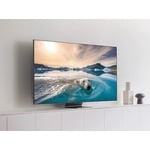
Hopefully 3rd one is the charm!
[This review was collected as part of a promotion.] I'm on my third one. The first one died on day one, returned it for another which lasted 6 months, failed and now on my third. Hopefully this one will last. It has a beautiful picture and I love all the features.

Hi Madmasther, We appreciate all of your patience while having to wait on your new TV. We are happy to hear that you are enjoying the Crystal Processor 4K, which transforms everything you watch into 4K. If you should have any questions or concerns with usage, features, or how to best optimize your settings, Samsung Customer Support is here to help. Call us at 1-800-SAMSUNG, 8 AM - 12 AM EST, seven days a week. Our LiveChat agents are also available by clicking on the ‘Support’ link on our website. ~ Samsung Advisor
great quality at a great price
[This review was collected as part of a promotion.] I have an older 36" Samsung (2006 Touch Of Red model) I wanted to replace. Not because it didn't work but because I wanted a new modern smart TV Samsung builds TV's to last, 16 years is a long time for a TV hold up and keep working Anyway A few weeks ago I purchased a 43 inch Tu7000 for the bedroom. I was seeking a thin modern affordable TV with a great picture This was the ultimate choice! I also find this model has decent internal sound, without a soundbar but of course you can always add one which I'll do soon to watch my music videos. .