Skip to Main Content
Sam's Club
Sam's Club
Customer reviews for SAMSUNG 65" Class TU700D-Series Crystal Ultra HD 4K Smart TV UN65TU700DFXZA for
SAMSUNG 65" Class TU700D-Series Crystal Ultra HD 4K Smart TV UN65TU700DFXZA

Member photos

  • +1560 images
Sort by |
Showing 3,781-3,790 of 10,370 reviews
Aug 23, 2022
TheBest
5 out of 5 stars review

Great purchase at an affordable price

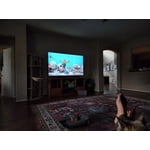
[This review was collected as part of a promotion.] This is our living room tv. Sound quality is great that we did not even need soundbar. We haven't had any issues so far. Best part is that it supports apple play and android casting. Can't ask for more!

Review from Samsung US
Helpful?3V8BU16WBLTL13878902648
Oct 24, 2022
Chiefsfan
5 out of 5 stars review

Amazing Picture

[This review was collected as part of a promotion.] Our TV is used for hours every day for entertainment and education purposes. This television has a crisp picture that puts the other TV's in our home to shame. We have found no negatives for this product.

Review from Samsung US
Helpful?3V8BU16WBLTL13878902648
Sep 16, 2020
507pete
5 out of 5 stars review

Excellent picture quality at a Great price!

[This review was collected as part of a promotion.] I purchased my 58" Samsung UHD TV to replace a 15 year old Panasonic Plasma. The picture quality is outstanding and price cna't be beat! The slim sleek style of the TV is a nice change from the old bulky think that once hung there.

Review from Samsung US
Helpful?3V8BU16WBLTL13878902648
Mar 19, 2022
Smiles
3 out of 5 stars review

Sound goes in and out!!!

i gave this t.v a 3 star rating because i've only had the t.v a little under 2 years and the sound goes in and out. im disappointed because i read the reviews and seen others said the same thing. the picture is great but the sound doesn't last with this brand.

Review from Samsung US
Helpful?3V8BU16WBLTL13878902648
reply from Samsung Brand Ambassador

Smiles: Thank you for purchasing the Samsung TU7000 TV. We appreciate you sharing feedback regarding the sound issues you are experiencing. It could possibly a source issue, but if you are hearing an audio delay across all sources/channels and you have a Home Theatre System or other speakers connected to your TV, you can access the Audio Delay settings to increase the audio delay. Go to: Settings > Sound > Expert Settings > Digital Output Audio Delay Please know that our 2020 TVs do have an audio Pass-Through feature. This feature allows the audio signal to be sent out unprocessed to an external Soundbar or receiver connected to the TV. The external Soundbar or receiver then processes the audio, thereby eliminating the added step of processing by the TV, which adds delay. On your TV go to: Settings > Sound > Expert Settings > Digital Audio Output Format > Pass-Through If you have tried this and your issue persists, please reach out to Samsung Customer Support so that we can provide further troubleshooting. Call us at 1-800-SAMSUNG (ask for TVs), available 8AM - 12AM EST, 7 days a week. For additional support resources, visit us on the Samsung website and click on the ‘Support’ link in the upper right corner of the homepage for: 1) Chat with Us/Product Help: To begin a chat or find solutions, choose ‘TVs & Home Theater’ and select your model & topic. 2) Manuals, Software, & Warranty Info Thank you for choosing Samsung, we hope to hear from you. - Samsung Advisor

Jun 16, 2022
SavvyShopper
5 out of 5 stars review

Great clarity and simple to use

[This review was collected as part of a promotion.] This Tv has amazing quality picture and easily connects to internet. Having the phone mirror effect and also being able to watch Apple TV content without the Apple TV device is a plus in savings. I highly recommend this TV to all. Price point is also a plus. You can't go wrong with Samsung.

Review from Samsung US
Helpful?3V8BU16WBLTL13878902648
Dec 14, 2020
ShaqsThirdFoot
4 out of 5 stars review

Having Issues Watching Live Sports

overall i am pleased with this tv. my only issue is the image quality when i am watching live sports. honestly - i can't watch live sports because every player is pixelated like a 1992 madden character on the original nintendo system. aside from this - no issues - but if you watch sports expect a learning curve to figure out a solution because i haven't found one.

Review from Samsung US
Helpful?3V8BU16WBLTL13878902648
Sep 13, 2021
vick
4 out of 5 stars review

Best when you own a Samsung phone

[This review was collected as part of a promotion.] The best features I like are the Dex funtionality and tap to connect your phone. It also has more app selection then what I had on the previous LG tv. Screen clarity is good. Sound is okay, I always use a soundbar instead. The only thing I don't like is that it gets a bit laggy sometimes when going through some settings functions

Review from Samsung US
Helpful?3V8BU16WBLTL13878902648
Oct 11, 2021
Jdoz1209
5 out of 5 stars review

Great picture quality.

[This review was collected as part of a promotion.] Several good things about the TV. The setup was super easy. Light weight. No problem moving it where we wanted. For a screen this size the picture quality and clarity are excellent. Even better than the series 8 65" we replaced. Don't do much gaming but a lot of streaming. There are so many apps set on the home app bar that can't be removed or even reordered. Makes for a crowded group of home apps. But overall a great TV.

Review from Samsung US
Helpful?3V8BU16WBLTL13878902648
Oct 21, 2020
Ryan
2 out of 5 stars review

Has trouble with internet

[This review was collected as part of a promotion.] I have had no issues other than it has trouble staying connected to wifi. I constantly have to restart my router and TV and re-enter my wifi password. I know it isn't my internet because other devices are just fine. If this issue was resolved the TV would be 4.5/5 stars for me.

Review from Samsung US
Helpful?3V8BU16WBLTL13878902648
reply from OBA

Ryan: Thank you for purchasing the TU7000 TV and for your review. I am very sorry that you are experiencing Wi-Fi connection issues. You may want to go through these steps to check your network connection: 1) Check the distance between the TV and your modem or access point. The distance should not exceed 50 ft. (15.2 m). 2) Minimize interference by not using or turning off wireless devices. Also, verify that there are no obstacles between the TV and the modem or access point. (WiFi strength can be decreased by appliances, cordless phones, stone walls/fireplaces, etc.) 3) Perform a network test to check if there is a network problem. Press the Home button on your remote. Navigate to Settings >Support> Device Care> Self Diagnosis> Smart Hub Connection Test 4) Please be sure you have the latest firmware update which enhances network connectivity. For further assistance or service, please contact us via any of the following options: 1-800-SAMSUNG (available 8AM -12AM EST, 7 days a week) Or visit us on the Samsung website and click on the ‘Support’ link in the upper right corner of the homepage for: 1) Contact Us Options (LiveChat, Remote Support, Facebook, Twitter) 2) Product Support 3) Manuals and Downloads 4) Warranty Info 5) Product Registration: Registering your product gives you access to easy warranty support, convenient opt-in to special promos and offers, faster troubleshooting and service, and quick notification of system updates 6) Samsung Community: A great resource for getting help from Samsung moderators and customers and more 7) …and more product, repair, order, and care options ~ Samsung Solutions

Sep 6, 2021
SamsungBuddy
5 out of 5 stars review

Excellent TV

[This review was collected as part of a promotion.] I use it mainly for streaming and it's smart features are amazing. I don't need to buy a steaming box and the built-in smart features are great. It goes very well with my Samsung phone and screen mirroring and other stuff is great on this TV. It is absolutely great for gaming and it comes optimized for Gaming. Love this TV.

Review from Samsung US
Helpful?3V8BU16WBLTL13878902648