Skip to Main Content
Sam's Club
Sam's Club
Customer reviews for SAMSUNG 75" Class DU7200 Series 4K Smart TV for
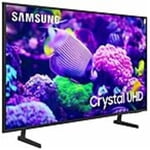
SAMSUNG 75" Class DU7200 Series 4K Smart TV
4.3 out of 5 stars
stars1,119 ratings1,016 reviews
  1. 5 stars62% (692)
  2. 4 stars19% (214)
  3. 3 stars9% (97)
  4. 2 stars5% (54)
  5. 1 star6% (62)

Member photos

  • +169 images
Sort by |
Showing 921-930 of 1,016 reviews
Apr 19, 2025
Mell
5 out of 5 stars review

Love everything about it

I bought this two weeks ago I love all the features you can find everything so easy

Review from Samsung US
Helpful?5FRN1844BKE813872250918
Mar 5, 2025
gary
4 out of 5 stars review

okay

I bought the tv not knowing it didn't have a hook up for sound bar.

Review from Samsung US
Helpful?5FRN1844BKE813872250918
Feb 15, 2025
AZ_Ronski
5 out of 5 stars review

Great picture!

TV looks awesome and has so many nice features! The remote is very user freindly.

Review from Samsung US
Helpful?5FRN1844BKE813872250918
Apr 19, 2025
Meman
5 out of 5 stars review

Samsung tv plus is a plus

Great tv love the microphone on the remote and it's chargeable

Review from Samsung US
Helpful?5FRN1844BKE813872250918
Mar 7, 2025
Rick
5 out of 5 stars review

Great Buy

Works great color and a nice picture and easy set-up

Review from Samsung US
Helpful?5FRN1844BKE813872250918
Feb 20, 2025
Happy Family
5 out of 5 stars review

Great Product

I have purchased many Samsung products and they all lived up to my expectations.

Review from Samsung US
Helpful?5FRN1844BKE813872250918
Feb 20, 2025
tv man
3 out of 5 stars review

have to reset once or twice a week

I love the tv except for the fact i need to unplug once or twice a week to reset it.

Review from Samsung US
Helpful?5FRN1844BKE813872250918
reply from Samsung Advisor

Hi tv man, I'm sorry your TV is experiencing issues that require a reset. Please try the below troubleshooting steps to resolve any performance issues. First, let's ensure you are running the latest Firmware. Go to Settings> Support> Software Update. I recommend enabling auto-updates to ensure you do not miss any Firmware Updates. Go to Settings> Support> Software Update> then select Auto Update. Next, let's try running a cold boot on your TV. To do so, hold down the Power button on the Samsung TV remote until the TV turns off and then on again. This should take about 5 seconds. I hope these tips help resolve your concerns. If you need more help, Samsung is here for you! Please call us at 1-800-SAMSUNG, 8 AM - 12 AM EST, seven days a week. Our LiveChat agents are also available by clicking on the ‘Support’ link on our website. ~ Samsung Advisor

Feb 5, 2025
Like it
5 out of 5 stars review

Great TV

nice crystal clear picture. nice sound as well. like it.

Review from Samsung US
Helpful?5FRN1844BKE813872250918
Apr 19, 2025
Slinkee1107
5 out of 5 stars review

Great purchase

Best tv I've ever owned! The picture is much better than the TV it replaced

Review from Samsung US
Helpful?5FRN1844BKE813872250918
May 5, 2025
Mcombs
5 out of 5 stars review

Great picture

Bought a couple months ago and it’s been a great purchase

Review from Samsung US
Helpful?5FRN1844BKE813872250918