Skip to Main Content
Sam's Club
Sam's Club
Customer reviews for SAMSUNG 75" Class DU7200 Series 4K Smart TV for
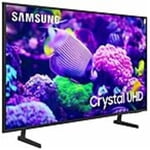
SAMSUNG 75" Class DU7200 Series 4K Smart TV
4.3 out of 5 stars
stars1,119 ratings1,016 reviews
  1. 5 stars62% (692)
  2. 4 stars19% (214)
  3. 3 stars9% (97)
  4. 2 stars5% (54)
  5. 1 star6% (62)

Member photos

  • +169 images
Sort by |
Showing 861-870 of 1,016 reviews
Feb 5, 2025
Michael
5 out of 5 stars review

Great Samsung Television

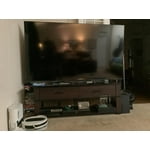
Great picture! Nice huge size. Mounted to wall on stand.

Review from Samsung US
Helpful?5FRN1844BKE813872250918
May 5, 2025
Madfolk
5 out of 5 stars review

Great purchase

Always a great purchase! Our 5th Samsung TV. Will never buy a different kind.

Review from Samsung US
Helpful?5FRN1844BKE813872250918
May 21, 2025
Jorgerbb
5 out of 5 stars review

Great love it

👌👌👌 👌👌👌👌👌👌👌👌👌👌👌👌👌👌👌👌👌👌👌👌👌👌👌👌👌👌perfect

Review from Samsung US
Helpful?5FRN1844BKE813872250918
May 5, 2025
miked706
5 out of 5 stars review

Beautiful picture

Bought this tv for my wife office and she truly loves it.

Review from Samsung US
Helpful?5FRN1844BKE813872250918
Feb 20, 2025
Dule
3 out of 5 stars review

No good tv

I bought tv around Christmas time. Picture are not that clear.

Review from Samsung US
Helpful?5FRN1844BKE813872250918
reply from Samsung Advisor

Hi Dule, Thank you for sharing your thoughts on your DU7200 TV’s image quality. The TV will upscale any content sent to it as best as possible. The closer your content is to 4K, the better the image will look on the screen. Here are some tips to help improve picture clarity: 1) HDMI cables are recommended for optimal HD viewing. 2) If you have an analog cable box or satellite box, upgrade to a digital cable box or satellite box. 3) Change the output resolution of your devices, such as digital broadcast receivers, IPTV, and set-top boxes, to UHD or HD. 4) You can further adjust your sharpness, brightness, contrast, color, and more by going to Settings > All Settings> Picture > Expert Settings 5) Choose a Picture Mode by going to Settings > All Settings> Picture > Picture Mode and choose from Dynamic, Standard, Natural, Movie, or Filmmaker Mode. 6) For optimal motion image performance, you may want to adjust the picture clarity setting by going to Settings > All Settings> Picture > Expert Settings > Picture Clarity Settings. Should you ever have questions or need help with TV features, specs, or operations, we are here to help. You can call us at 1-800-SAMSUNG, 8 AM - 12 AM EST, seven days a week. Our LiveChat agents are also available by clicking on the ‘Support’ link on our website. ~ Samsung Advisor

Apr 23, 2025
davidson
5 out of 5 stars review

lots of good features

picture is very clear and crisp. good sound . easy to set up and navigate.

Review from Samsung US
Helpful?5FRN1844BKE813872250918
Feb 5, 2025
Terita
5 out of 5 stars review

Beautiful crisp picture

We bought this TV exactly a month ago, and we are loving it!

Review from Samsung US
Helpful?5FRN1844BKE813872250918
Mar 5, 2025
Patti
2 out of 5 stars review

Disappointed

Hate that the remote is not voice! Called and not available on this model.

Review from Samsung US
Helpful?5FRN1844BKE813872250918
reply from Samsung Advisor

Hi Patti, We appreciate your purchase and are sorry for any confusion regarding voice assistants. You are correct, the DU7200 does not have voice assistants built in. However, they do work with Alexa. You can connect them to your existing Alexa device to ask them to turn on your TV, change channels, control volume, and more. Our DU8000 TV Series and above offer voice command and built-in voice assistants. If you need assistance connecting your external Alexa device or if there’s anything we can ever help with, please call us at 1-800-SAMSUNG, 8 AM - 12 AM EST, seven days a week. Or visit us on the Samsung website and click on the ‘Support’ link for: 1) LiveChat 2) Manuals, Software, & Warranty Info ~ Samsung Advisor

Feb 20, 2025
jojo
5 out of 5 stars review

Smart TV

We absolutely love it! We recommend this product to everyone. Thank you Sam’s club!

Review from Samsung US
Helpful?5FRN1844BKE813872250918
May 20, 2025
Shopper
5 out of 5 stars review

Great Television

Easy to set up. Quality picture. Easy to navigate.

Review from Samsung US
Helpful?5FRN1844BKE813872250918