Skip to Main Content
Sam's Club
Sam's Club
Customer reviews for SAMSUNG 75" Class DU7200 Series 4K Smart TV for
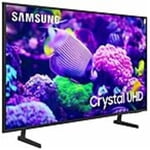
SAMSUNG 75" Class DU7200 Series 4K Smart TV
4.3 out of 5 stars
stars1,119 ratings1,016 reviews
  1. 5 stars62% (692)
  2. 4 stars19% (214)
  3. 3 stars9% (97)
  4. 2 stars5% (54)
  5. 1 star6% (62)

Member photos

  • +169 images
Sort by |
Showing 561-570 of 1,016 reviews
Aug 5, 2024
Vamp1976
5 out of 5 stars review

Clarity overall

[This review was collected as part of a promotion.] The picture is so clear. Its lime im with the people in person.

Review from Samsung US
Helpful?5FRN1844BKE813872250918
Apr 21, 2024
Love2part
5 out of 5 stars review

Wild tv awesome

[This review was collected as part of a promotion.] This television is the best television that I have ever seen and used. Thank you, Samsung.

Review from Samsung US
Helpful?5FRN1844BKE813872250918
May 31, 2024
Allie1973
5 out of 5 stars review

Easy simple setup

[This review was collected as part of a promotion.] Easiest set up I’ve ever had. Beautiful colors. Extremely powerful sound

Review from Samsung US
Helpful?5FRN1844BKE813872250918
Nov 13, 2024
Erriinnrsh
4 out of 5 stars review

Samsung Tv

[This review was collected as part of a promotion.] Remote is small and easy to lose. Good overall! Satisfied

Review from Samsung US
Helpful?5FRN1844BKE813872250918
Apr 21, 2025
Bulldog
4 out of 5 stars review

Great product

I have had this TV for about a month and I have enjoyed the product. I have recommended it to others who have bought 1 for themselves.

Review from Samsung US
Helpful?5FRN1844BKE813872250918
Feb 7, 2025
Miggret
5 out of 5 stars review

No paramount plus

Everything is great I just wish I had checked and found out I cannot get paramount plus app on this samsung

Review from Samsung US
Helpful?5FRN1844BKE813872250918
reply from Samsung Advisor

Hi Miggret, Please know that Paramount+ is available on the DU7200 TV. Go to Home> Left Cursor> Search Bar> Type in Paramount Plus and search. If you continue to have issues, please reach out to us at 1-800-SAMSUNG, 8 AM - 12 AM EST, seven days a week. Or visit us on the Samsung website and click on the ‘Support’ link for: 1) LiveChat 2) Manuals, Software, & Warranty Info ~ Samsung Advisor

Feb 20, 2025
TOM A
5 out of 5 stars review

LIKE/UNLIKE RELATIONSHIP

WAS OVER THE MOON WITH THE TV UNTIL DISCOVERED THE DIGITAL AUDIO OPTICAL PORT WAS MISSING UNLIKE MY PREVIOUS 8-YEAR-OLD SAMSUNG TV.

Review from Samsung US
Helpful?5FRN1844BKE813872250918
Apr 19, 2025
Busy lady
5 out of 5 stars review

Great features, great tv

I bought this tv several months ago, I think it’s almost a year now, and I have no problem, I like it and it’s a good price.

Review from Samsung US
Helpful?5FRN1844BKE813872250918
May 20, 2025
AndyM
5 out of 5 stars review

Great view!

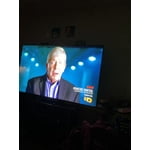
I love the picture quality and clarity. My wife and I are enjoying seeing our shows on a big screen.

Review from Samsung US
Helpful?5FRN1844BKE813872250918
Apr 20, 2025
Rail 179
3 out of 5 stars review

Good tv accept for the problem

This is my second one and it has the same problem the first one I bought in December. Turn off and after 5 to 10 seconds it turns back on.

Review from Samsung US
Helpful?5FRN1844BKE813872250918
reply from Samsung Advisor

Hi Rail 179, If your TV turns on by itself, please try these troubleshooting steps. 1. Unplug the TV from the wall outlet or surge protector and leave it unplugged for 30 seconds. 2. Check the power cord to see if there is any visible damage. 3. Plug the TV power cord back into the wall outlet. If you were using a surge protector, bypass it for now and use a wall outlet. 4. Try to update the software. In some cases, a software update can correct the problem. There is a risk, however. If the TV turns off during the software update, it could damage the TV. Updates can take up to 30 minutes, depending on network speed, so if the TV is not turning off too frequently, try updating the software. 5. Disable the Power On with Mobile option. TVs that can connect to SmartThings can be turned on using compatible devices, sometimes automatically. However, if abnormal "power on" signals are sent through the wireless network, they will trigger this function and make the TV turn on. If you do not want this function, navigate to Settings > All Settings> General > Network > Expert Settings > Power On with Mobile, and turn the setting off. If the TV continues to turn on by itself continuously, please contact our Samsung Customer Support at 1-800-SAMSUNG, 8 AM - 12 AM EST, seven days a week. Our LiveChat agents are also available by clicking on the ‘Support’ link on our website. ~ Samsung Advisor