Skip to Main Content
Sam's Club
Sam's Club
Customer reviews for SAMSUNG 75" Class DU7200 Series 4K Smart TV for
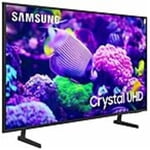
SAMSUNG 75" Class DU7200 Series 4K Smart TV
4.3 out of 5 stars
stars1,119 ratings1,016 reviews
  1. 5 stars62% (692)
  2. 4 stars19% (214)
  3. 3 stars9% (97)
  4. 2 stars5% (54)
  5. 1 star6% (62)

Member photos

  • +169 images
Sort by |
Showing 1,001-1,010 of 1,016 reviews
Feb 20, 2025
Jerry
5 out of 5 stars review

Great features

Very happy with the picture quality and ease of use

Review from Samsung US
Helpful?5FRN1844BKE813872250918
May 5, 2025
Chris
4 out of 5 stars review

Gaskets

Quick and easy fix. Anyone can do it. Horribly overpriced.

Review from Samsung US
Helpful?5FRN1844BKE813872250918
May 5, 2025
Muskyboy
5 out of 5 stars review

Great picture quality and features

A great television with lots of functionality that I am enjoying very much

Review from Samsung US
Helpful?5FRN1844BKE813872250918
Feb 5, 2025
liz55
1 out of 5 stars review

Samsung tv

Returned my Samsung tv. Hate the Samsung remotes. Please make them chunkier and easy to open.

Review from Samsung US
Helpful?5FRN1844BKE813872250918
reply from Samsung Advisor

Hi liz55, We appreciate your feedback and are sorry that you were unhappy with the Samsung DU7200 TV remote. Should you ever decide to give Samsung TVs another try and have questions or need help with settings, setup, or features, we would be happy to help. Call us at 1-800-SAMSUNG, 8 AM – 12 AM EST, seven days a week. LiveChat with an agent, as well as manuals, software, and warranty info, can be found at the ‘Support’ link on our Samsung website. ~Samsung Advisor

Apr 20, 2025
Kylee
1 out of 5 stars review

Never again

Terrible. Haven’t even had it for a year yet and I have all rainbow lines going down the screen.

Review from Samsung US
Helpful?5FRN1844BKE813872250918
reply from Samsung Advisor

Hi Kylee, We appreciate you taking the time to let us know about your experience with your TV. So that we can better troubleshoot this issue and provide steps towards a solution, please contact Samsung Support at 1-800-SAMSUNG, 8AM - 12AM EST, 7 days a week. Or visit us on the Samsung website and click on the ‘Support’ link for: • LiveChat • Manuals, Software, & Warranty Info ~Samsung Advisor

Feb 20, 2025
GBNC
5 out of 5 stars review

Great Product

Great picture, amazing Chanel selection, good sound. Easy setup.

Review from Samsung US
Helpful?5FRN1844BKE813872250918
Feb 20, 2025
Cliff
5 out of 5 stars review

Impressive

In my opinion there are no better TVs than Samsung

Review from Samsung US
Helpful?5FRN1844BKE813872250918
Feb 5, 2025
Jhstarz
5 out of 5 stars review

A great buy !

I bought this set about a month ago and we are both so happy with that decision.

Review from Samsung US
Helpful?5FRN1844BKE813872250918
Feb 5, 2025
Charlie
3 out of 5 stars review

Tv remote

I am disappointed in the tv remote that comes with your product

Review from Samsung US
Helpful?5FRN1844BKE813872250918
reply from Samsung Advisor

Hi Charlie, Samsung remotes are designed to be convenient and useful, but we understand if you’d prefer to use a third-party remote, whether it’s a universal remote, a game controller, or something else! Whether you are replacing a lost remote or using an alternative remote to help reduce clutter, a third-party remote is a great option to use to control your Samsung TV. You can also learn how to use your remote directly from your TV. Just go to Home> (left directional button) Settings> Support> Remote Control Guide. If you need more help, Samsung is here for you! Please call us at 1-800-SAMSUNG, 8 AM - 12 AM EST, seven days a week. Our LiveChat agents are also available by clicking on the ‘Support’ link on our website. ~ Samsung Advisor

May 5, 2025
Phink
3 out of 5 stars review

Streaming controller tuff adjustment.

Nice tv . Buzzing in back of tv . Controller making me crazy.

Review from Samsung US
Helpful?5FRN1844BKE813872250918
reply from Samsung Advisor

Hi Phink, We appreciate your review of the DU7200 TV. To learn how to use your Samsung remote and understand the settings on your TV, please use your remote to access the remote guide. Go to Home> (left directional button) Settings> Support> Remote Control Guide. If you need more help, Samsung is here for you. Please call us at 1-800-SAMSUNG, 8 AM - 12 AM EST, seven days a week. Our LiveChat agents are also available by clicking on the ‘Support’ link on our website. ~Samsung Advisor