Skip to Main Content
Sam's Club
Sam's Club
All Departments
All Services
Customer reviews for Skylight 15" Touchscreen Calendar & Organizer + 3 Year Photo & Videos for
Skylight 15" Touchscreen Calendar & Organizer + 3 Year Photo & Videos
4.1 out of 5 stars
stars
1,956 ratings1,848 reviews
  1. 5 stars59% (1,151)
  2. 4 stars13% (250)
  3. 3 stars16% (309)
  4. 2 stars7% (131)
  5. 1 star6% (115)

Member photos

  • +48 images
Sort by |
Showing 411-420 of 1,848 reviews
Jan 8, 2024
Reviewer name: Jenae D.
3 out of 5 stars
3 out of 5 stars review

Sync and Chores

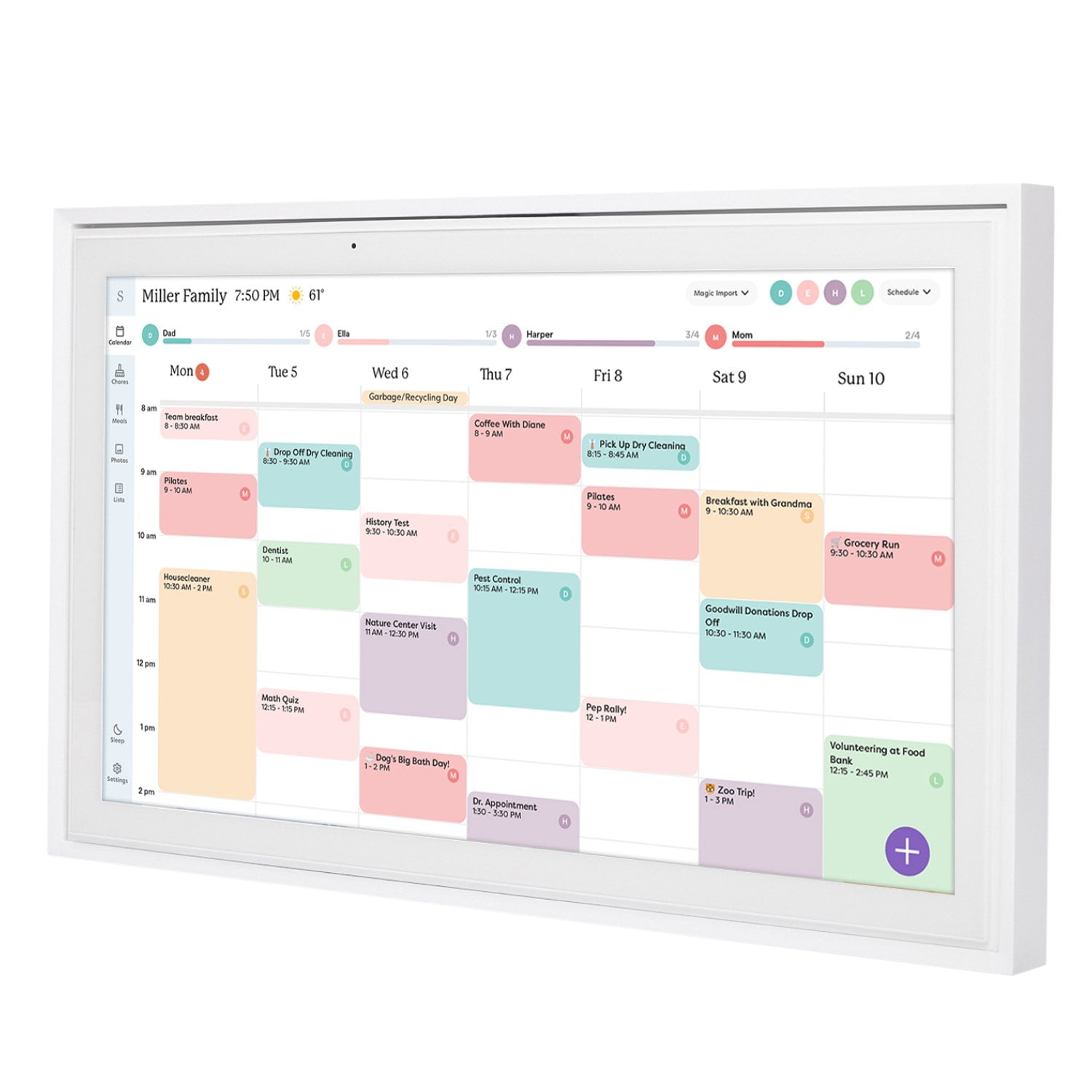
It would be great if Chores sync'd with the Apple Reminders app. I often say "Hey siri remind to xxxx" which is so helpful. Adding chores to Skylight is a bit of a . . . . Chore Also, the layout of the calendar doesn't quite equal the ability to look at a full month calendar with handwritten events. When I look a calendar I write events on, I can look ahead and see details for each important event. With Skylight you just see that there are x amount of events but you have no way of knowing if it's one you need to prepare for in advance or if it's just a minor reminder. I bought Skylight to replace a whiteboard calendar that was on our fridge and often time find that I miss having that.

Review from skylightframe.com
Helpful?2H0DCOCQ499L13867269032
Jan 9, 2024
Reviewer name: Orville W.
4 out of 5 stars
4 out of 5 stars review

Update suggestion.

I think it will help my mother, but she gets very confused by the calendar display. If she could see only one day at a time, and only the events for that day that would help. This is possible on the app, but not the calendar. She forgets toove the calendar image up or down to see the whole days events.

Review from skylightframe.com
Helpful?2H0DCOCQ499L13867269032
Feb 10, 2023
Reviewer name: Anonymous
5 out of 5 stars
5 out of 5 stars review

Our One Stop Shop

Before Skylight, I had a calendar on my phone and my husband had one on his. We shared invites but there was no way to let our kids see what was going on. Now we have everything on one calendar in our kitchen that they can interact with. We even included a chore that requires them to "check the calendar". And my husband really likes the meal planning and shopping lists.

Review from skylightframe.com
Helpful?2H0DCOCQ499L13867269032
Nov 29, 2022
Reviewer name: 4834 D.
4 out of 5 stars
4 out of 5 stars review

Good overall

Okay, Product enhancements 1. Chores on the device and app. As the customer I want to be able to modify created chores so that when I need to change the date or who it is assigned to I can. 2. As the customer I want to have a option to roll over uncompleted chores to the next day. The calendar aspect is well thought out and has been wonderful

Review from skylightframe.com
Helpful?2H0DCOCQ499L13867269032
Aug 23, 2023
Reviewer name: Kristen W.
3 out of 5 stars
3 out of 5 stars review

I want this to be great but…

Too many bugs not super reliable so far. Glitches… It's not dwnloading/synching entire calendars and I have tried mult ways mult times, it glitches to home screen when I'm trying to input… It freezes, lots of kinks- please get these ironed out bc I want it to be great

Review from skylightframe.com
Helpful?2H0DCOCQ499L13867269032
Jul 30, 2024
Reviewer name: Carolyn P.
3 out of 5 stars
3 out of 5 stars review

Great concept but few suggestions for improvement.

Wishing you could use without wifi, especially on app. Also would like to be able to import recipes instead of manually entering all ingredients and directions. Love the feature for sending email and the information automatically being put in calendar.

Review from skylightframe.com
Helpful?2H0DCOCQ499L13867269032
Oct 3, 2023
Reviewer name: Travis O.
3 out of 5 stars
3 out of 5 stars review

Good potential but falls short

The potential is definitely there and I'll probably hang on to it just to see where it goes but there are definitely design/system flaws and features that should be there but aren't. All I get back as far as feedback is we'll forward it to the design team but looking through the years of people mentioning issues, I don't think they are in a hurry to push out new feature updates. Also having to pay a premium monthly fee just to use the screensaver/slideshow function is a bit of a kick in the pants for how much you are spending for a glorified calendar.

Review from skylightframe.com
Helpful?2H0DCOCQ499L13867269032
Aug 15, 2024
Reviewer name: Kelly W.
2 out of 5 stars
2 out of 5 stars review

Nice Looking, But Underwhelming

I was so excited for this, but now fairly disappointed. For the high cost of this device, I really expected more out of the basic functions. You get a calendar, which is nice, and the ability to make a chore list and general lists. With the chore list there's nothing special about it. It was the big draw into getting this, but it just feels super basic. Give me more options to tailor it to my kiddos - sounds, face pic, background, incentivizing graphics beyond the confetti pop. You have to pay extra for meal planning, doodling, screensaver photos. The doodle and screensaver feel like a base level expectation for a device like this. It does look nice and comes with sturdy mounting options.

Review from skylightframe.com
Helpful?2H0DCOCQ499L13867269032
Aug 22, 2024
Reviewer name: Juliana K.
4 out of 5 stars
4 out of 5 stars review

Keeps us organized

We are a family of 9, and got the Skylight because the whiteboard system was not working anymore. With 3 jobs, sports, school, music, and church activities, plus other appointments to coordinate, having everyone add their own stuff via the app is huge. People can add their requests to the grocery list. Every one can know who needs to be where, when. Our family had already assigned colors to each person, so having all the “right” colors available was essential to us. There were plenty to choose from. It works great. The kids love checking off their chores. I don't get asked 17 times a day “what's for dinner?”, because it's in the meal plan on the app or on the display. I have a couple issues that I wish would be addressed. Syncing with my husband's google calendar was kind of a nightmare, and there's an extra step to sync new events between the skylight and the Google calendars. If you forget that step you can't go back and edit it. You have to delete the whole thing and do it over. I wish there was a setting to make it “always sync” with google, and I would only need to uncheck it if I didn't want to sync for whatever reason. The names/category labels are listed in alphabetical order, with no way to re-arrange them. That means my short little 7 year old's chore list is at the top because her name starts with A. It's hard for her to check off her chores. I did go in and add a colon in front of bigger kids names to move them to the top of the list, but they hate that 😂 I'd also like to be able to swap the meals around between the days, instead of having to delete and add it to a different day. Drag and move around, like a smart phone, you know? I also wish the desktop view of the calendar was available as a month or week view. It's pretty useless in my computer as just one long list of events. We would love to be able to completely ditch other calendar apps, but can't do it because looking at that view at work is just impossible. Overall very pleased with how it's working for our family and the enormous amount of things we have to keep track of.

Review from skylightframe.com
Helpful?2H0DCOCQ499L13867269032
Oct 30, 2025
Reviewer name: Hank E.
4 out of 5 stars
4 out of 5 stars review

Good product that could use some improvements.

So far so good with it. Functionality is nice, but it's not as intuitive as I would expect. You can't swipe left/right on some of the views, instead you need to click a tiny arrow; every other app in existence lets you swipe the screen. There could be improvements to the chores/tasks list. There should be a 'job jar' that awards stars when the job is picked and completed, so I can set a higher star value on less desirable chores. I would like to customize the rewards so I can give different types, or so they aren't all represented by stars. I should be able to hide details on the calendar; show the time occupied, but not the location or nature of the appointment.

Review from skylightframe.com
Helpful?2H0DCOCQ499L13867269032