Join Now
Skip to Main Content
Sam's Club
Sam's Club
All Departments
All Services
Customer reviews for Skylight 15" Touchscreen Calendar & Organizer + 3 Year Photo & Videos for
Skylight 15" Touchscreen Calendar & Organizer + 3 Year Photo & Videos
4.1 out of 5 stars
stars
1,956 ratings1,848 reviews
  1. 5 stars59% (1,151)
  2. 4 stars13% (250)
  3. 3 stars16% (309)
  4. 2 stars7% (131)
  5. 1 star6% (115)

Member photos

  • +48 images
Sort by |
Showing 311-320 of 1,848 reviews
Sep 5, 2024
Reviewer name: Amanda P.
4 out of 5 stars
4 out of 5 stars review

Amazing features and love overall, just wish WiFi connect was a bit better.

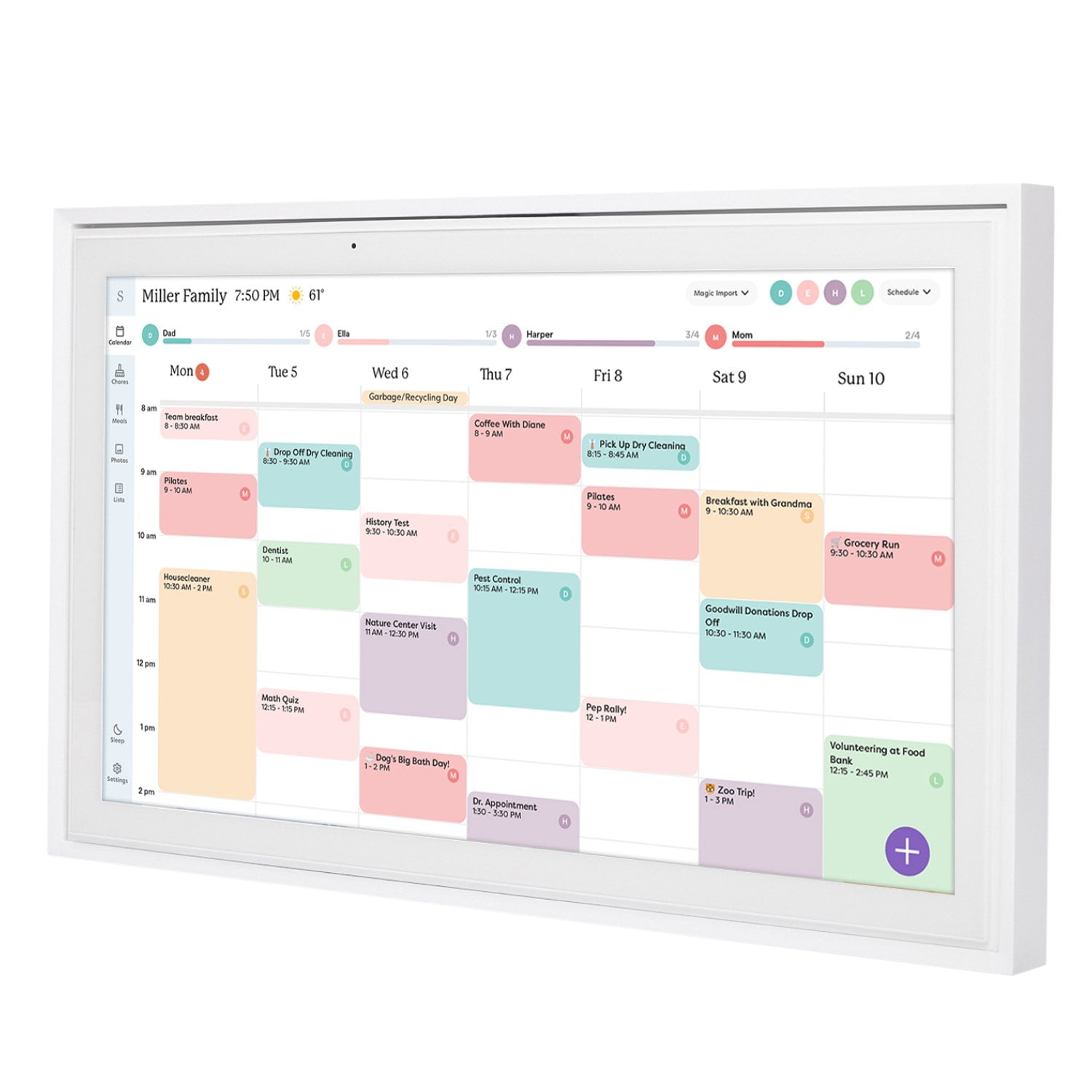
There are so many things I really love about the skylight calendar! The chores for my kids to remember their daily tasks, the calendar that syncs to my phone automatically, and color coding the meal planning. It has helped in so many ways. The only things we have had an issue with is it struggles to stay connected to our WiFi. It disconnects itself and then I have to reboot the whole calendar before it will reconnect to the internet.

Review from skylightframe.com
Helpful?2H0DCOCQ499L13867269032
Oct 11, 2025
Reviewer name: Allison H.
5 out of 5 stars
5 out of 5 stars review

Even better than expected!

The Skylight Calendar has my entire family on the same page! My kids are taking responsibility for their chores, everyone can see what's for dinner, and my husband knows what's happening when. The AI feature to plan meals is life giving taking something off my plate (pun intended) that used to really drag me down.

Review from skylightframe.com
Helpful?2H0DCOCQ499L13867269032
Aug 17, 2023
Reviewer name: Missy B.
5 out of 5 stars
5 out of 5 stars review

From Chaos to Clarity

We aren't the typical use case for the Skylight Calendar. Our family is made up of two busy adults with two dogs. My husband and I used to spend time on Sunday evenings coordinating our weekly schedules. Now, it is all on the calendar and is updated in real-time. For the first time, my husband and I are not sending urgent texts to determine if the other has plans for the other they weren't aware of. It has made life so much less chaotic.

Review from skylightframe.com
Helpful?2H0DCOCQ499L13867269032
Nov 15, 2024
Reviewer name: Melissa H.
5 out of 5 stars
5 out of 5 stars review

WHERE HAS THIS BEEN ALL MY LIFE?!

I have no idea how we managed before this calendar / frame. I have sent this link to just about everyone I know. I imagine this was how Franklin felt when he discovered electricity or Edison and the light bulb. We used to have a big white board calendar hanging in the kitchen, that is great if you are in that room. Same with the weekly menu, it was on the refrigerator. Our shopping list was on notes or by yelling at Alexa. Now everything is in one place and it has given this mom such peace. I can not say enough good things about this.

Review from skylightframe.com
Helpful?2H0DCOCQ499L13867269032
Jan 5, 2024
Reviewer name: Adam T.
4 out of 5 stars
4 out of 5 stars review

We like it.

There are a few integration issues we've found when using it with iPhone calendars. But nothing that can't be overcome. We like the features of having categories and being able to mark different categories in different colors. Similar to the way you would make separate calendars in iPhone. We've found it is better to make your categories in iPhone calendars by creating separate calendars than syncing each calendar to skylight frame. If you make them all in skylight you cannot select a category within the calendar in the iPhone calendar but have to use the app or the frame it will just go to calendar you made it in. So it would be best to make a calendar n iPhone for each kid, birthdays, and home, or whichever. Than you can sync each calendar to skylight, and you will be able to select in iPhone which calandra/category you want to add the event. Also we found if you make an even in iPhone calendar you cannot edit the even in skylight. You must delete it and remake it in skylight in order to edit, as the edit button is missing for all events created in iPhone calender. Over all it is great, could use better instructions. They are lacking greatly. We like the simplicity Again if you use the skylight app there are no issues but if you continue to add events with iPhone calendar than make sure you set it up this way in the beginning and the only problem you will have is the no edit button. Which isn't a huge issue but would like to have that fixed. You can always make your edits on the phone instead of the calendar.

Review from skylightframe.com
Helpful?2H0DCOCQ499L13867269032
Mar 27, 2023
Reviewer name: Anonymous
2 out of 5 stars
2 out of 5 stars review

Unfortunately limited in features with

Unfortunately limited in features with many desirable aspects still in beta testing. One of the main purposes of having the ability to add something from the physical calendar whisk integrate that update back to the source calendar. This is very frustrating and we've had numerous select type of event additions be correctly entered in the app but show up on erroneous dates on the physical calendar. 100% glitch as no user error. Also an annual fee to place a screensaver photo on the calendar is quite ridiculous. Many higher resolution frames, with easier apps and platforms, require no such fees and are less upfront cost. I have also had limited help in regards inquiries and support questions. For how much I paid upfront I would have expected more.

Review from skylightframe.com
Helpful?2H0DCOCQ499L13867269032
Aug 22, 2023
Reviewer name: James O.
3 out of 5 stars
3 out of 5 stars review

More as per Functionality Please

Great product and really easy to use. I think you should be able to add past events on the calendar itself, you can do it on phone app but not on the unit. Please add a sort functionality. Either in app or on the calendar. I love to add my hours to this calendar and go back and write up invoices. Would love to sort per “event” or person. Could go further and sort and share the amount of hours each chore event totals. Like my children's practices or time with friends I could see amount of hours spent. Same with the hours I track on calendar. Same with instrument practice time I schedule for my daughter on the calendar.

Review from skylightframe.com
Helpful?2H0DCOCQ499L13867269032
Feb 13, 2024
Reviewer name: Jessica H.
5 out of 5 stars
5 out of 5 stars review

Life changing

I used to toggle between all of my kids' sports apps and write down our weekly schedule on a whiteboard. At least 30 minutes every Sunday night!! After figuring out how to sync all of our different calendars, planning is a breeze. Even my 10 year old daughter scrolls through the frame to see what she's got coming up each day. We have five different calendars synced to the frame and it's so nice that each one can be color coordinated! I love this frame!!

Review from skylightframe.com
Helpful?2H0DCOCQ499L13867269032
Sep 20, 2023
Reviewer name: Kristi T.
5 out of 5 stars
5 out of 5 stars review

Awesome calendar!

We love this calendar. It took a few tries to sync our phone calendars to it, (no luck with apple calendar, but it easily synced with the google calendar that is linked to our apple phone.) I really love that we can all stay on the same page this way. I love the option to forward an email to the account and it can add an event from the email to your calendar! The grocery list is an added bonus! Can't wait to try the chores feature.

Review from skylightframe.com
Helpful?2H0DCOCQ499L13867269032
Oct 10, 2025
Reviewer name: Michael O.
5 out of 5 stars
5 out of 5 stars review

Didn't realize how much we needed this

We're both retired but with the various organizations we are involved with and 7 Grandkids playing baseball, soccer, volleyball and softball our schedule was getting hard to keep up with. Skylight has really been a blessing for us. Everything is right in front of us and easy to see who, where and when we need to be somewhere. Love having the app on our phones so we can view the calendar anytime we need to. Fantastic product.

Review from skylightframe.com
Helpful?2H0DCOCQ499L13867269032