Skip to Main Content
Sam's Club
Sam's Club
Customer reviews for SAMSUNG 65" Class DU7200 Series 4K Smart TV for
SAMSUNG 65" Class DU7200 Series 4K Smart TV
4.3 out of 5 stars
stars1,279 ratings1,091 reviews
  1. 5 stars64% (819)
  2. 4 stars18% (231)
  3. 3 stars8% (102)
  4. 2 stars5% (61)
  5. 1 star5% (66)

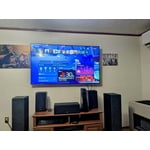
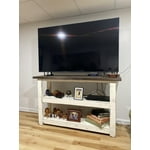
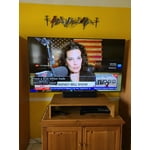
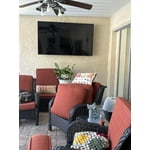
Member photos

  • +163 images
Sort by |
Showing 731-740 of 1,091 reviews
Apr 20, 2025
Luv this TV
5 out of 5 stars review

Good as advertised

We love our Samsung 43- inch Smart TV. The picture is great and its very user friendly. I highly recommend this product. Good value

Review from Samsung US
Helpful?3BX78DZ2P7VO13854766773
May 20, 2025
Rene
4 out of 5 stars review

Almost perfect

Love the TV, although sometimes the streaming lags. If I choose shows via AppleTV the problem seems to disappear. I'm not sure why that is.

Review from Samsung US
Helpful?3BX78DZ2P7VO13854766773
Feb 5, 2025
Mountainman
1 out of 5 stars review

TV sucks!

I don’t suggest buying this TV! The remote sucks! The sound is awful and the TV itself is horrible! I wish I had never bought this pile of junk!

Review from Samsung US
Helpful?3BX78DZ2P7VO13854766773
reply from Samsung Advisor

Hi Mountainman, I'm very sorry you are not satisfied with your TV. We understand there can be a learning curve when you get a new TV! This is why we have built a guide built into the TV that teaches you how to use your remote. You can learn how to use your Samsung Remote by going to Home> (left directional button) Settings> Support> Remote Control Guide. Regarding your issues with sound on the TV, there are several volume features you can adjust, which may improve your audio experience. 1) Auto Volume automatically adjusts the sound to a certain level when changing channels or switching to another external input. Go to Settings > All Settings> Sound > Expert Settings > Auto Volume. 2) Adaptive Sound automatically adjusts to a specific volume level while watching TV. The TV analyzes your volume usage history by time period to automatically adjust the volume when you use an app or switch to an external input source. Go to Settings> All Settings> Sound> Sound Mode> Adaptive Sound. 3) Several Sound Modes are likewise available to meet your personal preferences: Home > Settings > All Settings> Sound > Sound Mode. If you need more help, Samsung is here for you! Please call us at 1-800-SAMSUNG, 8 AM - 12 AM EST, seven days a week. Our LiveChat agents are also available by clicking on the ‘Support’ link on our website. ~ Samsung Advisor

Dec 23, 2024
Letsgetit
5 out of 5 stars review

Amazing picture of quality

[This review was collected as part of a promotion.] Great picture great 5stars everything. I love it,kkkkk

Review from Samsung US
Helpful?3BX78DZ2P7VO13854766773
Feb 6, 2025
Samsungno
1 out of 5 stars review

Won’t work

Tv won’t turn on after 2 weeks of use. The screen won’t work and it’s glitching and making weird noises and is now black

Review from Samsung US
Helpful?3BX78DZ2P7VO13854766773
reply from Samsung Advisor

Hi Samsungno, Thank you for reaching out to us regarding the issues you are having with your TV. If your TV has a black screen even when it's on, it's quite possible it could actually be your external device and not your TV. Please try these troubleshooting steps for your blank screen issue: 1. Press the Home button on the remote. If the menu appears, the TV is powered on but is either not on the correct source or not receiving a signal. If the menu does not appear, the TV may be having power issues. Check the red standby light, a little red light at the edge of the TV that you aim the remote at. In normal use, the red standby light is on when the TV is off (indicating the TV is on standby), and the red standby light is off when the TV is in use (or doesn't have power). 2. Confirm that the TV is set to the same source as the external device. For instance, if your cable box is connected to HDMI 1, set the TV source to HDMI 1. If the TV is set to the correct source, but there is still no image, unplug and reconnect the AV connections one cable at a time from both ends of each cable. If there's any damage to the cable, it will need to be replaced. After reconnecting the external device, please turn it off and back on. 3. Test the HDMI cable. The test is designed for HDMI cords less than 6 feet long and may not give accurate results on longer cords. To perform the test, make sure the TV's source is still on the HDMI setting for the cable you want to test, and then navigate to Settings > Support > Self Diagnosis > Signal Information > HDMI Cable Test > Start Test. If the test says the cable is bad, replace the cable. Service is not required. 4. Test different external devices. The final thing to rule out is the external device you're using. Try connecting a different device or using a different source port. If the TV can display a picture in any other setup, then you've ruled the TV out as the cause of the issue. Keep trying various setups until you identify the device or cable that is not working and troubleshoot or replace it. The TV will need service if the issue persists after these steps. Please contact us so that we can better investigate your issue and assist you with a solution or replacement. If you need more help, Samsung is here for you! Please call us at 1-800-SAMSUNG, 8 AM - 12 AM EST, seven days a week. Our LiveChat agents are also available by clicking on the ‘Support’ link on our website. ~ Samsung Advisor

Apr 19, 2025
Rona
5 out of 5 stars review

Wonderful TV!

I bought this T I bought the TV several months ago and I love it. The picture is clear and bright, and the sound the is perfect.

Review from Samsung US
Helpful?3BX78DZ2P7VO13854766773
Feb 20, 2025
Emma
5 out of 5 stars review

Amazing picture

Love all the extra channels, ease of set up and remote! The adjustable legs was the selling point, this tv is perfect!

Review from Samsung US
Helpful?3BX78DZ2P7VO13854766773
Jul 5, 2024
Harry399
4 out of 5 stars review

Great picture

[This review was collected as part of a promotion.] Great quality for picture and sounds. Vibrant and colorful .

Review from Samsung US
Helpful?3BX78DZ2P7VO13854766773
Feb 5, 2025
David C
5 out of 5 stars review

Samsung 65” OLED TV

The picture quality of my new Samsung 65” OLEDTV is amazing. Everything about this TV has exceeded my expectations, picture / sound quality etc.

Review from Samsung US
Helpful?3BX78DZ2P7VO13854766773
Apr 20, 2025
Shemc
5 out of 5 stars review

Pleased

I love having all the extra channels. It’s easy to navigate the remote & the TV. I would buy it over again.

Review from Samsung US
Helpful?3BX78DZ2P7VO13854766773