
Skip to Main Content
Sam's Club
Sam's Club
All Departments
All Services
Customer reviews for SAMSUNG 65" Class DU7200 Series 4K Smart TV for
SAMSUNG 65" Class DU7200 Series 4K Smart TV
4.3 out of 5 stars
stars
1,279 ratings1,091 reviews
  1. 5 stars64% (819)
  2. 4 stars18% (231)
  3. 3 stars8% (102)
  4. 2 stars5% (61)
  5. 1 star5% (66)

Member photos

  • +163 images
Sort by |
Showing 671-680 of 1,091 reviews
Feb 6, 2025
Reviewer name: Baby
5 out of 5 stars
5 out of 5 stars review

Great features. I set the timer for the TV.

I bought this a month ago. I am technically challenged but I was able to handle it. It is working fine.

Review from Samsung US
Helpful?3BX78DZ2P7VO13854766773
Feb 6, 2025
Reviewer name: Dave
5 out of 5 stars
5 out of 5 stars review

Easy setup

TV was very easy to setup, my sound bar just plugged in with any issues. 5 Samsung Tv's and do not plan on buying a different maker.

Review from Samsung US
Helpful?3BX78DZ2P7VO13854766773
Apr 19, 2025
Reviewer name: Tech incompatible
4 out of 5 stars
4 out of 5 stars review

Great Picture

I bought the TV nearly a month ago. The picture is terrific, but the sound and remote leave a lot to be desired.

Review from Samsung US
Helpful?3BX78DZ2P7VO13854766773
Feb 5, 2025
Reviewer name: None
2 out of 5 stars
2 out of 5 stars review

Good picture

I bought this tv a month ago and I am not very happy with it. Very low volume. Can't hear it. Cannot get all my local channels.

Review from Samsung US
Helpful?3BX78DZ2P7VO13854766773
reply from Samsung Advisor

Hi, Thank you for sharing your experience with the DU7200 TV. There are several volume features you can adjust, which may improve your audio experience. 1) Auto Volume automatically adjusts the sound to a certain level when changing channels or switching to another external input. Go to Settings > All Settings> Sound > Expert Settings > Auto Volume. 2) Adaptive Sound automatically adjusts to a specific volume level while watching TV. The TV analyzes your volume usage history by time period to automatically adjust the volume when you use an app or switch to an external input source. Go to Settings> All Settings> Sound> Sound Mode> Adaptive Sound. 3) Several Sound Modes are likewise available to meet your personal preferences: Home > Settings > All Settings> Sound > Sound Mode. Also, some sources have their own volume control, which might need to be set higher. Please check the volume control of the external device (cable box or satellite box, DVD, Blu-ray, etc.) connected to your TV. Also, check the cable connection between an external device and the TV and then try the cable connection again. If you’re not receiving all channels, first ensure that your coaxial cable is securely connected to the TV. Then, run Reset or Auto Program. • Home > Menu > Settings > All Settings > General & Privacy > Reset • Home > Menu > Settings > All Settings > Broadcasting > Auto Program I hope this helps. For further assistance, please contact Samsung Customer Support at 1-800-SAMSUNG, 8 AM - 12 AM EST, seven days a week. Or visit us on the Samsung website and click on the ‘Support’ link for: 1) LiveChat 2) Manuals, Software, & Warranty Info ~ Samsung Advisor

Feb 20, 2025
Reviewer name: Maddy
5 out of 5 stars
5 out of 5 stars review

Samsung is the best!

We only buy Samsung TV’s. The quality and price are great picture is super clear. Even our older ones still working and in great shape.

Review from Samsung US
Helpful?3BX78DZ2P7VO13854766773
Feb 20, 2025
Reviewer name: TOM A
5 out of 5 stars
5 out of 5 stars review

LIKE/UNLIKE RELATIONSHIP

WAS OVER THE MOON WITH THE TV UNTIL DISCOVERED THE DIGITAL AUDIO OPTICAL PORT WAS MISSING UNLIKE MY PREVIOUS 8-YEAR-OLD SAMSUNG TV.

Review from Samsung US
Helpful?3BX78DZ2P7VO13854766773
Feb 21, 2025
Reviewer name: FLSunshine
5 out of 5 stars
5 out of 5 stars review

Easy set up - awesome picture !

Easy set up and excellent picture. This is my 3rd Samsung over the last 15 years and, as usual, did not disappoint !

Review from Samsung US
Helpful?3BX78DZ2P7VO13854766773
Mar 5, 2025
Reviewer name: Icyhuck
5 out of 5 stars
5 out of 5 stars review

Awesome games too
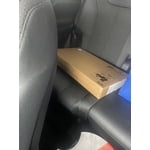
I brought my tv 2 months ago and I love it .Im a big wrestling fan so it has TNA and WWe as well as other great features

Review from Samsung US
Helpful?3BX78DZ2P7VO13854766773
Apr 20, 2025
Reviewer name: Rail 179
3 out of 5 stars
3 out of 5 stars review

Good tv accept for the problem

This is my second one and it has the same problem the first one I bought in December. Turn off and after 5 to 10 seconds it turns back on.

Review from Samsung US
Helpful?3BX78DZ2P7VO13854766773
reply from Samsung Advisor

Hi Rail 179, If your TV turns on by itself, please try these troubleshooting steps. 1. Unplug the TV from the wall outlet or surge protector and leave it unplugged for 30 seconds. 2. Check the power cord to see if there is any visible damage. 3. Plug the TV power cord back into the wall outlet. If you were using a surge protector, bypass it for now and use a wall outlet. 4. Try to update the software. In some cases, a software update can correct the problem. There is a risk, however. If the TV turns off during the software update, it could damage the TV. Updates can take up to 30 minutes, depending on network speed, so if the TV is not turning off too frequently, try updating the software. 5. Disable the Power On with Mobile option. TVs that can connect to SmartThings can be turned on using compatible devices, sometimes automatically. However, if abnormal "power on" signals are sent through the wireless network, they will trigger this function and make the TV turn on. If you do not want this function, navigate to Settings > All Settings> General > Network > Expert Settings > Power On with Mobile, and turn the setting off. If the TV continues to turn on by itself continuously, please contact our Samsung Customer Support at 1-800-SAMSUNG, 8 AM - 12 AM EST, seven days a week. Our LiveChat agents are also available by clicking on the ‘Support’ link on our website. ~ Samsung Advisor

Feb 10, 2025
Reviewer name: Anonymous
4 out of 5 stars
4 out of 5 stars review

Do not like tiny remote

The remote is too small,cant read letters. Please send larger remote like I have my other Samsung Tv.

Review from Samsung US
Helpful?3BX78DZ2P7VO13854766773






