
Skip to Main Content
Sam's Club
Sam's Club
Customer reviews for SAMSUNG 65" Class DU7200 Series 4K Smart TV for
SAMSUNG 65" Class DU7200 Series 4K Smart TV
4.3 out of 5 stars
stars1,279 ratings1,091 reviews
  1. 5 stars64% (819)
  2. 4 stars18% (231)
  3. 3 stars8% (102)
  4. 2 stars5% (61)
  5. 1 star5% (66)

Member photos

  • +163 images
Sort by |
Showing 1,081-1,090 of 1,091 reviews
Apr 20, 2025
TV watcher
5 out of 5 stars review

Crystal clear

This tv has a crystal clear resolution. Super-easy to set up also. Great value!

Review from Samsung US
Helpful?3BX78DZ2P7VO13854766773
May 5, 2025
Marsh822
5 out of 5 stars review

Great tv

I love this tv. The picture quality is perfect. Perfect size for us!

Review from Samsung US
Helpful?3BX78DZ2P7VO13854766773
Apr 19, 2025
Formula one tvplus
5 out of 5 stars review

Great features

I so happy w my tv programsi enjoy my tv experiencies

Review from Samsung US
Helpful?3BX78DZ2P7VO13854766773
Apr 19, 2025
JM4b
5 out of 5 stars review

Color and definition is great

I have owned this TV for about 3 months and so far it has been a Great product.

Review from Samsung US
Helpful?3BX78DZ2P7VO13854766773
May 21, 2025
Rich
5 out of 5 stars review

Excellent TV for and Excellent price !!

what a beautiful picture and great price ! I definitely recommend this TV.

Review from Samsung US
Helpful?3BX78DZ2P7VO13854766773
Mar 5, 2025
Jorge
4 out of 5 stars review

Living room tv

Only problem I’m having is that the TV occasionally goes back and resets

Review from Samsung US
Helpful?3BX78DZ2P7VO13854766773
Feb 5, 2025
Mary
2 out of 5 stars review

Samsung 50 inch tv
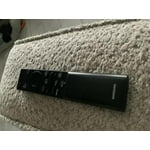
I bought this Christmas. The remote doesn’t work. My prime doesn’t work half the time.

Review from Samsung US
Helpful?3BX78DZ2P7VO13854766773
reply from Samsung Advisor

Hi Mary, Thank you for reaching out and letting us know about the issues you are experiencing with your remote. Please try the following troubleshooting steps: First, please remove the batteries from your remote, and then hold the Power button for eight seconds to reset the remote. Then, reinsert the batteries and try to use the remote again. Next, Check if the remote is sending an IR signal. Take either a digital camera or use the camera on your phone or tablet. Point the remote at the camera, and then press and hold the Power button on the remote. As you hold the button down, look at the camera's screen. If the remote is sending an IR signal, you will see a colored light coming from the remote control. If you do not see the IR light, replace the batteries with fresh ones and try again. If you still do not see the IR light, then replace the remote. If you need more help, Samsung is here for you! Please call us at 1-800-SAMSUNG, 8 AM - 12 AM EST, seven days a week. Our LiveChat agents are also available by clicking on the ‘Support’ link on our website. ~ Samsung Advisor

May 20, 2025
George M
5 out of 5 stars review

Samsung 55 TV

Very nice, clear and vibrant picture. Setup was a breeze.

Review from Samsung US
Helpful?3BX78DZ2P7VO13854766773
Mar 1, 2025
Cheryl
5 out of 5 stars review

Setup

I’ve had my new Samsung Smart TV for a month and am extremely pleased with it. Super easy setup!

Review from Samsung US
Helpful?3BX78DZ2P7VO13854766773
Feb 20, 2025
Phantom
5 out of 5 stars review

It has state of the art features,

Since I purchased this TV I am enjoying its use, it has brought me happiness.

Review from Samsung US
Helpful?3BX78DZ2P7VO13854766773






