Skip to Main Content
Sams Club
Sams Club
Customer reviews for Avery Easy Peel Address Labels w/ Sure Feed Technology, Laser Printers, White, 100 Sheets/Box for
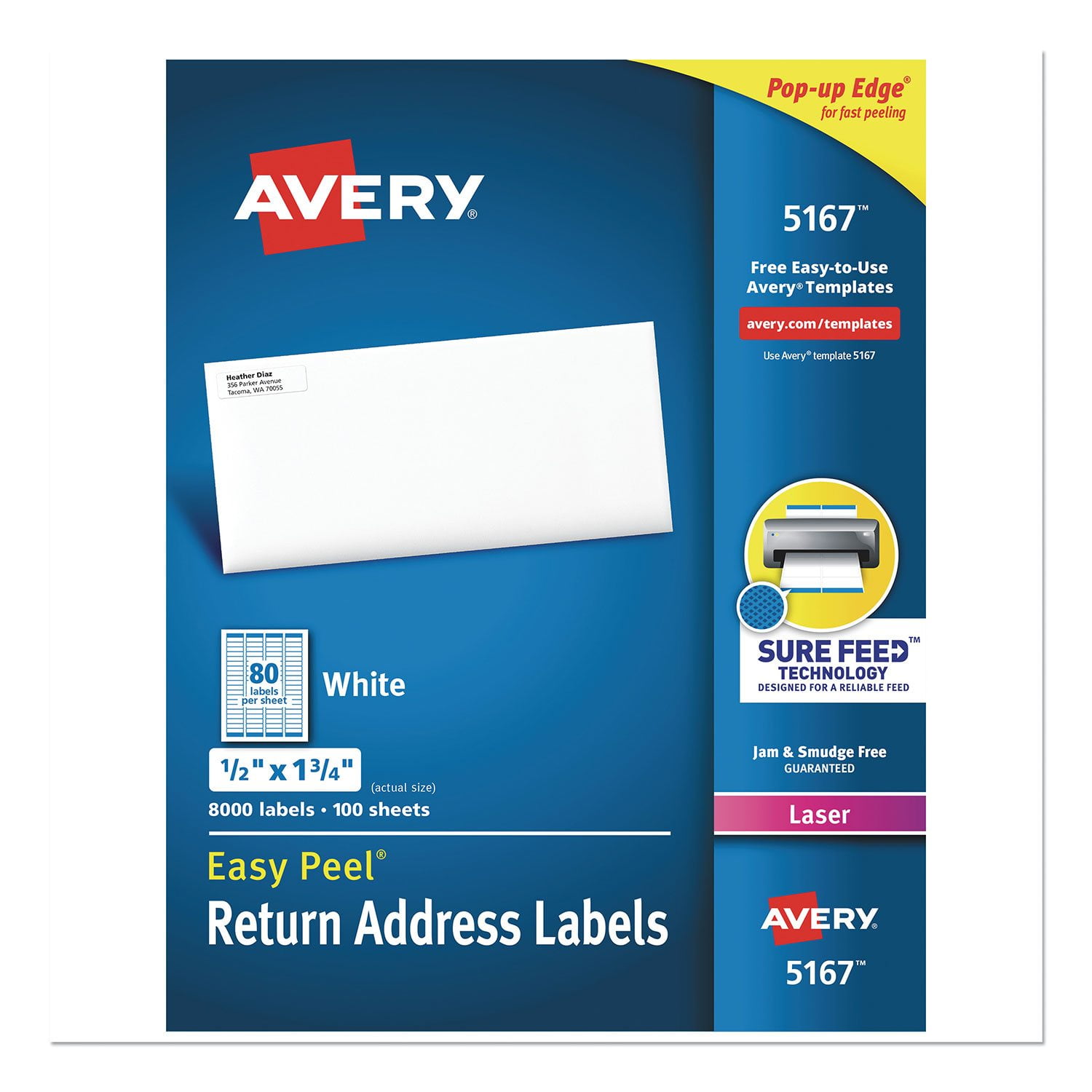
Avery Easy Peel Address Labels w/ Sure Feed Technology, Laser Printers, White, 100 Sheets/Box
4.6 out of 5 stars
stars92 ratings81 reviews
  1. 5 stars75% (69)
  2. 4 stars18% (17)
  3. 3 stars2% (2)
  4. 2 stars0% (0)
  5. 1 star4% (4)
Sort by |
Showing 21-30 of 81 reviews
Mar 21, 2013
FunnyGrandma
5 out of 5 stars review

White Mailing Labels - 1/2x1 3/4

I LOVE these labels and use them for more than just "return address" labels. I use these to label my breads when baking, cookie containers, books, DVDs, CDs and just about anything they will stick to. I recently organized my craft drawers and used these to label containers which hold smaller items. Great product!

Review from avery.com
Helpful?50AAJS1ZSXX913843966438
Mar 21, 2013
Room227
5 out of 5 stars review

Great for labeling small objects

I use these labels for return address labels at home, but I use even more of them for labeling things in my classroom. Works great for labeling those "special" pencils that disappear quickly otherwise. Pencils with names on them seem to hang around longer than those without labels.

Review from avery.com
Helpful?50AAJS1ZSXX913843966438
Jun 27, 2013
Ben808
3 out of 5 stars review

Return Mailing Address Label Too Small

This is the first time I saw such a small return address label. Actually, I bought it by mistake without looking at the size, thinking I pickup return mailing address label measuring 1 IN by 2-13/16 IN. I give it a 3 star because the prints are too small (after typesetting your return mailing address). It would have been ideal if a new return mailing address label measures between templates 5267 and 5314.

Review from avery.com
Helpful?50AAJS1ZSXX913843966438
Oct 26, 2010
LauraD
5 out of 5 stars review

DVD Labels

I am a librarian, and these labels are the perfect size to use for ownership labels on DVDs and VHS videos. I like them so much that I decided to use them as ownership labels on book covers too. They are just the right size to hold all of our address information and not cover up too much of the media. The price is right on these too. Very cost effective.

Review from avery.com
Helpful?50AAJS1ZSXX913843966438
Jun 23, 2016
Willdra
5 out of 5 stars review

These are very good labels

I have purchased several Avery products in the past, and I always get exactly what I was looking for. These labels were for a project at work, so they would be utilized quite frequently. They have held up very well, and they really look great on the file tabs.

Review from avery.com
Helpful?50AAJS1ZSXX913843966438
Oct 15, 2009
JDFatYale
5 out of 5 stars review

Best Quality with Multiple Uses

I've been a secretary either full or part time since 1979 and I love Avery's 5167 labels. They can be used for so many different things other than return addresses. I use them as divider labels, hanging folder labels, to label the backs of photographs and even labeling different equipment. They never jam up the printer if I reuse a sheet like cheaper brands do. And the Avery templates make it easy to use 1 on a sheet or all 80. You can even put a logo next to your return address if you want to. They are absolutely wonderful and even with the cutbacks going on now, the other secretaries and I insist on Avery labels.

Review from avery.com
Helpful?50AAJS1ZSXX913843966438
Dec 20, 2013
CathieDawn
5 out of 5 stars review

Easy Use Label Printing

I just would like to say how much I love Avery for not making me purchase software to use their products. It is very easy to navigate their templates and products online. The ease of use makes it a lot easier to do my job. I can put more of my time to good use on important things because of all this. Thank You Avery for being the most helpful part of my day!

Review from avery.com
Helpful?50AAJS1ZSXX913843966438
Jun 24, 2016
Heidi
4 out of 5 stars review

So many personalization options!

With the online template options, I was able to create personalized return address labels for myself (for business use), my family (for Christmas cards), and each of my children for their own personal mail. The fonts and images reflect their personalities and interests. It took a few attempts to get the scale exactly correct--but after running a test sheet on regular/scrap paper and then holding it over the blank page of sticky labels, I was able to tweak it until they lined up perfectly. My kids love to send their own correspondence with their individual labels, and sending cards from our family was fun as well. Really enjoy all the personalization options!

Review from avery.com
Helpful?50AAJS1ZSXX913843966438
Aug 11, 2021
Renae
1 out of 5 stars review

Terrible online label printing

I liked the downloadable app. When they went to the online version, one can no longer copy/paste between projects OR change the background easily. I am a graphic artist and trying to create customer labels or business cards requires a great amount of time without copy/paste features and having to download images in each file rather than a simple copy/paste. I had to send avery my file to remove backgrounds that became embedded in an uneditable background after opening files for the first time with the online version. I would just like the app back so I can not have to recreate hundreds of avery documents in Microsoft Word.

Review from avery.com
Helpful?50AAJS1ZSXX913843966438
reply from Avery Consumer Care

We are sorry to hear you had trouble using Design & Print Online. If you have a Windows computer, you can still download the retired offline program at avery.com/migrate. Sadly, the offline program is no longer compatible with Mac OS. If you need any help using Design & Print Online, you can reach out to our Care Team at avery.com/contact or call us at 800-462-8379 and we would be happy to help.

Dec 10, 2016
AnnB
1 out of 5 stars review

Why doesn't the template match the sheet?

I've been trying to print mine out, using the template for this product, but the labels print wrong. Some in the middle of the sheet are usable, but the vast majority get cut off. I stayed within the template safety, so that's not it. It's just like the template is plain wrong. I have spent a lot of money on these labels, and it was just a waste of money.

Review from avery.com
Helpful?50AAJS1ZSXX913843966438
reply from Supplier Response

We're very sorry to hear that the print misaligned for you. The template should be designed to align on the stock but, depending on the product and the printer, there may be a few adjustments you will need to make first. In the future, we would recommend printing on a blank sheet of paper first to make sure the print will line up before printing on the label sheet. Please contact us using the "Help" section at the top of our site and we should be able to give you a few options to try to troubleshoot the issue. Apologies again and hopefully we can get this resolved for you soon!