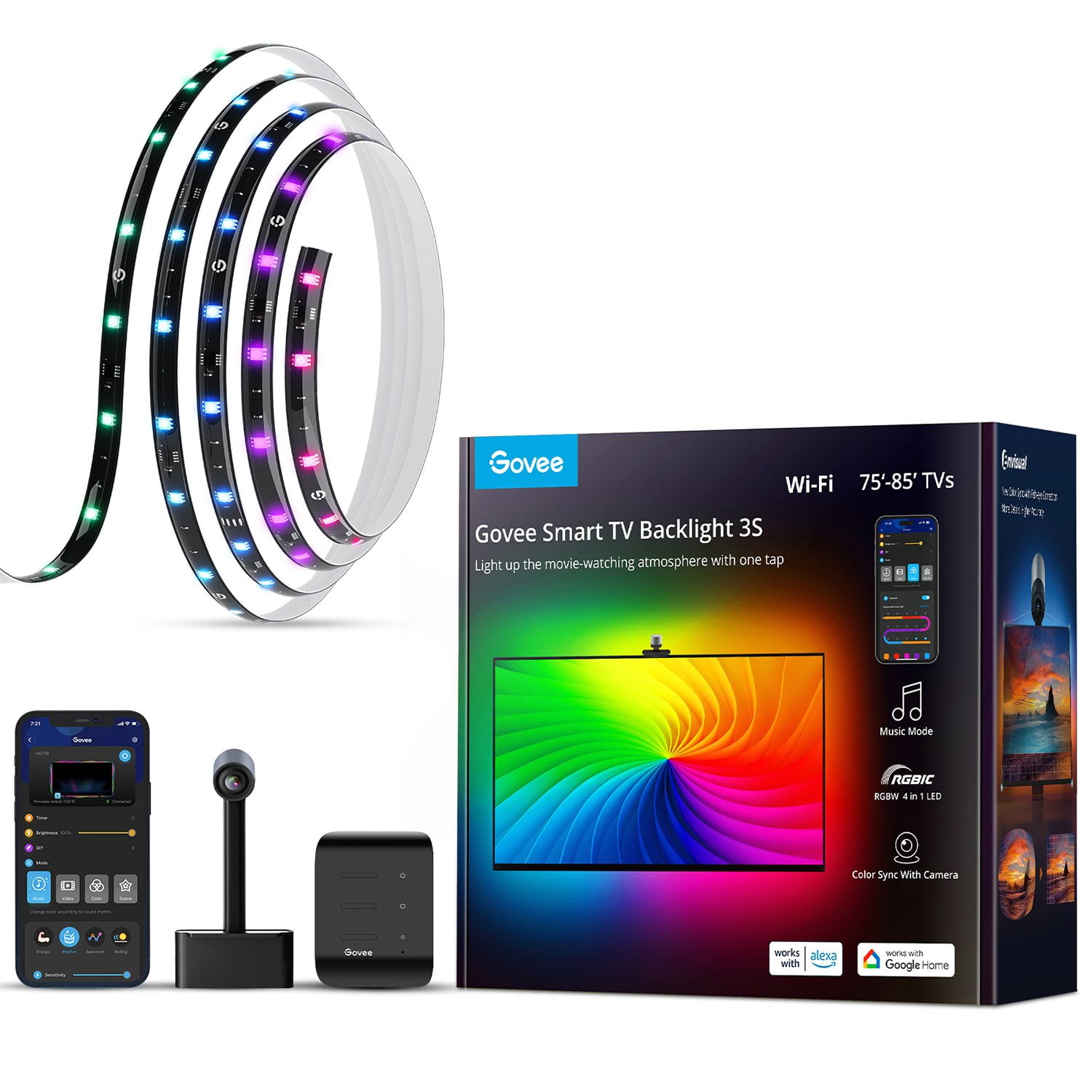
Skip to Main Content
Sam's Club
Sam's Club
All Departments
All Services
Customer reviews for Govee RGBICW Smart TV Backlight 3S, 75in. to 85in. for
Govee RGBICW Smart TV Backlight 3S, 75in. to 85in.
4.4 out of 5 stars
stars
711 ratings710 reviews
  1. 5 stars72% (512)
  2. 4 stars13% (94)
  3. 3 stars6% (43)
  4. 2 stars3% (24)
  5. 1 star5% (38)

Member photos

  • +4 images
Sort by |
Showing 181-190 of 710 reviews
Sep 3, 2024
Reviewer name: Kurt Harless
5 out of 5 stars
5 out of 5 stars review

Better than expected

The backlight on the 75"television creates an immersive experience that makes watching movies at home fun again. Many of the corner clips popped off even though I pre cleaned he area with the included alcohol wipes. Nothing a little additional tape shouldn't fix.

Review from govee.com
Helpful?1SKLZ7K97WYK13745367258
Jun 5, 2021
Reviewer name: Jorge
5 out of 5 stars
5 out of 5 stars review

Great quality, great price, great experience for movies, games and music.

Your browser does not support HTML5 video. ?These lights are amazing! Easy to jjj, great immersive experience for movies, games, music, and the most amazing thing is the price! I wanted the Phillips Hue lights but they're way expensive, and the govee brand offers almost the same quality. You need to have this for your TV, you won't regret it!

Review from govee.com
Helpful?1SKLZ7K97WYK13745367258
Sep 13, 2024
Reviewer name: Anonymous
4 out of 5 stars
4 out of 5 stars review

READ BEFORE INSTALLING

These work great but only if installed correctly. Nowhere in the directions does it specify that it needs to be installed exactly like the image shown. There are 4 different ways to install the light strips (starting them in any of the 4 corners) and apparently only one is correct. Seems like Govee would mention that. The camera reads in one direction and can not be reversed or flipped. If you do them in the reverse order, or if you start the light strips in any other direction the lights will show action on the opposite side of the TV. I installed mine opposite starting in the left corner because of where I wanted things to be plugged in. I can't believe the only person that has done this.

Review from govee.com
Helpful?1SKLZ7K97WYK13745367258
May 24, 2021
Reviewer name: Ari
4 out of 5 stars
4 out of 5 stars review

Take caution with the calibration foams.

Your browser does not support HTML5 video. ?First impression, I like it. Took a little fiddling with to get my expected operation, & I'll probably adjust it more as I use it. Colors can be a little off, my whites show as blue, I'll mess with the saturation to try to correct this. But for the price I'm happy with my purchase so far.However be very careful with the calibration foams, they stick very well & gave me anxiety to pull off as I could see my screen reacting with swirls. I would recommend you use a small bit of masking tape instead to place them or even put them on the bezel & adjust as needed during your calibration to avoid possible screen damage.I have a 70in, I was able to apply the lights on all sides, not edge to edge, a few inches in, some distance gapping at the corners, & think it looks just fine when it's on, it reflects well on my wall behind.

Review from govee.com
Helpful?1SKLZ7K97WYK13745367258
Jun 9, 2021
Reviewer name: gakrrajo1
5 out of 5 stars
5 out of 5 stars review

Love these lights

Love these lights. Mounted the camera under the TV on the stand to get a better survey of the screen. Took the advice from others and turned the saturation down. Lights don't sink 100% to what is on screen at all times, but for this price they are pretty darned good. Highly recommend.

Review from govee.com
Helpful?1SKLZ7K97WYK13745367258
May 19, 2021
Reviewer name: Watermelon
5 out of 5 stars
5 out of 5 stars review

This thing is awesome!

What a way to elevate your viewing experience! I have a 4K 55-inch TV on a mobile steel cart and bought a 100-inch fabric projector screen on stands to serve as a background. This immersion backlight adds a lot of value to movie and TV watching while easing eye strain.Outstanding, Govee!

Review from govee.com
Helpful?1SKLZ7K97WYK13745367258
Jun 13, 2021
Reviewer name: William
5 out of 5 stars
5 out of 5 stars review

This is Amazing!!!

For just the backlighting - I use blue on bottom to match my stand lighting and Video for Games or movie watching. The service is Great!! I had a problem calibration, But all is Well!! I'm going to buy another one for the Bedroom.I had to tilt my camera slightly to adjust and put the Orange Calibration on the screen edge. Brand new TV.. Plus the Vivid vs Standard or Picture settings will change how it works.

Review from govee.com
Helpful?1SKLZ7K97WYK13745367258
May 31, 2021
Reviewer name: Faustus
4 out of 5 stars
4 out of 5 stars review

Great for the price point

For the price, there's nothing anywhere near this! I especially like the fact it uses a camera instead of the hdmi method like the pricier options use because I like to use my built in operating system that came with my smart TV. The colors, however, aren't 100% accurate and it tends to lean heavily on displaying blues for dark or black scenes and pinks instead of reds (even with the contrast all the way down). It's definitely great for movies and video games though

Review from govee.com
Helpful?1SKLZ7K97WYK13745367258
Jul 5, 2021
Reviewer name: Terry
5 out of 5 stars
5 out of 5 stars review

It's awesome

Only took about 10 minutes to plan and install it. Easy to set up with the app and got it going very quickly. Love how it changes to match the screen. App also has tons of options to change and customize the lights any way you want them. Would def recommend.

Review from govee.com
Helpful?1SKLZ7K97WYK13745367258
Aug 5, 2021
Reviewer name: Otto
3 out of 5 stars
3 out of 5 stars review

Good But....

The lights are great. They're bright, ok color selection on the app, and the scenes are fun to have. However, the camera to TV LED casting is meh. The colors don't mach up the best but it's alright, just a little under-welming. My biggest issue with the lights was the setup. I have a 50" TV and the lights seem like they are ment for AT LEAST a 55" TV. This was not clearly I indicated on the website nore was their an option to get a smaller size. I would not recommend getting these strips unless you have AT LEAST a 55" TV.

Review from govee.com
Helpful?1SKLZ7K97WYK13745367258
reply from Supplier Response

Here are some tips which may help you: 1.Please make sure that the calibration was correct. 2.Please unplug the adapter and re-plug it again 10 mins later. 3.Please reset the controller box: clicking the middle button for 4 times while holding the power button. 4.Please choose 'Part' under movie mode. 5.Please try to lower the saturation of the TV.