Join Now
Skip to Main Content
Sam's Club
Sam's Club
All Departments
All Services
Customer reviews for Govee RGBICW Smart TV Backlight 3S, 75in. to 85in. for
Govee RGBICW Smart TV Backlight 3S, 75in. to 85in.
4.4 out of 5 stars
stars
711 ratings710 reviews
  1. 5 stars72% (512)
  2. 4 stars13% (94)
  3. 3 stars6% (43)
  4. 2 stars3% (24)
  5. 1 star5% (38)

Member photos

  • +4 images
Sort by |
Showing 151-160 of 710 reviews
May 15, 2021
Reviewer name: Zaphod
5 out of 5 stars
5 out of 5 stars review

Awesome lights

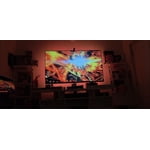
Your browser does not support HTML5 video. ?Could never go back to RGB after these! Quite easy setup to alexa and app. So much to play with on app! Obviously got these for the video aspect but you can set to music, scene, prog your own colours and DIY as well. 3m tape more than adhesive enough for placement. Had an issue at first but govee quickly sorted it out. 5 star service.

Review from govee.com
Helpful?1SKLZ7K97WYK13745367258
Dec 27, 2021
Reviewer name: Buckeyeguy
5 out of 5 stars
5 out of 5 stars review

Amazing

Bought it for myself now buying multiple for gifts. Calibration is easy and the lights look amazing. Luke's scene in the mandalorian rock. His green saber flows from left to right as red blasters shoot around the scene. Definitely enhances movies and the app has a ton of modes and options. Highly recommend.

Review from govee.com
Helpful?1SKLZ7K97WYK13745367258
May 28, 2021
Reviewer name: Lisa
5 out of 5 stars
5 out of 5 stars review

Easy Set-Up For Real

It was easy to set up. The light strips has good adhesion and is staying put. I mixed up clockwise and counterclockwise so I had to fix that but otherwise it was easy-peasy, easier than I thought it would be. All together it took about 10 minutes to install and it works great.

Review from govee.com
Helpful?1SKLZ7K97WYK13745367258
Jun 23, 2021
Reviewer name: Bethany
5 out of 5 stars
5 out of 5 stars review

Looks amazing. Still trying to figure out

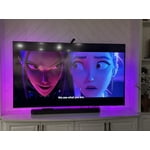
The set up is easy from sticking the lights on to calibrating them. Im still playing around with the app but the colors are shades of what is on tv, not the exact color. Like darker edges show up as a dark blue and yellow/orange edges show up as red or a dark orange. Im not sure if thats how it is supposed to be or if it just requires adjustments in the settings but its not an unappealing display. The off shades look pretty cool. Highly recommend this product to enhance your entertainment set-up for an affordable price and minimal electrical knowledge.

Review from govee.com
Helpful?1SKLZ7K97WYK13745367258
Jun 13, 2021
Reviewer name: William
5 out of 5 stars
5 out of 5 stars review

This is Amazing!!!

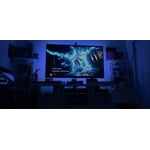
For just the backlighting - I use blue on bottom to match my stand lighting and Video for Games or movie watching. The service is Great!! I had a problem calibration, But all is Well!! I'm going to buy another one for the Bedroom.I had to tilt my camera slightly to adjust and put the Orange Calibration on the screen edge. Brand new TV.. Plus the Vivid vs Standard or Picture settings will change how it works.

Review from govee.com
Helpful?1SKLZ7K97WYK13745367258
Sep 3, 2024
Reviewer name: Nick
1 out of 5 stars
1 out of 5 stars review

I'm wondering if these are generated responses to be honest

I've done everything perfectly correctly but the color match is Terribble, Generates wrong colors at wrong time does do much of anything it said it was gonna just absolutely terriblely disappointed with my purchase as of right now will change my review if the issue is ever resolved but not worth the money at all as of right now

Review from govee.com
Helpful?1SKLZ7K97WYK13745367258
Aug 22, 2021
Reviewer name: Andy
5 out of 5 stars
5 out of 5 stars review

Great Lights - Awesome Service

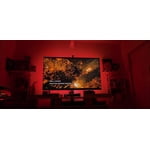
Having a static light behind your TV is cool BUT when the lights flash and change colors matching the scene it becomes an experience. It is fun when there are explosions but is also adds to the scene when it is an interview or a scenic shot. Then my lights died. I thought, Oh well. But after a week I really missed them. I didn't realize how much better experience they made watching TV. I gave in and reached out to support expecting nothing but customer service was there. They asked me to do a few things. They responded to my email in less than 24 hours each time. It came to a conclusion the lights was toast. Instead of wishing me luck, they sent me a replacement. And not by snail mail either! If I could I would give their customer support 7 stars out of 5.

Review from govee.com
Helpful?1SKLZ7K97WYK13745367258
Jun 9, 2021
Reviewer name: gakrrajo1
5 out of 5 stars
5 out of 5 stars review

Love these lights

Love these lights. Mounted the camera under the TV on the stand to get a better survey of the screen. Took the advice from others and turned the saturation down. Lights don't sink 100% to what is on screen at all times, but for this price they are pretty darned good. Highly recommend.

Review from govee.com
Helpful?1SKLZ7K97WYK13745367258
Sep 3, 2024
Reviewer name: Brandon
5 out of 5 stars
5 out of 5 stars review

game changer

this govee backlight changed the way i watch movies/game/streaming since my tv is ultra bright in a small room it helps tones down the tv brighness and not deal with eye strains. im still playing with the scene and video calibrating until i find my go to led theme layout

Review from govee.com
Helpful?1SKLZ7K97WYK13745367258
Aug 5, 2021
Reviewer name: Otto
3 out of 5 stars
3 out of 5 stars review

Good But....

The lights are great. They're bright, ok color selection on the app, and the scenes are fun to have. However, the camera to TV LED casting is meh. The colors don't mach up the best but it's alright, just a little under-welming. My biggest issue with the lights was the setup. I have a 50" TV and the lights seem like they are ment for AT LEAST a 55" TV. This was not clearly I indicated on the website nore was their an option to get a smaller size. I would not recommend getting these strips unless you have AT LEAST a 55" TV.

Review from govee.com
Helpful?1SKLZ7K97WYK13745367258
reply from Supplier Response

Here are some tips which may help you: 1.Please make sure that the calibration was correct. 2.Please unplug the adapter and re-plug it again 10 mins later. 3.Please reset the controller box: clicking the middle button for 4 times while holding the power button. 4.Please choose 'Part' under movie mode. 5.Please try to lower the saturation of the TV.