
 Customer reviews for SAMSUNG 85" Class Q7-Series 4K Ultra HD Smart QLED TV - QN85Q7DAAFXZA for
Member photos



 +297 images
Great Picture
[This review was collected as part of a promotion.] Great for almost all TV watching. Does not plat well with UTube tv and I had to get the another firestick in order for it to run well on the Samsung product. Other than that and that fact that when you are streaming with anything less than 1080dpi it is a little choppy. it is a great TV and worth the money.
Burninbob, Thank you for choosing the Q70A QLED TV and taking the time to share your experience with the YouTube TV app. If your app is freezing, not loading, or crashing, you can try cold booting your TV by holding down the power button on your remote for 5+ sec until the TV turns off and on again, deleting and downloading the apps again, and completing full reset of Smart Hub to correct the issue. Please make sure that Auto Update is turned on so that your apps can stay current with the latest updates and patches. Navigate to the Settings within the App Store and set Auto Update to: On. Please also check that your TV is running the latest firmware version. Go to: Settings > Support > Software Update. When watching non-4K content, please keep in mind your new TV will upscale as best as possible any content sent to it. The closer your content is to 4K, the better the image will look on the screen. Here are some tips to help improve the sharpness: 1. HDMI cables are recommended for optimal HD viewing. 2. If you have an analog cable box or satellite box, upgrade to a digital cable box or satellite box. 3. Adjust the cable box or satellite box's video output resolution to 1080i. 4. Look for a channel that is broadcasting native HD content. For over the air/cable antenna connection, try these steps to find HD channels: Go to Menu>Settings> Broadcasting> Auto Program I hope these tips help. Should you ever have questions or need help, please call us at 1-800-SAMSUNG (ask for TVs), available 8AM - 12AM EST, 7 days a week. For additional support resources, visit us on the Samsung website and click on the ‘Support’ link in the upper right corner of the homepage for: 1) Contact Us: For additional Chat & Text options, choose ‘TVs & Home Theater’ and select your model & topic. 2) Manuals & Software 3) Warranty Info 4) Register a Product: For access to easy warranty support, convenient opt-in to special promos and offers, faster troubleshooting and service, and quick notification of system updates. ~ Samsung Specialist
Beautiful picture quality
[This review was collected as part of a promotion.] I have yet to use my TV for gaming but as for TV channels and movies the picture quality is amazing. I had given up on TVs and had switched to a projector but I don't think I'll go back to a projector after using this TV the picture quality is so good
I Love My TV
[This review was collected as part of a promotion.] I bought this TV as a Christmas gift for myself. I did a lot of research and I decided that this would be a great value for my money. I have not been disappointed in the quality of the TV. The picture is clear and detailed and is quite amazing, especially for watching movies. I also bought a Samsung soundbar which makes everything sound awesome. The main issue I have with it is the remote control. I hate it. It is difficult to use and way more complicated than I have the patience for. I have also had difficulty connecting / using an antenna and figuring out how to cast from my phone / computer / chromebook. That's probably a "me" issue and not an issue with the tv but an easier interface for less tech savvy people would be welcome. Overall, I would highly recommend the Samsung QLED. It is a huge step up from my plasma TV and the details are great. It is exactly what I wanted for my living room viewing!
Best Picture, Great Sound
[This review was collected as part of a promotion.] I love my Samsung Q7 TV, Dynamic Mode is amazing! I love that it switches automatically to game mode when I play my PS5 on it, I love this TV. The first time I watched it I knew what folks must have been feeling when tvs went from black and white to color.
Great Picture for a bargain!
[This review was collected as part of a promotion.] We have had this TV for about 6 months.. The picture is so clear clear and the options for apps are great. The only drawback Is that the remote is really light and easy to lose, and and the Is solar panel on the back broke quickly. But we love that we can reach hardship with the USB.
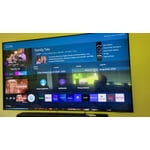
Great TV!
[This review was collected as part of a promotion.] I love this TV, it does it all. at the time I got it I couldn't have asked for better. you can download any streaming service you want and do it all right on the tv without the need of a streaming device. the only draw back I now have is that on a PS5 you can not do 4k at 120hz but that is a newer feature for newer sets so I can't complain. I love the picture and how well this tv does. even the speakers are good
The Art of Samsung
[This review was collected as part of a promotion.] The contrast and the pixels take your eyes to the next level of enjoyment. All functions are with quick response and easy to access to where you want to go. Brilliant Tizen OS interaction and lots of nice apps to apply.
IMPRESIVE QUALITY!!!
[This review was collected as part of a promotion.] I HAVE BEEN AMAZED BY THE BRILLIANT COLORS AND DEFINITION THAT THIS TELEVISION PRODUCES. MY NEIGHBORS THAT HAVE OBSERVED THE QUALITY OF THIS UNIT ARE ALSO IN AWE AND SOME ARE VERY JEALOUS. I SUSPECT THAT THEY WILL ALSO BE LOOKING MORE CLOSELY AT SAMSUNG FOR THEIR NEXT PURCHASE. THE TV HAS PRODUCED 'NO' PROBLEMS SINCE I'VE PURCHASED IT. ADDITIONALLY, I'M ALSO INTRIGUED WITH THE INTERNET CAPABILITY, AS WELL AS THE STATION LINE-UP'S BUILT INTO THE SYSTEM. OVERALL, I CAN CONFIDENTLY STATE THAT I CONSIDER THE BEST TELEVISION THAT I'VE EVER OWNED AND I'VE OWNED COUNTLESS TV'S OVER THE PAST SIX DECADES!!!!! I LOVE THIS TV SO MUCH THAT IT IS ON ROUGHLY 16 HOURS A DAY, SINCE I'M RETIRED AND MOSTLY HOMEBOUND!!! IT IS THE CENTER OF MY LATER LIFE, SINCE I WORKED OUTSIDE FOR OVER FIVE DECADES.
Solid 4k TV experience would recommend
[This review was collected as part of a promotion.] I use the Samsung q70a primarily for gaming and streaming. Overall the TV has been solid in all categories. The picture is vibrant and clear. The UI is easy to navigate and user friendly. I bought the 65 inch, which is more than enough screen space for my living room. I use a sound bar, which I believe is critical for this TV. The built in speakers do not produce much sound. The only other issues I have experienced is the remote stops working and needs to be reconnected occasionally. Also, there can be a screen flicker when playing video games and the VRR setting is turned on using the Xbox Series X. I would not let these issues deter you from the Samsung q70a. It is a solid mid tier 4k television that I have enjoyed thus far.
Hi JLeeb, Thank you for choosing Samsung's Q70A TV and for your review. I’m happy to hear that you are enjoying the picture brought to you by our Quantum Processor 4K. Powered by machine learning, our most powerful 4K processor enhances picture from any source into crisp 4K action in each and every scene. We appreciate your feedback regarding the remote included with your TV. If you press any key on the remote, and the LED indicator at the top of your remote stays on for about 3 seconds rather than blinking, please try the following steps to reset your remote: 1) Long press the RETURN key and ENTER key together for about 10 seconds if your remote was once paired already with the TV, you do not need to re-pair it again. However, if it was not paired with the TV, pairing must be done after the reset. 2) The RETURN key is on the left side of your remote and looks like a curved, backwards pointing arrow. 3) The ENTER key is the button in the center of your directional ring. When you connect a video game console such as your Xbox Series X, Game Mode is set to Auto. The screen may shake somewhat when this feature is enabled - please know this is normal, but if your screen is flickering when not in Game Mode, ensure your TV's energy efficiency features are disabled. You can check this by going to: Settings > General > Power and Energy Saving. I hope these tips help! Should you ever have questions or need help, please call us at 1-800-SAMSUNG (ask for TVs), available 8AM -12AM EST M-F (9AM – 6PM EST Sat). Or text HELP to 62913. For additional support resources, visit us on the Samsung website and click on the ‘Support’ link in the upper right corner of the homepage for: 1) More ‘Contact Us’ options – LiveChat, Facebook, Twitter, Samsung Community, Samsung Members app 2) Manuals & Software 3) Warranty Info 4) Product Registration: For access to easy warranty support, convenient opt-in to special promos and offers, faster troubleshooting and service, and quick notification of system updates. ~ Samsung Specialist
PERFECT TV
[This review was collected as part of a promotion.] It's actually good in everything gaming, streaming, and specially watching for sports i really love the frames that samsung has, the graphics is so perfect. esp. when me and my friends are playing ps5 i really like how the graphics merge with the ps5. you guys did a great job please do not give up making some perfect samsung tv's