Join Now
Skip to Main Content
Sam's Club
Sam's Club
All Departments
All Services
Customer reviews for SAMSUNG 85" Class Q7-Series 4K Ultra HD Smart QLED TV - QN85Q7DAAFXZA for
SAMSUNG 85" Class Q7-Series 4K Ultra HD Smart QLED TV - QN85Q7DAAFXZA
4.7 out of 5 stars
stars
1,797 ratings1,775 reviews
  1. 5 stars80% (1,432)
  2. 4 stars15% (270)
  3. 3 stars3% (45)
  4. 2 stars1% (22)
  5. 1 star2% (28)

Member photos

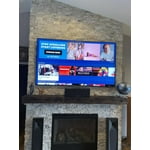
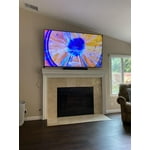
  • +297 images
Sort by |
Showing 1,451-1,460 of 1,775 reviews
Oct 5, 2022
Reviewer name: ms372591
5 out of 5 stars
5 out of 5 stars review

55" Q70A Review

[This review was collected as part of a promotion.] I've had this TV for a few months now and am very impressed with the picture and sound. The response on the apps is also very good.

Review from Samsung US
Helpful?6VT5DVUKIND213737353383
Jun 17, 2022
Reviewer name: Samsungfamily
5 out of 5 stars
5 out of 5 stars review

Amazing product

[This review was collected as part of a promotion.] It has a crystal clear picture for movies and streaming services. Love how it connects and stays connected to our apps. Volume is great! All in all a great purchase

Review from Samsung US
Helpful?6VT5DVUKIND213737353383
Apr 25, 2021
Reviewer name: BDAT1
5 out of 5 stars
5 out of 5 stars review

This product has great features

[This review was collected as part of a promotion.] I use this television for watching movies and television show. The feature really love is the ambient mode where I can install a picture like a work of art on the wall.

Review from Samsung US
Helpful?6VT5DVUKIND213737353383
Sep 24, 2021
Reviewer name: wchols
5 out of 5 stars
5 out of 5 stars review

Best Bang for your buck

[This review was collected as part of a promotion.] absolutely love it for live sports and movies! the best part is how easy it is to use overall. remote is really effective too.

Review from Samsung US
Helpful?6VT5DVUKIND213737353383
Oct 6, 2022
Reviewer name: Leob02
4 out of 5 stars
4 out of 5 stars review

This product is great

[This review was collected as part of a promotion.] I use this tv for movies and gaming like the quality Samsung is the best love the 4k I recommend samsung tvs

Review from Samsung US
Helpful?6VT5DVUKIND213737353383
Oct 24, 2022
Reviewer name: Luvsamsung
5 out of 5 stars
5 out of 5 stars review

Great picture

[This review was collected as part of a promotion.] Great TV. Excellent picture and other features like Alexa. Watching live TV great for movies. Good sound quality on the speakers. Great for gaming as well. It has a gaming mode.

Review from Samsung US
Helpful?6VT5DVUKIND213737353383
Jun 17, 2022
Reviewer name: 111115
5 out of 5 stars
5 out of 5 stars review

Awesome TV

[This review was collected as part of a promotion.] The one that really worth your price. Also really worth the display and the settings. Easy set up with Alexa

Review from Samsung US
Helpful?6VT5DVUKIND213737353383
Oct 11, 2021
Reviewer name: Prestonprice61
5 out of 5 stars
5 out of 5 stars review

Samsung awesome

[This review was collected as part of a promotion.] We love our tvs. We bought one 75. Two 65 and one 50. The one remote is great. Going forward we week only bu Samsung.

Review from Samsung US
Helpful?6VT5DVUKIND213737353383
Oct 5, 2022
Reviewer name: Pmjankos
4 out of 5 stars
4 out of 5 stars review

Good picture

[This review was collected as part of a promotion.] Colors could be more vivid but overall great tv. The time it takes to load the home screen could be improved

Review from Samsung US
Helpful?6VT5DVUKIND213737353383
Jun 17, 2022
Reviewer name: Dwelyn
4 out of 5 stars
4 out of 5 stars review

Great but has backlight bleeding

[This review was collected as part of a promotion.] Work amazingly but in dark scene almost 70% of the screen has backlight bleeding. When the screen is bright you can't notice.

Review from Samsung US
Helpful?6VT5DVUKIND213737353383
reply from Samsung Brand Ambassador

Dwelyn, We appreciate you sharing your review of Samsung's Q70A TV. To optimize your picture quality, please be sure your firmware is up to date with version 2001.3 which includes picture quality updates. You can check this by going to: Settings > Support > Software Update. You may also want to try adjusting image settings to improve your picture. Go to Home > Settings > Picture > Picture Mode ...and select the mode that best fits your usage: 1) Standard: Is the default mode suitable for general viewing environments. 2) Natural: Reduces eye strain for a comfortable viewing experience. 3) Movie: Is suitable for watching TV or movies in a dark room. 4) Dynamic: Makes the picture brighter and clearer in bright viewing environments. 5) Filmmaker Mode: You can watch the source content (e.g., movie) as it is. If the image is defined as Filmmaker Mode, it will automatically switch to Filmmaker Mode while watching. Intelligent Mode enables the TV to recognize and analyze the surroundings, noise, content, and your usage patterns to provide the best viewing experience. You can enable Intelligent Mode by going to Home > Settings > General > Intelligent Mode Settings. Adaptive Picture, which is among the options, optimizes brightness and provides the best picture quality in real time, based on the lighting condition and your content. If you need more help, Samsung is here for you. Please call us at 1-800-SAMSUNG, 8AM - 12AM EST, 7 days a week. Our LiveChat agents are also available by clicking on the ‘Support’ link on our website. ~ Samsung Specialist