Join Now
Skip to Main Content
Sam's Club
Sam's Club
All Departments
All Services
Customer reviews for SAMSUNG 85" Class Q7-Series 4K Ultra HD Smart QLED TV - QN85Q7DAAFXZA for
SAMSUNG 85" Class Q7-Series 4K Ultra HD Smart QLED TV - QN85Q7DAAFXZA
4.7 out of 5 stars
stars
1,797 ratings1,775 reviews
  1. 5 stars80% (1,432)
  2. 4 stars15% (270)
  3. 3 stars3% (45)
  4. 2 stars1% (22)
  5. 1 star2% (28)

Member photos

  • +297 images
Sort by |
Showing 1,051-1,060 of 1,775 reviews
Oct 7, 2022
Reviewer name: Vulcanrdr
5 out of 5 stars
5 out of 5 stars review

Incredible vivid picture

[This review was collected as part of a promotion.] The most I enjoy about my new Samsung TV is the theater quality when watching movies and And sporting events. The sound quality is excellent

Review from Samsung US
Helpful?6VT5DVUKIND213737353383
Aug 8, 2022
Reviewer name: LoveMySamsungQ70
5 out of 5 stars
5 out of 5 stars review

My Samsung Q70
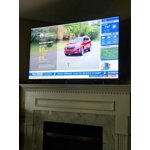
[This review was collected as part of a promotion.] I use my TV for streaming and gaming. What I really love is the clarity and HDR function. The HMDI ARC for my Samsung surround sound is a welcome addition.

Review from Samsung US
Helpful?6VT5DVUKIND213737353383
Jul 27, 2022
Reviewer name: Samsung4life
5 out of 5 stars
5 out of 5 stars review

I love this TV
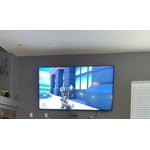
[This review was collected as part of a promotion.] Samsung smart TV is easy to navigate and upload all your streaming devices. The picture is so clear and perfect when watching action movies and sports.

Review from Samsung US
Helpful?6VT5DVUKIND213737353383
Sep 30, 2021
Reviewer name: FloridaSamsungGuy
3 out of 5 stars
3 out of 5 stars review

Good color, but...

[This review was collected as part of a promotion.] The blacks aren't as good as some others, and the refresh is disappointing in movies and gaming. Great brightness though.

Review from Samsung US
Helpful?6VT5DVUKIND213737353383
reply from Samsung Brand Ambassador

FloridaSamsungGuy, Thank you for purchasing the Samsung Q70A TV and for sharing details of your image quality. To optimize your picture quality, please be sure your firmware is up to date with version 1805.4 which includes picture quality updates. You can check this by going to: Settings > Support > Software Update. If this firmware version is not yet available on your TV, you can download the update on a USB drive and manually update your TV: 1. On Samsung's website (upper right corner), go to: Support > Manuals & Software > Find your TV model. 2. Download the update and extract it to the root of a USB thumb drive. (Do not put it in any folders on the thumb drive.) 3. Connect the USB thumb drive to a USB port on your TV. 4. Navigate to Settings > Support > Software Update, select Update Now, and then select Yes. 5. Follow the on-screen instructions to install the updated software. For optimal motion image performance, you may want to adjust the picture clarity setting by going to: Settings > Picture > Expert Settings > Picture Clarity Settings - Off: Picture Clarity Settings will always be off - Auto: Picture Clarity Settings will automatically activate and deactivate based on the type of program being watched - Custom: Allows custom adjustments and settings to be used. By selecting the Custom option, you can access these advanced settings for Judder Reduction, LED Clear Motion, and Noise Reduction. Should you need further assistance with features or other product usage, please reach out to Samsung Support at 1-800-SAMSUNG (ask for TVs), available 8AM - 12AM EST, 7 days a week. For additional support resources, visit us on the Samsung website and click on the ‘Support’ link in the upper right corner of the homepage for: 1) Contact Us: For additional Chat & Text options, choose ‘TVs & Home Theater’ and select your model & topic. 2) Manuals & Software 3) Warranty Info 4) Register a Product: For access to easy warranty support, convenient opt-in to special promos and offers, faster troubleshooting and service, and quick notification of system updates. ~ Samsung Specialist

Aug 22, 2022
Reviewer name: Comache
5 out of 5 stars
5 out of 5 stars review

Game mode

[This review was collected as part of a promotion.] Game mode is beautiful whenever I use my ps5 on it especially when I'm playing need for speed and the surround sound

Review from Samsung US
Helpful?6VT5DVUKIND213737353383
Apr 16, 2021
Reviewer name: Matt31
5 out of 5 stars
5 out of 5 stars review

Awesome picture was impressed

[This review was collected as part of a promotion.] Amazing picture! Fluently go from apps . Soundboard automatically hooks up. What a great TV! Love it

Review from Samsung US
Helpful?6VT5DVUKIND213737353383
Oct 6, 2022
Reviewer name: Leob02
4 out of 5 stars
4 out of 5 stars review

This product is great

[This review was collected as part of a promotion.] I use this tv for movies and gaming like the quality Samsung is the best love the 4k I recommend samsung tvs

Review from Samsung US
Helpful?6VT5DVUKIND213737353383
Sep 28, 2022
Reviewer name: Wja8838
5 out of 5 stars
5 out of 5 stars review

Best TV I have ever had!

[This review was collected as part of a promotion.] My TV has been awesome since the day I bought it. It has a great picture the sound is unmatched and you can't beat the features it has. Hands down best TV to purchase!!!

Review from Samsung US
Helpful?6VT5DVUKIND213737353383
Sep 20, 2021
Reviewer name: DJbadBOY007
5 out of 5 stars
5 out of 5 stars review

Perfect TV

[This review was collected as part of a promotion.] Love the picture quality of this TV. It shows every single detail of a program and it's extremely easy to setup.

Review from Samsung US
Helpful?6VT5DVUKIND213737353383
Jun 17, 2022
Reviewer name: Fasteddie1
4 out of 5 stars
4 out of 5 stars review

Amazing picture!

[This review was collected as part of a promotion.] This tv has an amazing picture and beautiful sound quality. I get all my fav apps as well. I definitely recommend this tv!

Review from Samsung US
Helpful?6VT5DVUKIND213737353383