
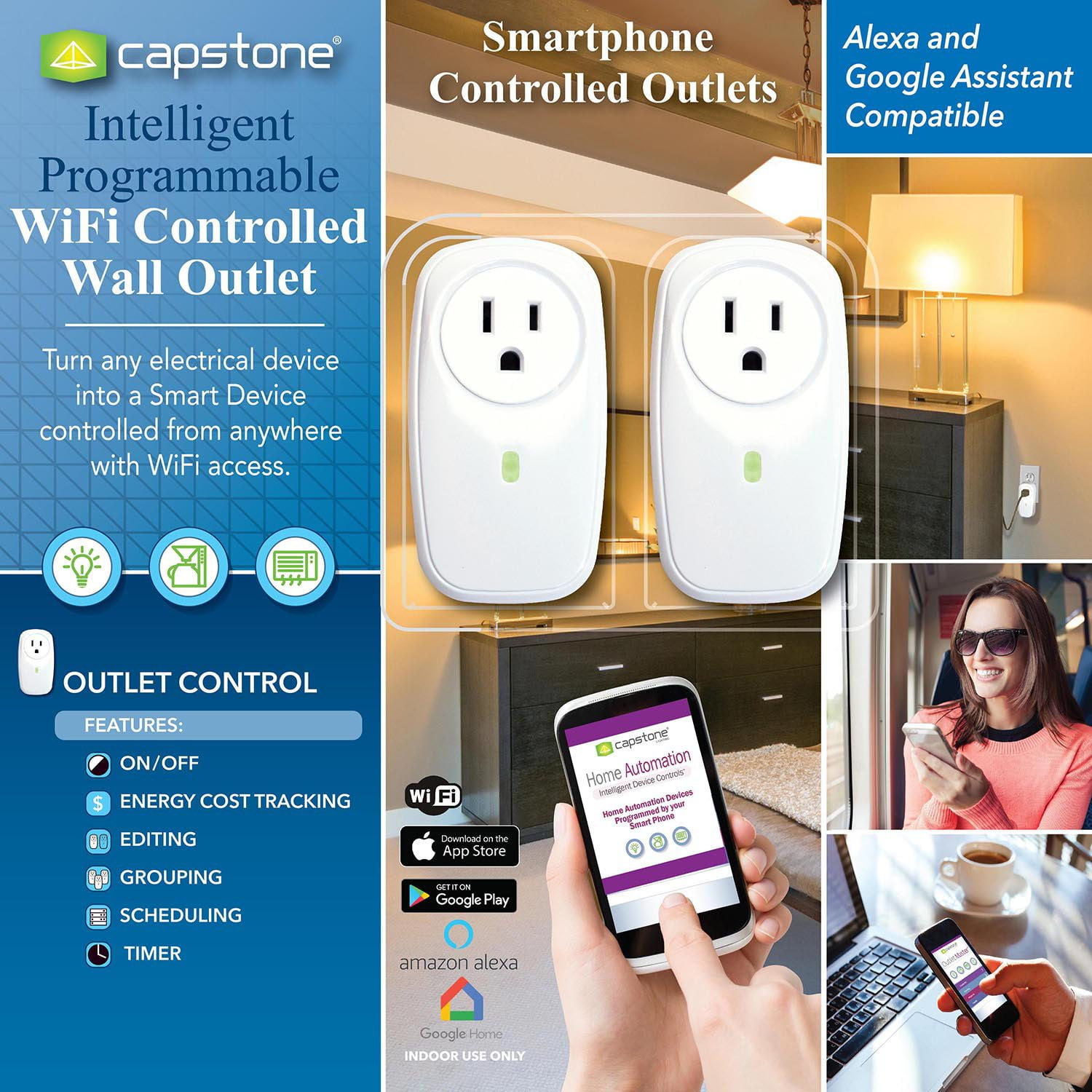
 Customer reviews for Capstone Intelligent Programmable Wi-Fi Controlled Wall Outlets for
Works great
I had no written instructions with mine and simply watched the in-app videos. I had no difficulties linking them to my WiFi or setting their timers. Setting them up is extremely simple if you watch the video(s) & follow the directions. I plan on buying another 2 pack on my next trip to Sam’s.
Garbage
The app doesn't work anymore. No customer supports, no responses from the company. Why did Sam's club sell customers products from a company without reputations?
Total garbage!
These things worked for a couple of months just fine but now they have lost connection/gone offline for the second time in 2 months. I was able to reconnect the first time but after just spending 30 minutes trying to get the first one back online (to no avail) they are going in the trash.
Perseverance Required
I unwittingly purchased this product without reading reviews first. The outlets work fine once they are set up. The catch is that patience and willingness to try and try again... and again... and again, may be required to get these set up. I set the first one up in 30-45 minutes because the setup process did not work on the first attempt. I moved the outlet around the house and repeatedly ran the setup process until it finally worked. I experienced a similar process with the second outlet. Setup of the second outlet took more than 60 minutes. It took repeated power cycling and repositioning of devices. The power cycling and repositioning may not have been necessary, but one can only imagine what might be causing the problem with setup failing when there is no outward indication of what is wrong. My phone, the outlet, and the access point were within three feet of each other, in a triangle configuration, at the same elevation, when it finally worked. I work with the installation of various devices on a daily basis; so, when I think something should work I go to great lengths to get it to work. I can't bring myself to buy any more of these. Power consumption is displayed in the app when the outlet is on. I suppose these outlets are a good deal if you have a lot of time on your hands and nearly infinite patience.
Disappointing
I have had an Insteon home for several year but I would have to replace the pitiful excuse of a hub for another $100 to integrate it with our smart speaker. The Capstone WiFi Wall Outlet looked like a perfect entry point to the world of WiFi home automation. And I have relatives that own Amazon Dots so these would have made perfect gifts. But they are going back. My only conclusions are the app for Apple phones is doing something to join the outlet to Wifi the Android app does not. Or everyone that is successful does not have a security protocol enabled on their WiFi. I see a couple of my neighbors do not so that is a possible reason but unacceptable. That is close to putting a sign in the front yard with my social security number on it. The least likely reason is the LinkSys WRT3200 is not responding in time for the outlet to register. But I have a house full of WiFi devices and have never had trouble joining them to either of the WiFi networks on the LinkSys. We have a LinkSys WRT WRT3200ACM running the open source DD-WRT v3.0-r37305 std (10/10/18). I am using a new Galaxy S10 (Android V9). The setup process for the WiFi Wall Outlet in the Android app does not work any different than for the Dot. It becomes an access point, you join its network and the app walks through the steps of changing the outlet’s setup network to yours. In my case, the app asked for the passphrase to join my 2.4Ghz network (2G), the outlet makes a clicking noise and the LED stops blinking. The app spins for a while then errors with a message the outlet could not join the network. I started watching my routers status tables to understand what was happening. After resetting the outlet and trying this several times I put on my Network Engineer hat and began to analyze the problem. First I loaded a WiFi analyzer app on my phone to watch the outlet when set to factory defaults. It appeared as an unsecured ESS AP using SSID IPCO-8397 channel 1. I also copied the client tables from the router (site survey, wireless, active LAN and DHCP clients) before and after the attempted setup. I continued to look at these tables with every attempt to watch what the router saw happening. Using the MAC addresses I set up static DHCP addresses on the router so I could observe when the IP’s responded to PING. Because the app would not take a complex password I presumed the my SSID secure passphrase was the issue. I changed the passphrase for the 2G network to “qwerty12”, a simple pattern. Also is one of the easiest to crack. The setup process still did not work. I disabled the security completely. The setup process completed, the switch worked as expected. Concluding the radio settings were not the issue I built a table of all of the combinations of WiFi security protocols. One by one I reset the switch, re-setup my phone and ran the app setup process. WEP OPEN/WEP SHARED KEY/WPA PSK/WPA2 PSK/WPA3 PSK all failed. Only when I disabled security on 2G did the registration process in the app complete.
Don't waste your money!
It's cheap for a reason. It worked fine for a few months but recently started to loose connection with Alexa. Resetting and reconfiguring doesn't resolve the problem. It seems to automatically resolve after a few hours. But now it seems like their server isn't working as I can't register the device. It looks like no one is maning the store at Capstone! Don't waste your money, it has a low price because it doesn't work consistently!
It was hard to configure. Worked for a few weeks
Just stopped working all of a sudden. My app. not login and I cannot reset the password and I cannot re-register. The company has no support for the product. Only thing I'm glad about is that I got it so cheaply on clearance. I guess I got what I paid for.
Do not buy
Had them about 6 months and now the server stopped working with the Amazon Alexa. Contacted the company several times and still no fix. Now the Alexa App will not even find the app to make them work. Must have pulled the app now. I would take them back to Sams Club but do not have the receipt anymore
Drops programming, difficult with motorola
Have 3 of these won't maintain program. Exremely difficult to program with a Motorola cell. Their range seems short as 1 is directly behind the modem thru an outside wall, won't work ever, had to move it inside and buy another brand which work very well. Another looses signal from modem regualrly and drops it's schedule and has to be reset often. The final one, not a problem other than programming with the motorola. I would go elsewhere for a better brand which would be more reliable and much easier to program.
Cannot connect Capstone Phone Controlled out
I bought this device Capstone Smart Phone Controlled Outlets at Sam club and tried to set up the device. Installation of the app is ok in my Samsung phone but I could not connect and made the device work after 2 hours of frustrations: I could not get the screen which allow me to connect to my home network. I have had no problem of installing and set up any other IOTs except this Capstone Smart Phone Controlled Outlets. I reread the instructions and watched the video carefully but I still have no luck with this Capstone Smart Phone Controlled Outlets. I am glad that it works for some persons but, like other reviewers, it did not work for me. If you decide to buy this device, please have my best wishes. Thanks for reading.