Skip to Main Content
Sam's Club
Sam's Club
All Departments
All Services
Customer reviews for SAMSUNG Q-Series 3.1 Dolby ATMOS Soundbar with Q-Symphony for
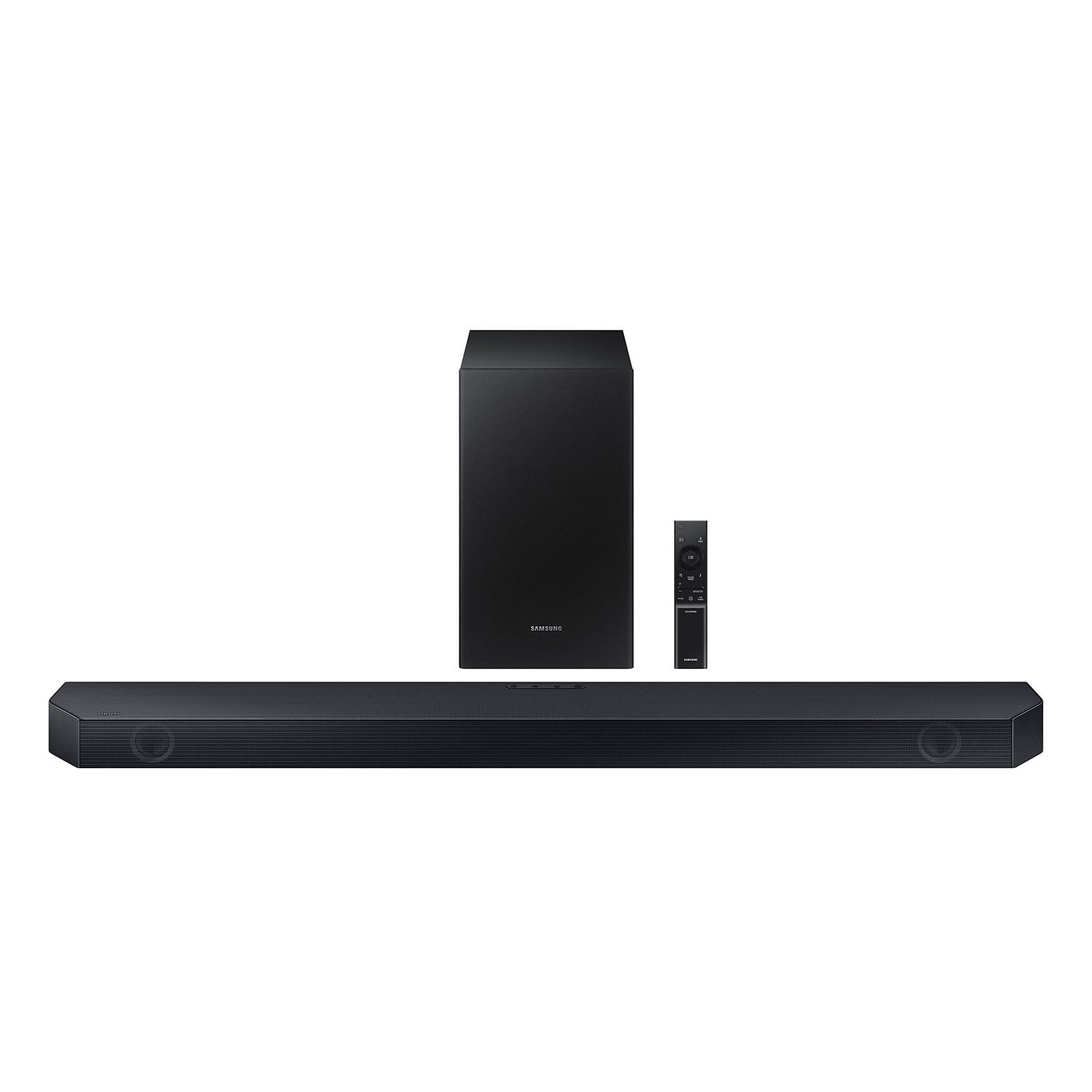
SAMSUNG Q-Series 3.1 Dolby ATMOS Soundbar with Q-Symphony
4.5 out of 5 stars
stars
438 ratings412 reviews
  1. 5 stars73% (320)
  2. 4 stars14% (63)
  3. 3 stars5% (22)
  4. 2 stars3% (11)
  5. 1 star5% (22)

Member photos

  • +5 images
Sort by |
Showing 401-410 of 412 reviews
Oct 11, 2023
Reviewer name: TheDaredevilHD
5 out of 5 stars
5 out of 5 stars review

Amazing soumd quality

[This review was collected as part of a promotion.] I've used this soundbar to watch my favorite movies and shows. The sound quality and immersing surround sound made them all the more enjoyable.

Review from Samsung US
Helpful?0U8WZUZ49FIB13636465949
Aug 21, 2024
Reviewer name: CaptainKev
5 out of 5 stars
5 out of 5 stars review

Great Samsung TV accompaniment

[This review was collected as part of a promotion.] Works seamlessly with my Samsung TV. LCD display is clearly visible. Sound is rich, and the bass is full.

Review from Samsung US
Helpful?0U8WZUZ49FIB13636465949
Apr 7, 2024
Reviewer name: Leothesound
5 out of 5 stars
5 out of 5 stars review

Outstanding product

[This review was collected as part of a promotion.] Buy this product .It's next level sound experience.

Review from Samsung US
Helpful?0U8WZUZ49FIB13636465949
Oct 4, 2023
Reviewer name: Hutmaxx1
5 out of 5 stars
5 out of 5 stars review

Just what I needed for superior audio!

[This review was collected as part of a promotion.] For all TV viewing and doubles ad stereo system when combined with phone.

Review from Samsung US
Helpful?0U8WZUZ49FIB13636465949
Nov 8, 2023
Reviewer name: Anonymous
5 out of 5 stars
5 out of 5 stars review

Amazing soundbar

[This review was collected as part of a promotion.] I love how my tv sounds with my samsung soundbar!!

Review from Samsung US
Helpful?0U8WZUZ49FIB13636465949
Nov 25, 2023
Reviewer name: SamTran
5 out of 5 stars
5 out of 5 stars review

This sound bar have amazing sound

[This review was collected as part of a promotion.] Best sound bar ever made by Samsung ! It bring whole theater sound to my room .

Review from Samsung US
Helpful?0U8WZUZ49FIB13636465949
Oct 31, 2023
Reviewer name: Yurinder32
5 out of 5 stars
5 out of 5 stars review

This product is great

[This review was collected as part of a promotion.] The sounds are very good, I can't watch my TV without the active sound bar, it's just good

Review from Samsung US
Helpful?0U8WZUZ49FIB13636465949
Oct 4, 2023
Reviewer name: Daver101
4 out of 5 stars
4 out of 5 stars review

Excellent product but hard to connect

[This review was collected as part of a promotion.] Love my sound are, but it's hard to connect even to my galaxy phone.

Review from Samsung US
Helpful?0U8WZUZ49FIB13636465949
Sep 14, 2024
Reviewer name: Quick99
3 out of 5 stars
3 out of 5 stars review

Eh good but price could be better

[This review was collected as part of a promotion.] Works good just feel a bit over priced. I enjoy the sound quality though

Review from Samsung US
Helpful?0U8WZUZ49FIB13636465949
reply from Samsung Solutions

Hello Quick99, We appreciate you taking a moment to review the Samsung HW-Q6CC Soundbar. I'm happy to hear that you are enjoying your soundbars sound quality. You can manually optimize your audio experience by pressing the SOUND MODE button to select the desired pre-equalized sound setting. The choices are SURROUND SOUND – GAME – ADAPTIVE SOUND – DTS VIRTUAL:X – STANDARD. To control the volume of the treble or bass press the TONE CONTROL button, and then adjust the volume between -6 to +6 by using the Up/Down buttons on your soundbar remote. Press and hold the SOUND CONTROL button for about 5 seconds to adjust the sound for each frequency band. 150Hz, 300Hz, 600Hz, 1.2kHz, 2.5kHz, 5kHz, and 10kHz are selectable using the Left/Right buttons and each can be adjusted to a setting between -6 to +6 using the Up/Down buttons. (Make sure the Sound mode is set to “STANDARD”.) Press the CH LEVEL button so you can adjust the volume of each speaker. CENTER LEVEL can be adjusted using the UP/DOWN buttons from -6 to +6. With the optional SWA-9200S Wireless Rear Speaker Kit connected you can adjust the volume by using the provided Soundbar remote. Press CH LEVEL and select REAR LEVEL, then use the Up/Down buttons to adjust the volume within a -6 to +6 range. If you would like louder (or softer) bass from your subwoofer, you can adjust the level by rocking the WOOFER button on the soundbar remote, and then adjusting the level from -6 to +6. To set the subwoofer volume level to 0, press the button in. If you need more help, Samsung is here for you. Please call us at 1-800-SAMSUNG, 8AM - 12AM EST (Ask for Soundbars), 7 days a week. Our Live Chat agents are also available by clicking on the ‘Support’ link on our website. ~ Samsung Solutions

Nov 7, 2023
Reviewer name: Acekun
5 out of 5 stars
5 out of 5 stars review

A muat for your home entertainment system

[This review was collected as part of a promotion.] Love the surround this speak produce. So realistic.

Review from Samsung US
Helpful?0U8WZUZ49FIB13636465949