Skip to Main Content
Sams Club
Sams Club
Customer reviews for SAMSUNG Q-Series 3.1 Dolby ATMOS Soundbar with Q-Symphony for
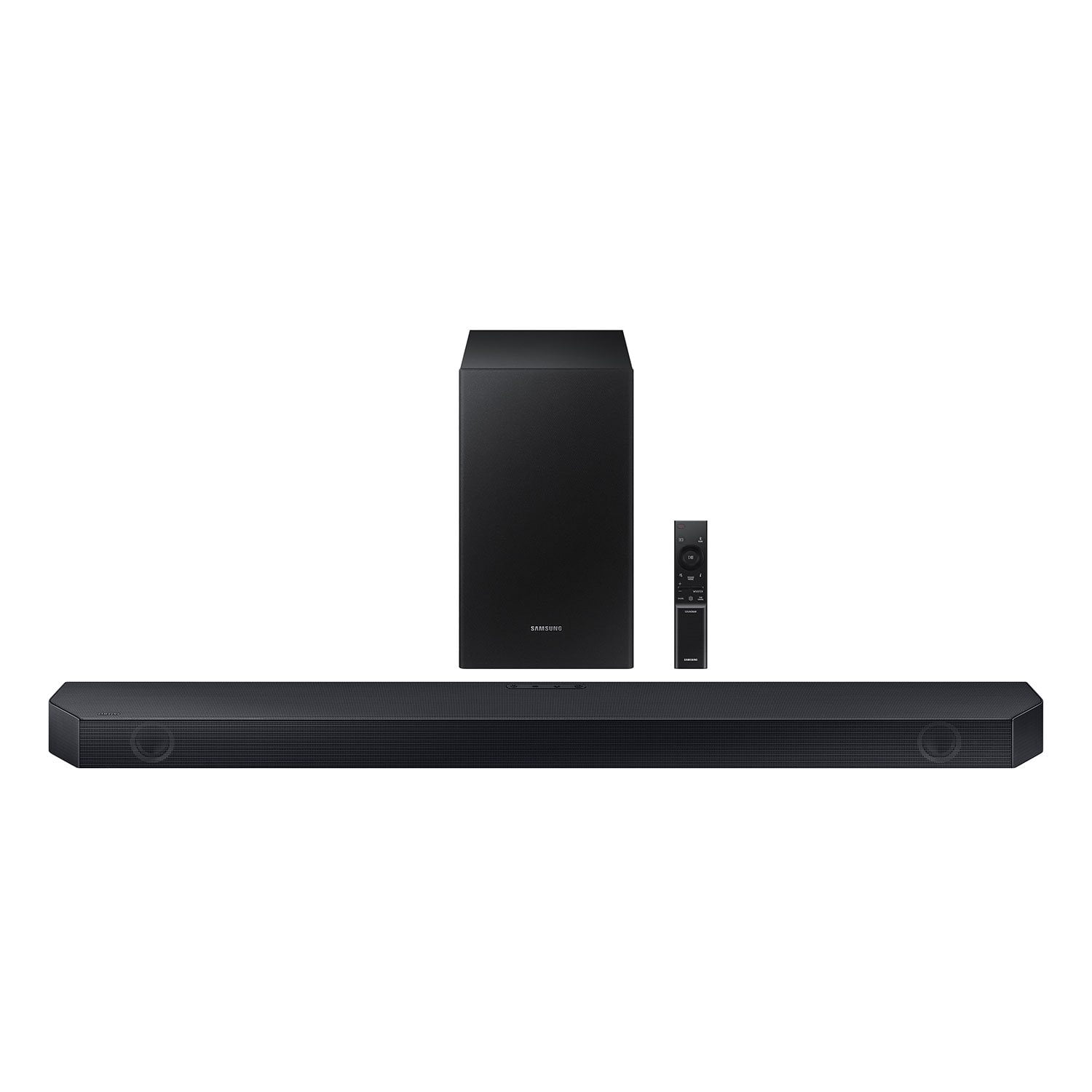
SAMSUNG Q-Series 3.1 Dolby ATMOS Soundbar with Q-Symphony
4.5 out of 5 stars
stars411 ratings385 reviews
  1. 5 stars73% (301)
  2. 4 stars14% (59)
  3. 3 stars5% (20)
  4. 2 stars3% (11)
  5. 1 star5% (20)

Member photos

  • +3 images
Sort by |
Showing 331-340 of 385 reviews
Dec 7, 2024
MrAgarwal
4 out of 5 stars review

Fantastic audio experience for all activities.

[This review was collected as part of a promotion.] I use my Samsung audio device for everything – from streaming movies to gaming and even during work hours. The sound quality is impressive, with clear highs, deep bass, and balanced audio that enhances every experience. It’s great for music, providing an immersive listening experience during workouts and relaxation time. Additionally, it has seamlessly fit into my daily routines, making conference calls clearer and gaming sessions more engaging. The design is sleek and fits perfectly in my setup. Overall, this device has improved how I enjoy entertainment and stay productive. )

Review from Samsung US
Helpful?0U8WZUZ49FIB13636465949
Dec 11, 2024
Trainer
5 out of 5 stars review

Excellent soundbar

[This review was collected as part of a promotion.] I must say that the 3.1 Channel Dolby ATMOS Soundbar from the Q Series (2023) has exceeded my expectations. The sound quality is impressive, with a wide dynamic range and exceptional clarity. The Dolby ATMOS technology is truly immersive, making me feel like I'm right in the middle of the action. Sound effects are perfectly distributed among the speakers, creating a surround-sound experience. The soundbar is easy to install and set up, and its sleek design perfectly complements my home entertainment setup.

Review from Samsung US
Helpful?0U8WZUZ49FIB13636465949
Dec 15, 2024
SamsungFor3v3r
5 out of 5 stars review

Great Soundbar

[This review was collected as part of a promotion.] I use my soundbar every single day. I am a movie watcher and sports aficionado. I love listening to music on YouTube. Samsung has exceeded my expectations. Sound quality is great and voices come in clear even at lower volume levels. Q-Symphony is perfect with my Samsung TV. It was easy to set up and even easier to sync with my TV. I would highly recommend to anyone.

Review from Samsung US
Helpful?0U8WZUZ49FIB13636465949
Nov 19, 2023
Saeed
5 out of 5 stars review

Verified Purchase

Perfect with my TV

Easy to setup and sounds great.

Helpful?0U8WZUZ49FIB13636465949
Dec 1, 2023
Bman
5 out of 5 stars review

Verified Purchase

Sound bar

Bought this to pair with my Samsung TV to improve the sound quality. It did .

Helpful?0U8WZUZ49FIB13636465949
Nov 12, 2023
John
5 out of 5 stars review

Verified Purchase

Voice enhanced thumbs up

Enhanced voice is excellent Bass could be better but overall happy with the system

Helpful?0U8WZUZ49FIB13636465949
Dec 15, 2023
Greekchic
5 out of 5 stars review

Verified Purchase

Hard set up

Was hard to set up but finally got it. Great sound.

Helpful?0U8WZUZ49FIB13636465949
Dec 11, 2023
Tweetie
3 out of 5 stars review

Verified Purchase

Copacetic

Sounds good .. not as great as I imagined it would be .

Helpful?0U8WZUZ49FIB13636465949
reply from Samsung

Hello Tweetie,Thank you for sharing your review of the HW-Q6CC Samsung Soundbar. I am sorry to see that you're not fully satisfied with your purchase. You can manually optimize your audio experience by pressing the SOUND MODE button to select the desired pre-equalized sound setting. The choices are SURROUND SOUND – GAME – ADAPTIVE SOUND – DTS VIRTUAL:X – STANDARD.To control the volume of the treble or bass press the TONE CONTROL button, and then adjust the volume between -6 to +6 by using the Up/Down buttons on your soundbar remote. Press and hold the SOUND CONTROL button for about 5 seconds to adjust the sound for each frequency band. 150Hz, 300Hz, 600Hz, 1.2kHz, 2.5kHz, 5kHz, and 10kHz are selectable using the Left/Right buttons and each can be adjusted to a setting between -6 to +6 using the Up/Down buttons. (Make sure the Sound mode is set to “STANDARD”.) Press the CH LEVEL button so you can adjust the volume of each speaker. CENTER LEVEL can be adjusted using the UP/DOWN buttons from -6 to +6.With the optional SWA-9200S Wireless Rear Speaker Kit connected you can adjust the volume by using the provided Soundbar remote. Press CH LEVEL and select REAR LEVEL, then use the Up/Down buttons to adjust the volume within a -6 to +6 range. If you would like louder (or softer) bass from your subwoofer, you can adjust the level by rocking the WOOFER button on the soundbar remote, and then adjusting the level from -6 to +6. To set the subwoofer volume level to 0, press the button in.If you need more help, Samsung is here for you. Please call us at 1-800-SAMSUNG, 8AM - 12AM EST (Ask for Soundbars), 7 days a week. Our LiveChat agents are also available by clicking on the ‘Support’ link on our website.~ Samsung Solutions

Oct 13, 2024
Matt
5 out of 5 stars review

Verified Purchase

Solid product. Easy to use and works as expected.

Review from walmart.com
Helpful?0U8WZUZ49FIB13636465949
Dec 28, 2023
Kevo
5 out of 5 stars review

Verified Purchase

Soundbar

Sounds great and easy hook-up.

Helpful?0U8WZUZ49FIB13636465949