Skip to Main Content
Sam's Club
Sam's Club
All Departments
All Services
Customer reviews for SAMSUNG Q-Series 3.1 Dolby ATMOS Soundbar with Q-Symphony for
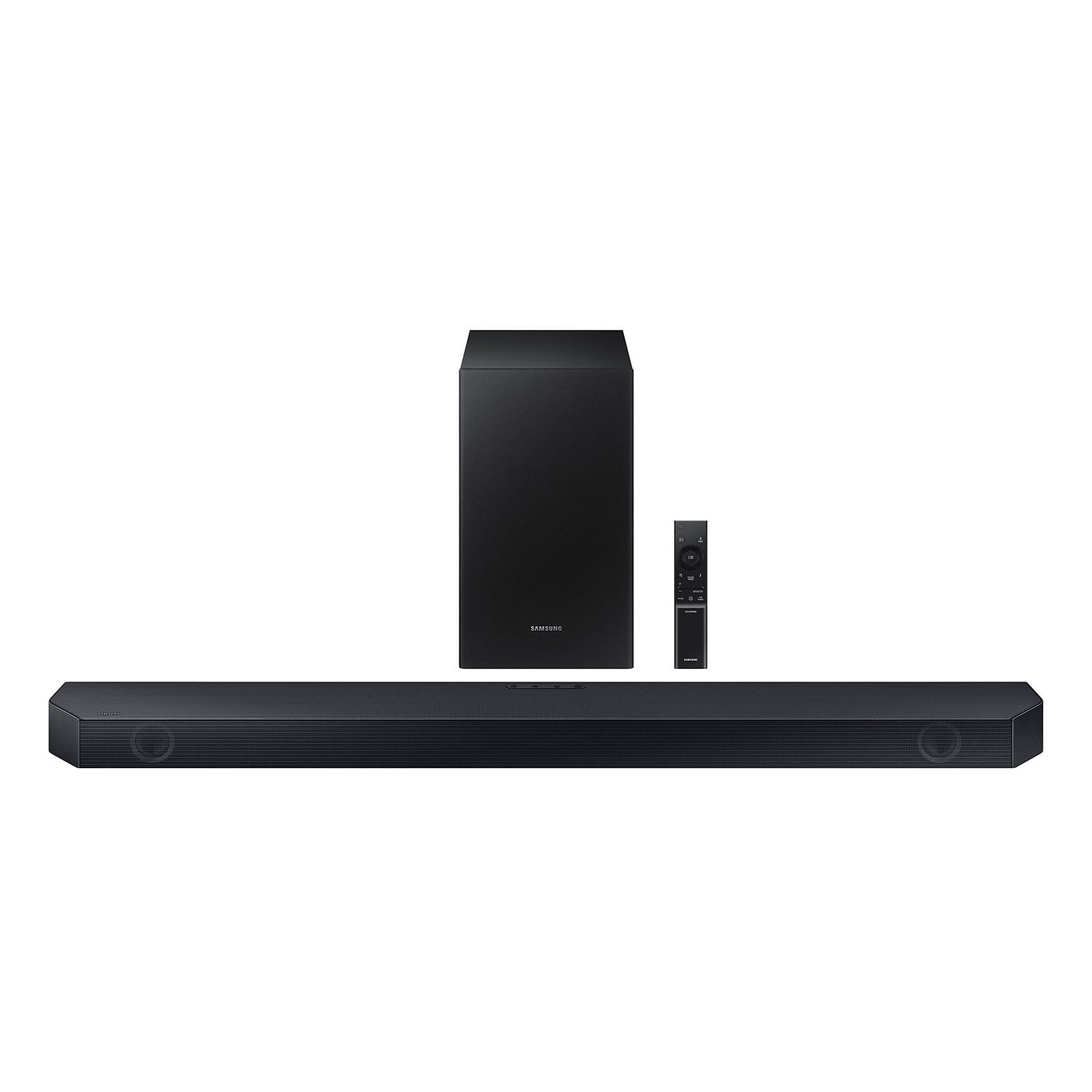
SAMSUNG Q-Series 3.1 Dolby ATMOS Soundbar with Q-Symphony
4.5 out of 5 stars
stars
438 ratings412 reviews
  1. 5 stars73% (320)
  2. 4 stars14% (63)
  3. 3 stars5% (22)
  4. 2 stars3% (11)
  5. 1 star5% (22)

Member photos

  • +5 images
Sort by |
Showing 241-250 of 412 reviews
Feb 4, 2025
Reviewer name: mark
2 out of 5 stars
2 out of 5 stars review

Verified Purchase

works for 3 minutes then quit playing for 1 second starts back up then quit working again

Review from walmart.com
Helpful?0U8WZUZ49FIB13636465949
reply from Samsung

Hi mark, Thank you for taking a moment to review Samsung's HW-Q6CC Soundbar. Please verify that you are running the latest firmware on your TV. You can check to see what software version your TV is using and if there is an available update through the settings on your TV. Go to: Menu > Settings > Support > Software Update. First, try doing a soft reset, unplug the soundbar from the outlet for roughly 30 seconds and then plug it back in. If this still does not correct your issue, then do a hard reset. With the Soundbar on, press the + & - Volume buttons on the body of the soundbar at the same time for at least 5 seconds. INIT OK” appears on the display and then the Soundbar is reset. Updating the firmware on your soundbar gives you all the benefits of the latest improvements. When an update is available, you can update the Soundbar by connecting the USB drive that contains the update firmware to the SERVICE port of the Soundbar. 1.Go to the Samsung Electronics website (www.samsung.com) → click on the “Support” option in the upper right corner. 2.Click on “Manuals & Software” from the pop-up list > TVs & Home Theater > Home Theater > Select your model 2. Download the firmware file (USB type). 3. Unzip the file to create a folder with the file name. 4. Store the created folder in a USB and then connect it to the Soundbar. 5. A sequence of “UPDATE” > “BYE” > “ON” will appear on the display 3 times. This will take around 6 minutes. - During update, do not turn it off or remove the USB. - If “UPDATE” does not appear on the display window, remove the power cord from the Soundbar and then reconnect it. - When the latest Version is installed, no update is performed. - Depending on the USB type, update may not be supported. 6. After the 3 cycles are complete, the Soundbar will restart and last source used will appear on the display for about 20 seconds and then it will go off (“UPDATE” > “BYE” > “ON”) 3 times “D.IN” > off If you need more help, Samsung is here for you. Please call us at 1-800-SAMSUNG, 8AM - 12AM EST (Ask for Soundbars), 7 days a week. Our Live Chat agents are also available by clicking on the ‘Support’ link on our website. ~ Samsung Solutions

Feb 24, 2025
Reviewer name: Picaso
5 out of 5 stars
5 out of 5 stars review

Verified Purchase

Great value for money. Good bass.

Great value for money. Good bass. Easy pairing with my Vizio TV using hdmi.

Review from walmart.com
Helpful?0U8WZUZ49FIB13636465949
Mar 12, 2025
Reviewer name: Bobby
3 out of 5 stars
3 out of 5 stars review

Verified Purchase

keeps jumping to symphony. bass dont work right.

Review from walmart.com
Helpful?0U8WZUZ49FIB13636465949
reply from Samsung

Hello Bobby, We appreciate you taking a few moments to review the Samsung HW-Q6CC Soundbar. First, try doing a soft reset, unplug the soundbar from the outlet for roughly 30 seconds and then plug it back in. If this still does not correct your issue, then do a hard reset. With the Soundbar on, press the + & - Volume buttons on the body of the soundbar at the same time for at least 5 seconds. INIT OK” appears on the display and then the Soundbar is reset. There are two adjustments that can be made to maximize bass from the soundbar and subwoofer: 1. Using the WOOFER button on the remote, you can adjust the level between -6 to +6. To set the subwoofer volume level to 0, press the button in. 2. Adjust the bass control by pressing the TONE CONTROL button on the remote control, then select BASS to increase the level. You can adjust the volume between -6 to +6 by using the Up/Down buttons. For precise audio adjustments, you can use the 7-band frequency equalizer to optimize the sound for your room acoustics. If you need more help, Samsung is here for you. Please call us at 1-800-SAMSUNG, 8AM - 12AM EST (Ask for Soundbars), 7 days a week. Our Live Chat agents are also available by clicking on the ‘Support’ link on our website. ~ Samsung Solutions

Feb 9, 2025
Reviewer name: Anthony
5 out of 5 stars
5 out of 5 stars review

Verified Purchase

Grey sound, easy setup, works well with my new Samsung tv.. symphony Q sounds awesome.

Review from walmart.com
Helpful?0U8WZUZ49FIB13636465949
Feb 25, 2025
Reviewer name: Steven
5 out of 5 stars
5 out of 5 stars review

Verified Purchase

Great entry level soundbar

Review from walmart.com
Helpful?0U8WZUZ49FIB13636465949
Feb 9, 2025
Reviewer name: William
5 out of 5 stars
5 out of 5 stars review

Verified Purchase

Superior sounds

Excellent sound. Made the room come alive again after the speakers in my tv started to go out

Review from walmart.com
Helpful?0U8WZUZ49FIB13636465949
Feb 26, 2025
Reviewer name: anonymous
3 out of 5 stars
3 out of 5 stars review

Verified Purchase

Not Bad, Not Great.

It's okay, not bad not great. Subwoofer not great. Expected more.

Review from walmart.com
Helpful?0U8WZUZ49FIB13636465949
reply from Samsung

Hi anonymous, We appreciate you taking a few moments to review the Samsung HW-Q6CC Soundbar. There are two adjustments that can be made to maximize bass from the soundbar and subwoofer: 1. Using the WOOFER button on the remote, you can adjust the level between -6 to +6. To set the subwoofer volume level to 0, press the button in. 2. Adjust the bass control by pressing the TONE CONTROL button on the remote control, then select BASS to increase the level. You can adjust the volume between -6 to +6 by using the Up/Down buttons. For precise audio adjustments, you can use the 7-band frequency equalizer to optimize the sound for your room acoustics. If you need more help, Samsung is here for you. Please call us at 1-800-SAMSUNG, 8AM - 12AM EST (Ask for Soundbars), 7 days a week. Our Live Chat agents are also available by clicking on the ‘Support’ link on our website. ~ Samsung Solutions

Feb 23, 2025
Reviewer name: Starter005
5 out of 5 stars
5 out of 5 stars review

Verified Purchase

great sound and paired easily with my Samsung tv

Review from walmart.com
Helpful?0U8WZUZ49FIB13636465949
Feb 24, 2025
Reviewer name: DEXTER
5 out of 5 stars
5 out of 5 stars review

Verified Purchase

Truly Outstanding Sound

Awesome Soundbar Set. Amazing Sound.

Review from walmart.com
Helpful?0U8WZUZ49FIB13636465949
Feb 26, 2025
Reviewer name: Lazaro
5 out of 5 stars
5 out of 5 stars review

Verified Purchase

Great sound it's a must to have it

The sound is clear and it made a great difference in the experience of watching a movie

Review from walmart.com
Helpful?0U8WZUZ49FIB13636465949